
Dequoter
Dequoter is a single buffer text processor, where you can write or paste in text, perform some operation on it — like down-case — and then use that text elsewhere. It’s somewhat similar to Boop if you’re familiar with that.
Download: Dequoter for MacOS
Usage
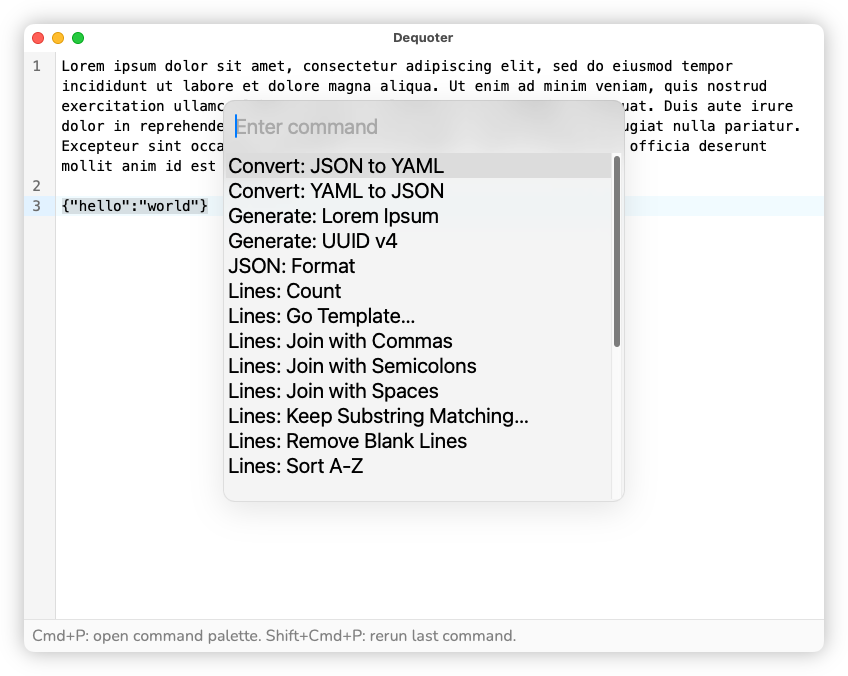
Launching the app will bring you into a text buffer. Write or paste in text from anywhere. To perform an operation, press Cmd+P. This will bring up a picker of processors you can invoke. Start typing to filter and press Enter to invoke the one that appears on the top. The processor will apply to the contents of the buffer, or if any text is selected, it will only apply to the selected text.
The processor name gives a hint as to how the processor handles the text, or “input”. For example, processors beginning with Lines will operate on a per-line basis, where-as String will operate on the input as a whole. Some, like Lines: Count will actually calculate a value, which will appear in the status bar. Others, like Generate: Lorem Ipsum won’t take any input at all, and will instead produce text at the caret. Processors that have a trailing … will require an additional argument, that you’ll be prompted to provide when selecting.
Undo is supported, so you can back out of any transformations by pressing Cmd+Z. To repeat the last invoked processor, press Shift+Cmd+P.
The rest is just the regular text editing features you know and love. The app uses Coding Mirror so if you know the key bindings for that, you’ll be right at home. Multi-caret support is enabled, and to spawn a new caret, press either Opt+Ctrl+Up or Opt+Ctrl+Down.
Changelog
v0.1.11 - 2026-06-24:
- Added commands for decoding and encoding Base64 strings, and decoding JWT
- Added a new command for compressing JSON objects
v0.1.9 - 2026-05-05: