
-
From Merlin’s wisdom project:
Related: most kids can be surprisingly entertained by your making them just a little bit terrified.
Not sure I was ever entertained by being a bit terrified as a kid. I think I left feeling more angry.
-
You know how iA Writer shades anything coming from an LLM to indicate that an AI generated it? I wish Goland did the same thing for copy-and-pasted code. That’ll save me from missing changes of a pasted code fragment that’ll inevitably show up as duplicates in the review.
-
Spun out the sidebar I added to my site into a standalone Micro.blog Plugin, called Sidebar For Tiny Theme. This can be used to add a sidebar with your blog-roll recommendations to any blog that’s using Tiny Theme. Click through to see usage and examples, and let me know what you think.
-
I feel envious of those that are happy to work on one thing — project, job, cause — for a lifetime. I’ve never felt that myself: after a while, I need to move onto something else. I wonder if it’s the same feeling one gets when they fall in love. Can’t say myself (I’ve never fallen in love either).
-
This is probably worth trying. I know for myself that I get lost in the day-to-day activities of work that I loose a sense on what we’ve accomplished during the week. Besides, Confluence has got this blogging feature which never seems to get used.
links -
Dreamt that I was writing a blog post about software design and how it relates to eating vegetables. Not sure the analogy works so I won’t be writing it here. The setting was nice though: I was drafting it on a Swiss train pulling into Geneva where I was to meet up with family at the station.
-
I’ll bring the lighter fluid. #burn-all-computers-to-the-ground

(sorry, it’s been one of those days 😼).
other-artefacts memes -
This year’s Ides of March started with some stormy internet weather this morning. May have been behind a few production issues we had. Always a fun way to start a Friday. 😒
Internet weather’s fining up though.
-
Matt Bircher made an excellent comment about UI design sensibilities:
I get the feeling a non-insignificant contingent of commentators have taken this to the point where they think people who aren’t them are just dumb idiots who can barely figure out how a fork works, let alone how to use a piece of software that does more than one simple thing.
I get this sense as well. Of couse there will be those that arn’t interested in going beyond the basics. But what about those that are? Those that are willing to invest time and effort in your software? Surely they’re worth serving, no?
-
Oof, not feeling great today. Tired and spaced out. Hope I’m not coming down with something. 😩
-
Adding A Sidebar To A Tiny Theme Micro.blog
This is now a standalone Micro.blog Plugin called Sidebar For Tiny Theme which adds support for this out of the box. The method documented below no longer works, but I'm keeping it here for posterity reason.
I’d though I’d write a little about how I added a sidebar with recommendations to my Tiny Theme’ed Micro.blog, for anyone else interested in doing likewise. For an example on how this looks, please see this post, or just go to the home page of this site.
Continue reading → -
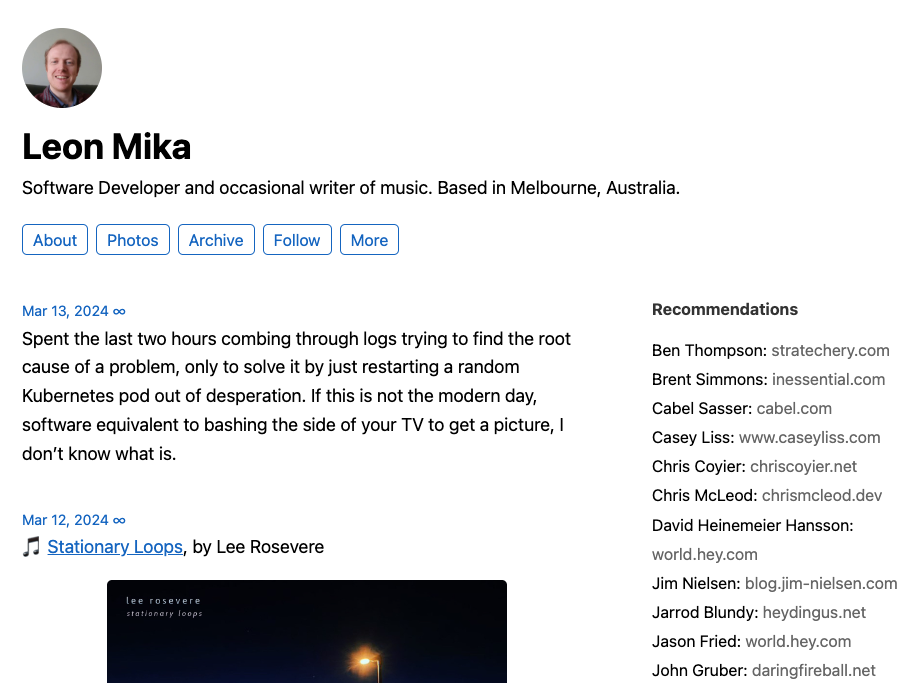
Blogroll ported to Micro.blog and placed in a sidebar on the post list screen using Tiny Theme Microhooks. I’ve yet to port the Blogroll page, and may trim some of the recommendations appearing in the sidebar, but not bad for a first pass.
 screenshots
 -
Spent the last two hours combing through logs trying to find the root cause of a problem, only to solve it by just restarting a random Kubernetes pod out of desperation. If this is not the modern day, software equivalent to bashing the side of your TV to get a picture, I don’t know what is.
-
🎵 Stationary Loops, by Lee Rosevere

Bought when I needed a few screenshots of Alto but growing to like it. Quite nice ambient chill out music. Got hints of Tangerine Dream and Jene-Michel Jarre.
media -
Alto
Date: 2020 — present
Status: Rockin'
The year was 2020. The pandemic was just beginning and I was stuck at home, not being able to do much of anything. Worse, rumours came around that Google was shutting down Google Play Music, my music player of choice. They were going to force everyone onto their streaming service instead. Oh, they may have a place for all the music you’ve downloaded (or written) yourself, but not in the first version. Maybe they’ll get to it later.
Continue reading → -
Hmm, this is a new one. Apparently Telstra is blocking the site to Whisky app for some reason. Going to the website gave me this:
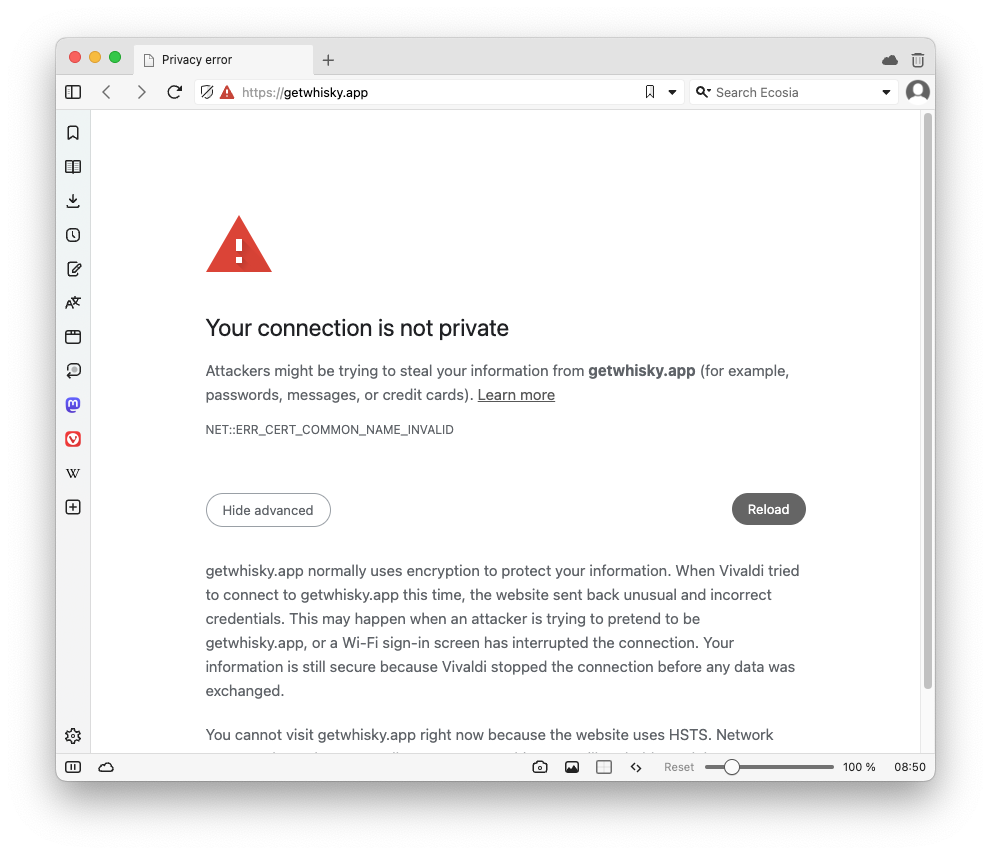
Suspecting that the Whiskey devs just got their certificate missconfigured, I tried viewing the source using
curl --insecure. Here’s what I found: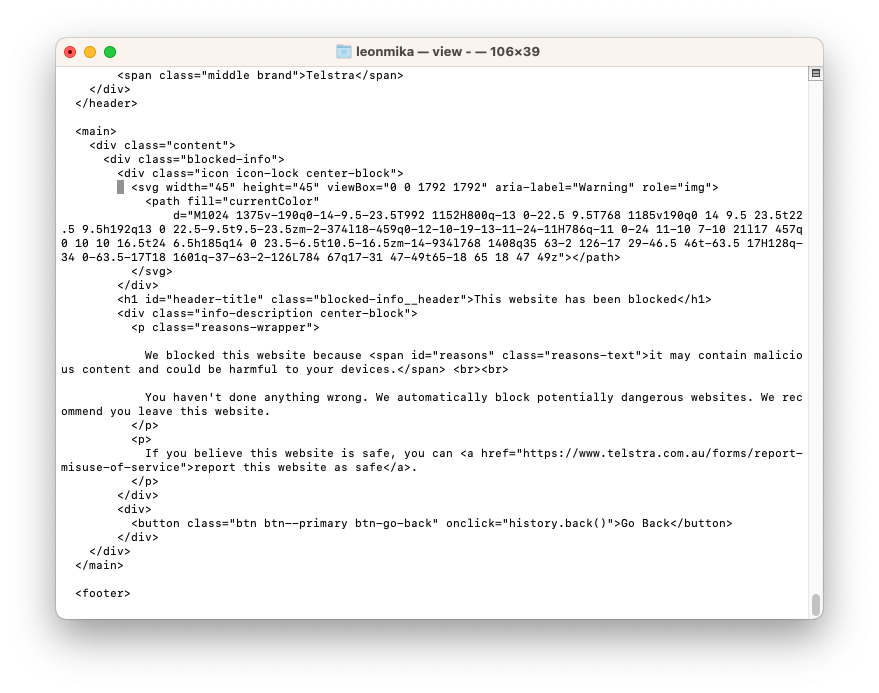
We blocked this website because it may contain malicious content and could be harmful to your devices.
You haven’t done anything wrong. We automatically block potentially dangerous websites. We recommend you leave this website.
[…]
Copyright © 2023 TelstraI’ve submitted a request to unblock it just now. I’m suspect this to just be a mistake but I am curious to know how it got blocked in the first place.
I did manage to get Whisky via a VPN.
You can also get Whisky directly from Github: github.com/Whisky-Ap…
-
Photo Bucket Update: Exporting To Zip
Worked a little more on Photo Bucket this week. Added the ability to export the contents of an instance to a Zip file. This consist of both images and metadata.
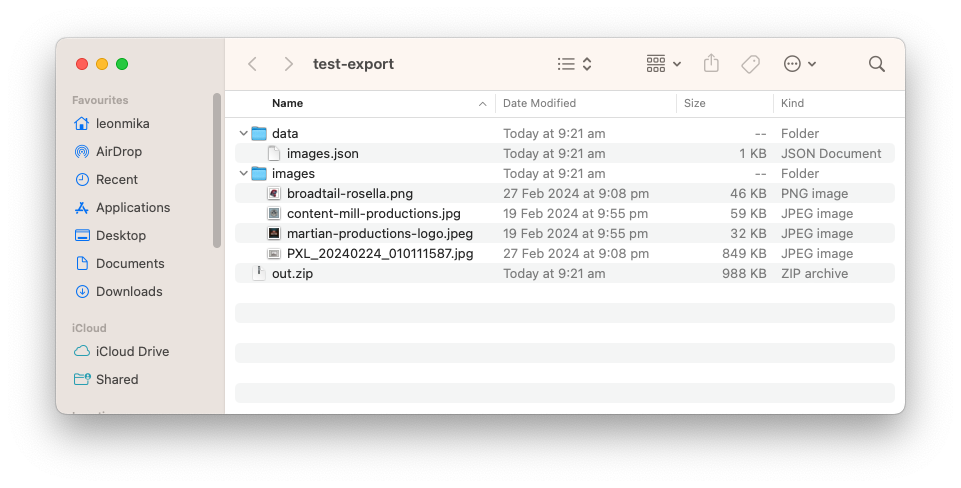
I’ve went with lines of JSON file for the image metadata. I considered a CSV file briefly, but for optional fields like captions and custom properties, I didn’t like the idea of a lot of empty columns. Better to go with a format that’s a little more flexible, even if it does mean more text per line.
Continue reading → -
I’ve being reading several posts from Aaron Francis recently around doing work and talking about it in public. All really good posts on the topic, particularly this one I’ve read a while ago which still resonates with me today.
-
It’s always better to go outside if you can, even if it’s just for a bit. You may feel crappy, and feel resistant to do so. And it’s not like going outside will solve the problems you’re facing. But you will feel better, or at least you won’t feel worse.
-
People say AWS is expensive, but somethings it’s worth it. We’ve been seeing one of our pods crash randomly the last few nights because it’s loosing connection to a self-hosted NATS cluster. I’m pretty sure we wouldn’t be experiencing this if we just used SNS and SQS.
-
Enjoyed the discussion about AI and independence on Ruminate #179. I agree with Robb and John: websites created by people will definitely have a leg up amongst all the sites that are little more than AI generated “content”. 🎙️
media -
Photo Bucket Update: More On Galleries
Spent a bit more time working on Photo Bucket this last week1, particularly around galleries. They’re progressing quite well. I’m made some strides in getting two big parts of the UI working now: adding and removing images to galleries, and re-ordering gallery items via drag and drop.
I’ll talk about re-ordering first. This was when I had to bite the bullet and start coding up some JavaScript. Usually I’d turn to Stimulus for this but I wanted to give HTML web components a try. And so far, they’ve been working quite well.
Continue reading → -
Huh, so apparently it’s possible to scheduled Github actions to run like a cron-job. That’s really interesting to know.
Found this while reading this post about setting up an RSS feed to Google Chrome’s Dev blog.
-
Feels a little like bush week this morning.
-
Signed up as a lifetime member to Scribbles. Given how fun it is to use, it was an easy decision. Fantastic work, Vincent.
 screenshots
 -
Finally got a new release of Dynamo-Browse out today. Realise the last one was 9 months ago, which is a bit long in the tooth (I’ve been using dev builds so the changes were beginning to pile up). Also updated the documentation which needed a bit of TLC.
I probably should write about what’s actually in this release. I tried writing an announcement post, but it just didn’t sit right with me, so I junked it (writing about, or really “announcing” things I’ve done does not come easily to me). Not sure anyone is actually using this anyway, which didn’t help with motivation. I might write more about what’s in this release a bit later. In the meantime, if there is anyone using this, please refer to the release notes and let me know if there are any questions.
-
Was just at the supermarket using an automated checkout machine with the sound turned off. Must say, it’s so much better than the otherwise chatty machines I usually have to use.
-
Giving Insomnia a try for testing a REST API. Took a while to find the downloadable artefact, but first impressions are pretty good. Have yet to explore the more advanced features like chaining requests, but good to see that this is supported.
-
Found this DynamoDB item calculator which would estimate the size of DynamoDB records. Useful for those times when you’re wondering if you can get away with using BatchGetItem without worrying about unprocessed keys and the 16 MB limit.
-
Need to find an alternative to Postman for API testing. It’s quite capable, but something just repels me from using it. Might be its insistence that I should make an account, or maybe because the UI feels inefficient and clunky to use. I’d like to like it, but it’s just not doing it for me.
-
Random fact I found on Wikipedia today: apparently marsupials are less likely to contract rabies because they have a slightly lower body temperature than placental mammals (35°C vs. 37°C or so).
Only reason why I searched for this is that we’ve got a possum trap setup at work and someone asked if one could get rabies from a possum bite. I’m pretty sure rabies is not really a major problem here in Australia, but it’s interesting to know that marsupials are naturally more resistant to it for this reason (not that I’d be interested in testing this out myself).
-
If I were ever to make an RSS service like Feedbin, I’d probably add a feature which would delay some items until a specific day of the week. Some posts I get feel more suitable for weekend reading.
-
📺 Nintendo’s Luckiest Accident
So apparently the “watch” in Game & Watch actually references the time piece. Until I watched this video, I actually thought it meant watching the demo that played while in Time mode.
media -
Just discovered that Stripe has a changelog, which is great. But they don’t offer it as an RSS feed, which is crazy. Seems like this would naturally translate into an RSS feed. They have one for their engineering blog so it’s not like they unfamiliar with the concept.
stripe -
Getting a little tired of listening to podcasters talk about the Apple Vision Pro (I guess you have to be there). I’m more excited to hear about Manton talk about Micro.blog’s new notes feature on Core Intuition.
-
One Cup of Cappuccino Then I Go, by Paola Pivi
Saw this print while I was in Europe and liked it enough to buy a copy. Finally got it framed after several months, and now it’s on my wall. Turned out great.
 photos