
Game For Niece — More Art and Cropping Ebitengine Images
Drew some more artwork and started integrating it into the game. Replaced the previous bus image I got from an image search with one I created myself using Affinity Designer:
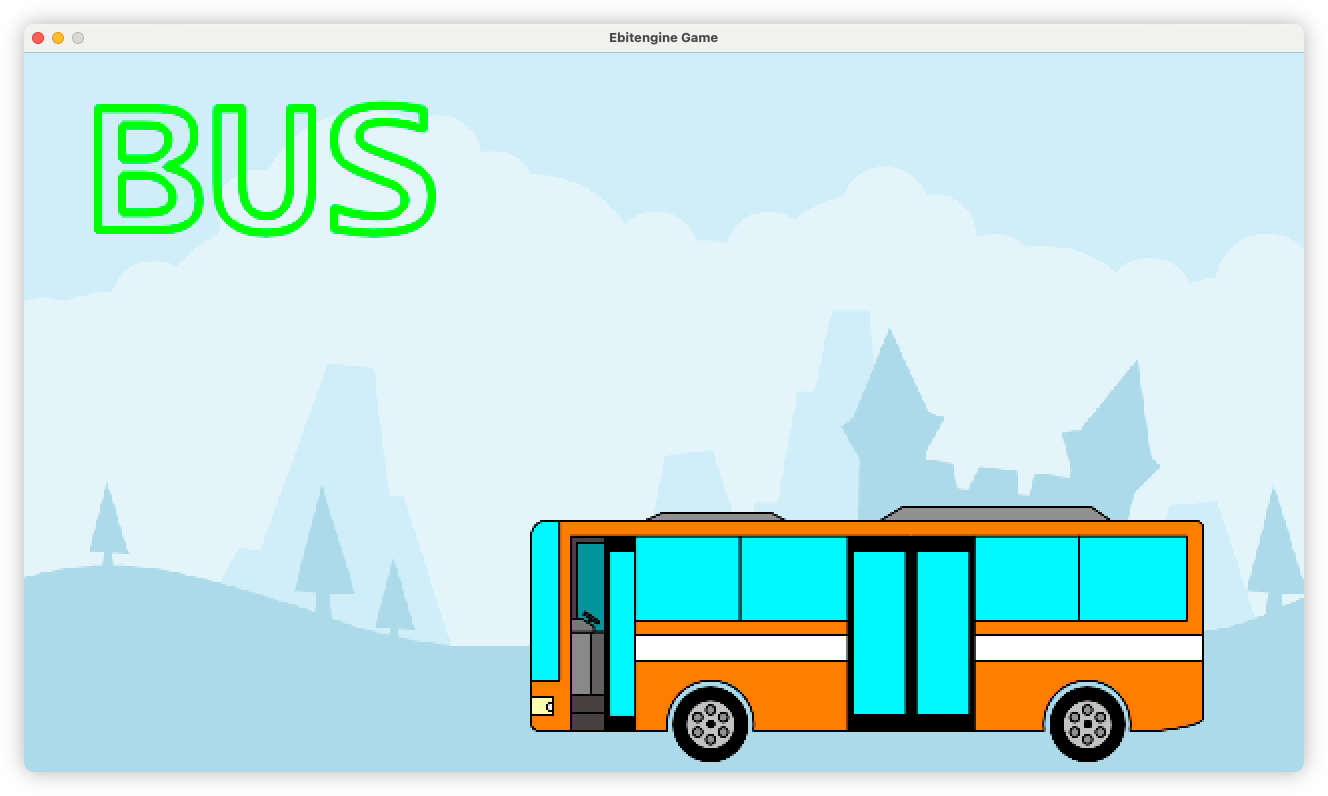
It’s orange, just like the busses round here, although this one has a plainer livery.
I’ve not integrated the car just yet: I’m hoping to finish off the animations for the bus first. But I’m so glad I embraced Affinity Designer for this. I’m surprise I haven’t considered it sooner. The whole image is designed as a whole, then I export each component — body, door, wheels — as a separate PNG and recompose it in the code, giving me the means of animating each component. I’d imagine this is a pretty typical workflow: and I’m surprise I haven’t considered this sooner too.
And yes, I will admit I did look at AI image generation for this. But I wasn’t happy with what it produced, and I wanted each image to have a consistent style. Turns out an “elementary vector artist” style works perfectly here.
Anyway, took a bit of time working out how to draw a cropped image in Ebitengine. Spent a little bit of time seeing what was possible with masks. But after looking at the examples, it looks like using SubImage for this is viable:
var busDoor *ebiten.Image = getSpriteImage("bus_door.png")

func render(screen *ebiten.Image) {
  doorDX := bp.sprBusDoor.Bounds().Dx()
  doorDY := bp.sprBusDoor.Bounds().Dy()

  pos := ebiten.GeoM{}
  pos.Translate(float64(doorDX/2), 0)

  screen.DrawImage(
    busDoor.SubImage(image.Rect(0, 0, doorDX/2, doorDY)).(*ebiten.Image),
    &ebiten.DrawImageOptions{GeoM: pos})
  )
}
As for the other scenes I need to add, I plan to work through vehicles and objects first as they seem easier to draw. Hopefully by doing so I gain some practice before I tackle more organic objects like trees and animals. Tackling those feel a little daunting to me: more curves involved.