
CSVTool - A Vibe-coded CSV Editor
One of the fun aspects of these new code agents is seeing what they’re capable of producing just form the prompt, so called “vibe-coding.” There are some that are definitely all in on the concept: I’m thinking of Steve Yeggie and his Gas Town work. As for myself, I still prefer to be a bit more hands on. But it’s still amusing to see what these agents are capable of just from the prompt.
I got inspired by Dave Winder’s post about how he asked Claude Code to make a spreadsheet app for him. I use a TUI app I made for myself called Ted that I use to edit CSV files, but seeing how good Claude was in making the spreadsheet, I thought I’d ask Claude to make me a GUI version. This is what it came up with:
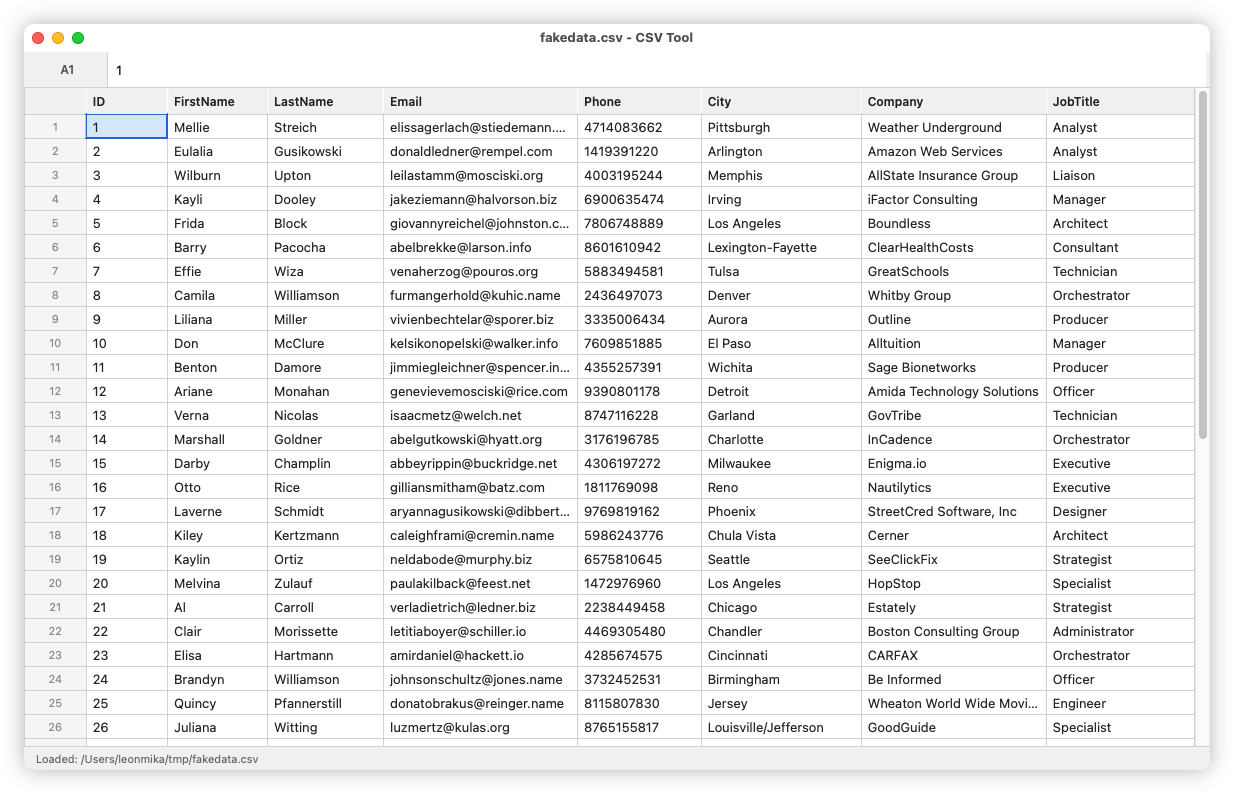
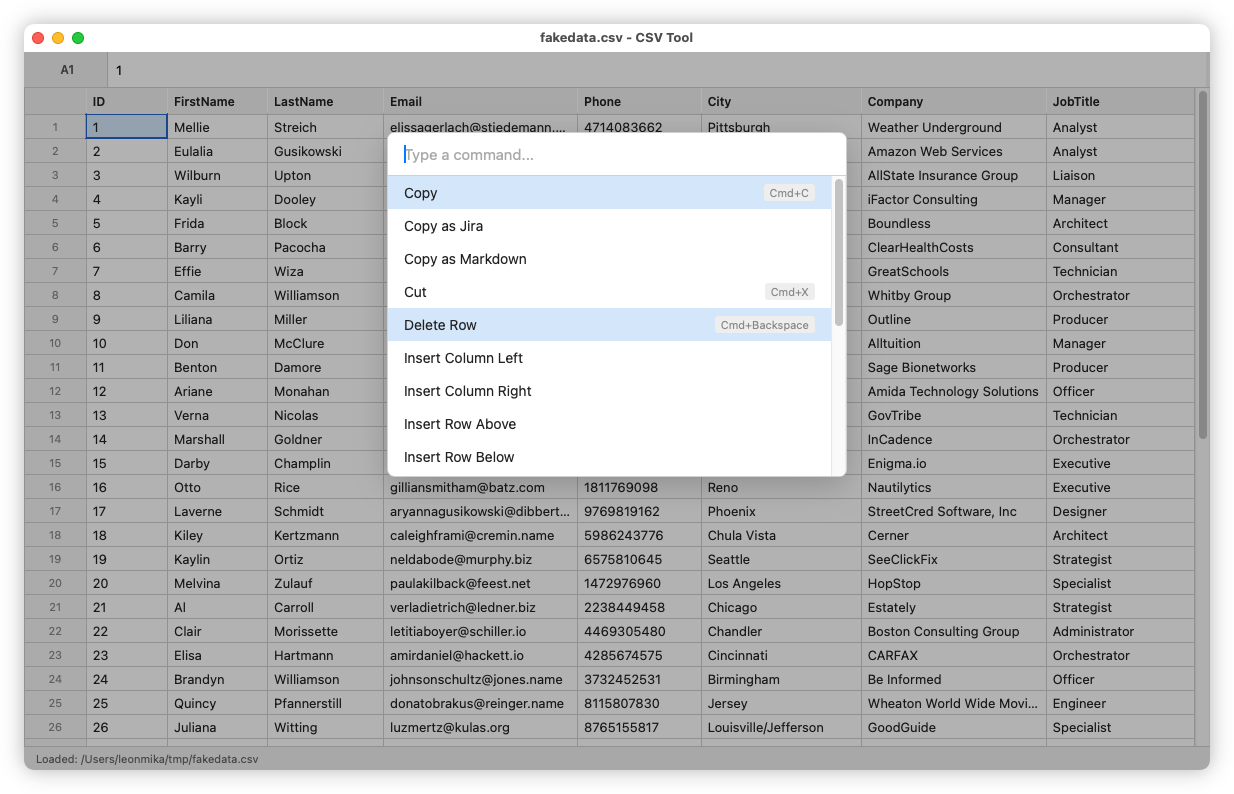
The results were pretty decent, at least on the surface. I haven’t put it quite through it’s paces for editing large CSV files, but what it managed to do out of the box was pretty impressive. Not that it’s groundbreaking in any technical sense: think spreadsheet without the ability to define expressions. Most of the supportable commands are available via a command palette, invokable using Cmd+P. There are a few copy-and-paste options for getting table data out into usable formats, something I find quite frustrating with the spreadsheets I use. You can paste table data as CSV, a Markdown table, and Jira markup. There’s the usual load, save, and commands to insert rows; all pretty standard.
It isn’t perfect though. Despite two attempts to instruct it to make the header row fixed such that it won’t scroll off the top, Claude was unable to achieve this. The techniques of making such a header are pretty hacky: the one I’m aware of is making a second table with just the header, placing it above the first, setting the position to absolute, then adding some JavaScript to keep the column widths in sync. Granted, this worked a good 18 years ago, and for tables that didn’t scroll horizontally. Maybe there’s a better way of doing this nowadays? Oh and speaking of the columns, despite providing affordances for resizing the columns, Claude didn’t implement the code to actually resize them. This makes me wonder if HTML tables are probably not the best approach for such a control. I guess I probably should’ve told Claude that.
In any case, I’m not sure I’ll put this to any real use. One thing I like about Ted is that it’s modal, like Vim. Being able to move around using the keyboard (I, J, K, and L are mapped to up, left, down, and right, respectively) is something I’d miss. So I think Ted will still be useful for me. I may revisit this in the future though, and see if Claude could make a GUI version of Ted. That could be interesting.
I’ll finish up by talking about some of the other features I asked to be added. Some of them were pretty ill conceived, as they came while I had a flurry of needs for CSV data. I ended up using to tool more frequently than I expected.
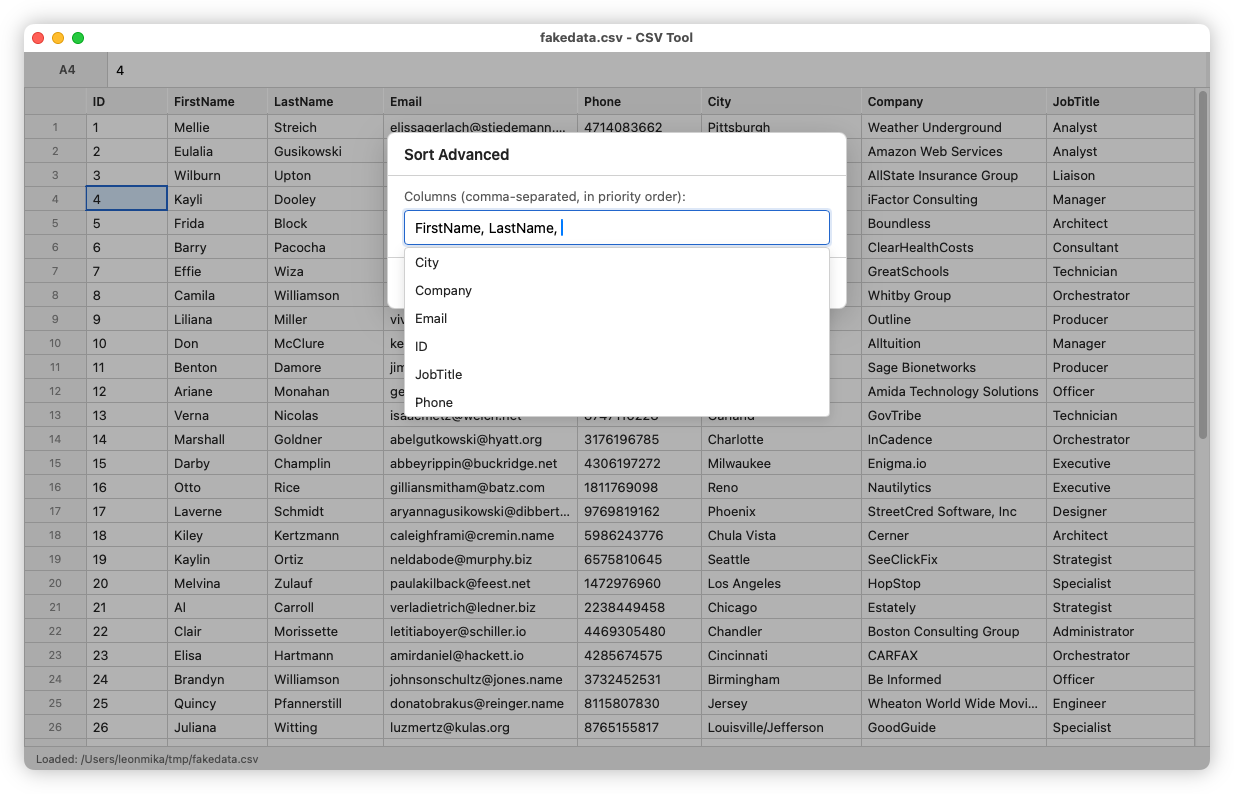
Sorting: Sort the table (the actual model, not just the view) either alphanumeric ascending, or alphanumeric descending based on the values of the current cell. There was also a “Sort Advanced” that prompted the user to enter the columns to sort in priority order (although not the direction, it’s always alphanumeric ascending).
Match Cell: Select cells that had a value matching the current cell. This was an attempt of selecting rows to delete, but it never really worked well.
Set Where: Prompts the user for a source column, a set of match values, and a target value. Whenever the source column has one of the match values, it will set the current column to the target value. This acts like a poor man’s inner join, and was made as I needed to interleave values I had from a shell command in the table I was working on.