
Blog Design Update
Been working on some large changes to the design of this blog. Many of these I’ve been wishing to do for a while, and this last week, enough of them built up to the point that I though I’d knock them out at the same time.
Search Page
First is a brand new Search page. I’m using the Micro.blog Pagefind action for the index, and up until now, I’ve beeing using the default Pagefind UI. But I was never really happy with it. I didn’t like how the results were presented, such as how they were sorted and which feature image was included, and there were certain things I wanted to add that just weren’t available to me.
So I set about building a new search page using the Pagefind JavaScript API. There’s a lot there that goes beyond what the default UI offers. I was able to change the sort order to reverse chronological, something I was missing from the old search. I also able to add filtering based on categories. This can be done by prefixing the category name with a hash: searching for #devlog dynamodb would return all the pages with the “Devlog” category containing “Dynamodb”.
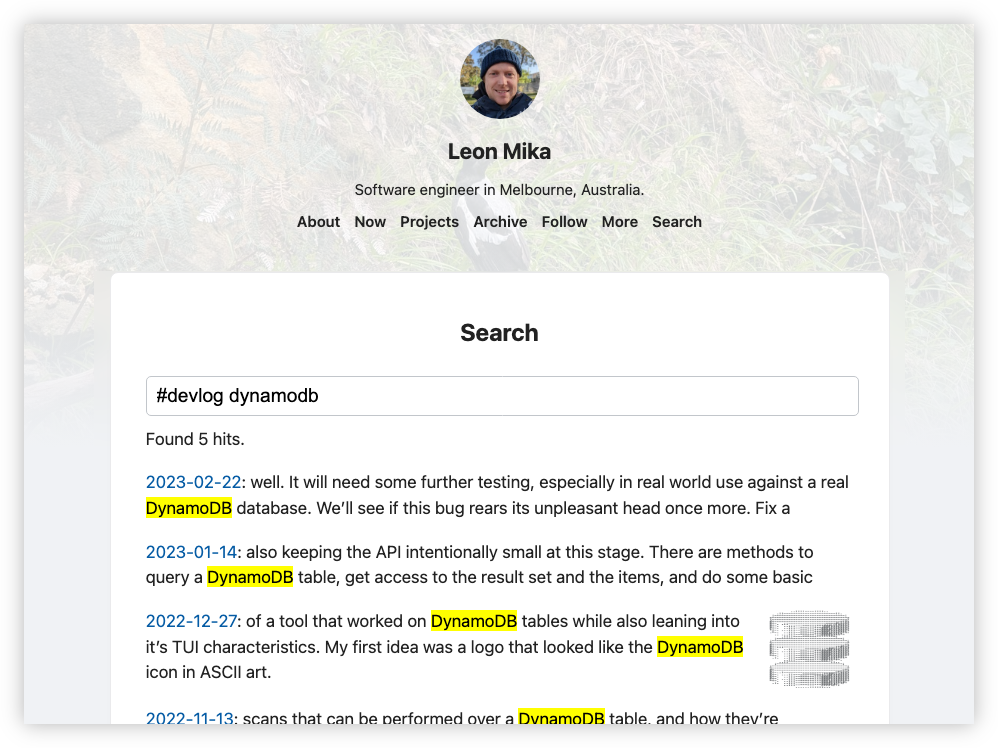
I was able to kick-off searches from the query parameter, so I can now link to the search results and you can see it work for yourself. 🙂
This was largely achieved with custom JavaScript, which is available here if you’re interested. The extraction of the hash tokens was done with a pretty primitive scanner using regex, and Pagefind has a mechanism to define custom filters and sorting by annotating the HTML, which is used to power the category filter and result ordering respectively. One limitation in my current implementation is that only the first 150 results are returned. It is possible to page through results using Pagefind, but I haven’t got around to add that in yet.
The HTML nodes for the results are created dynamically (I tried using HTML templates, but I had trouble getting querySelector() to actually return results). Fetching the actual data from the index is asynchronous so to preserve the order, I simply create an empty number of nodes I need to render, then pass each one through to the promise which would populate it with data from the index.
Archive Page
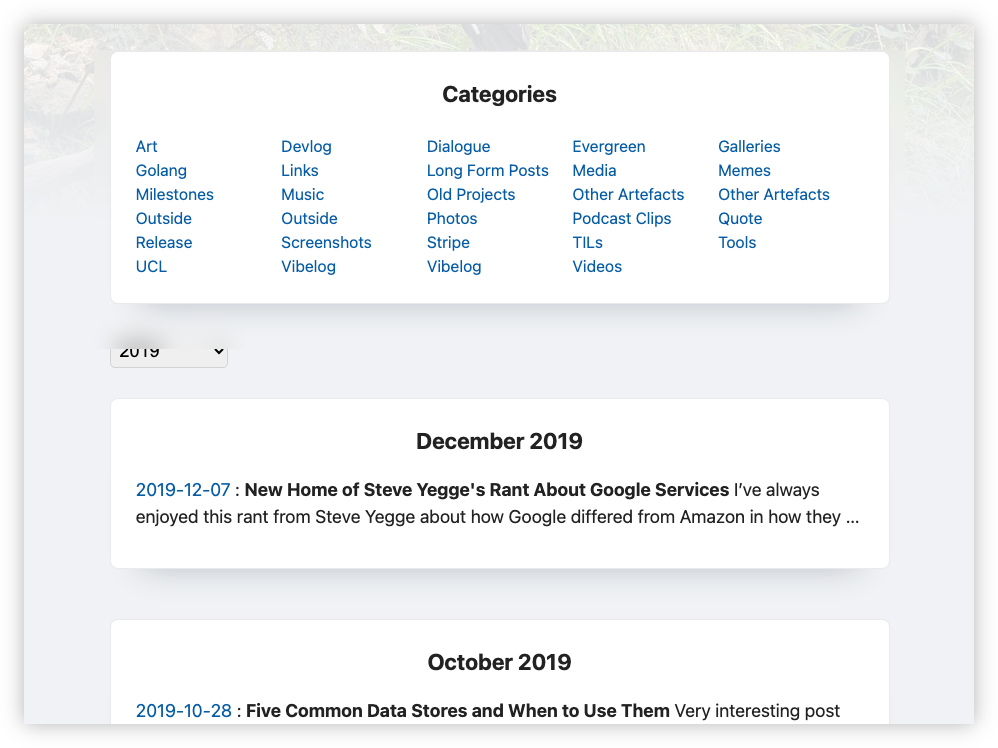
Next was the Archives page. Much of this was styling, such as arranging the categories in a grid, and doing something about how entry was rendered as its own card. I didn’t like how it looked, and I think it had an impact on performance, as the browser would slow to a crawl when I opened it. I restyled it to be one card per month, but in order to achieve this, I had to take the plugin-archive-month code and do some horrific things involving half-opened divs. It’s not glamorous code, but it looks and works much better than it did:
Paging and Backlinks
Finally, I re-introduced backlinks and paging between posts. These were things I had on the previous template, although I turned off backlinks as they were slowing down the Hugo renderer. It seems much faster now, and they’re useful: I had to consult ChatGPT about a follow-up post this morning, an interaction that wouldn’t have been necessary if backlinks were available.
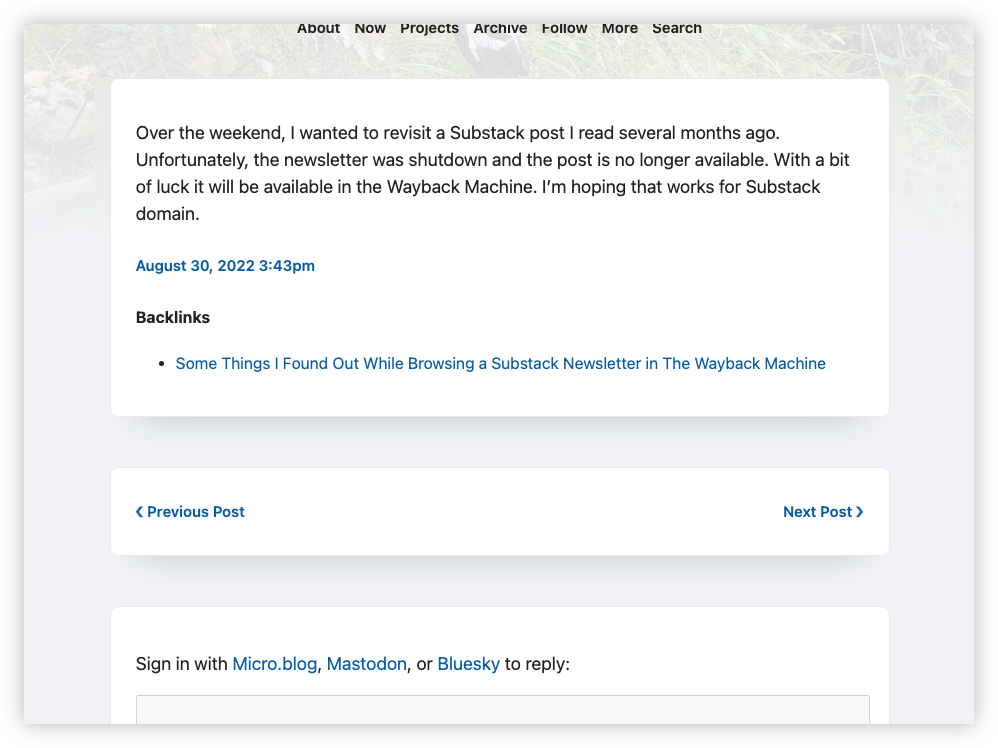
This was done using Hugo templates. The one for paging is documented here. I didn’t document the template I’m using for backlinks, but luckily it was still in my old template design:
{{ $relpermalink := .RelPermalink }}
{{ $pages := slice }}
{{- range .Site.Pages -}}
  {{- if strings.Contains .Content $relpermalink -}}
    {{- if and
        (eq .Kind "page")
        (not (strings.HasPrefix .RelPermalink "/newsletters"))
        (not (strings.HasPrefix .RelPermalink "/replies")) -}}
      {{ $pages = $pages | append . }}
    {{- end -}}
  {{- end -}}
{{- end -}}

{{ with $pages }}
  <div class="backlinks" data-pagefind-ignore>
    <h4>Backlinks</h4>
    <ul class="backlinks">
      {{ range $pages }}
        {{- if .Title -}}
          <li><a class="p-url" href="{{ .Permalink }}">{{ .Title }}</a></li>
        {{- else -}}
          <li>
            <a class="p-url" href="{{ .Permalink }}">{{ .Summary | plainify | truncate 80 }}</a>
          </li>
        {{- end -}}
      {{ end }}
    </ul>
  </div>
{{ end }}
So, lots of work this week. Hopefully these changes will keep for a year or two.