
Creating Keyboard Split Tracks In Logic Pro
Here are instructions for how to create a “keyboard split” track in Logic Pro, where the left hand plays a different software instrument to the right. I used to create an electric piano patch with tones above C2 (1 octave below middle C) having a delay.
- Create the individual tracks as you would normally.
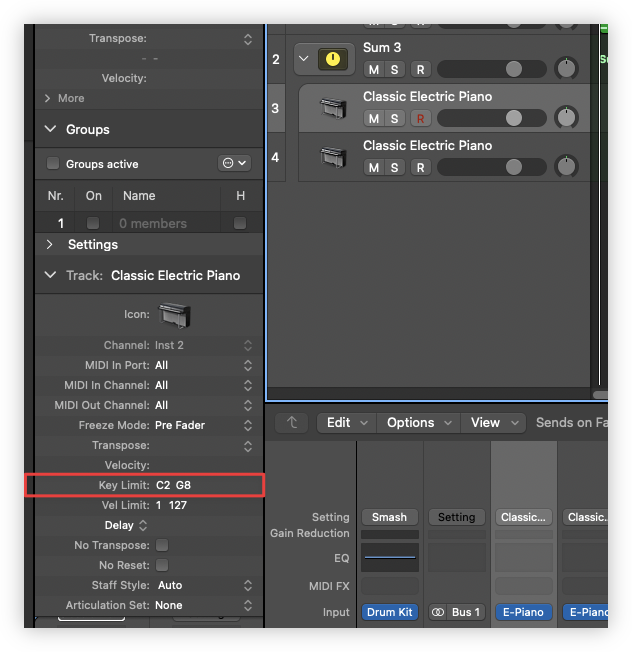
- Select them, right click, and select “Create Track Stack.”
- Select “Summing stack.”
- In the track settings on the left, adjust the “Key Limit” so that one track covers the left hand and the other covers the right.
- Select the track stack to record a take.
I don’t know if this is the correct way to do it, but it was surprisingly difficult to find this information online: many of the queries for “split track” were for splitting clips. But this seems like a pretty versatile technique for combining software instruments and having them respond to a single input source. Based on what’s available, it looks like it’s possible to do something similar across the velocity dimension too.