
Resizing And Centering the Canvas Of a Godot Web Export
One thing about my Godot game that was a little more difficult than expected was exporting a HTML version of the project that centered and resized the canvas to the browser window. I found it easy enough to centre the canvas with some CSS, but my attempts at fixing this using JavaScript failed completely. I had other stuff to do, so for a while I just had a small canvas in the centre of the window. I was expecting to ship this, and I didn’t think this would be a problem. That is until I tried it on a MacBook Air, and when the canvas came out teeny-tiny, I realised that was no good.
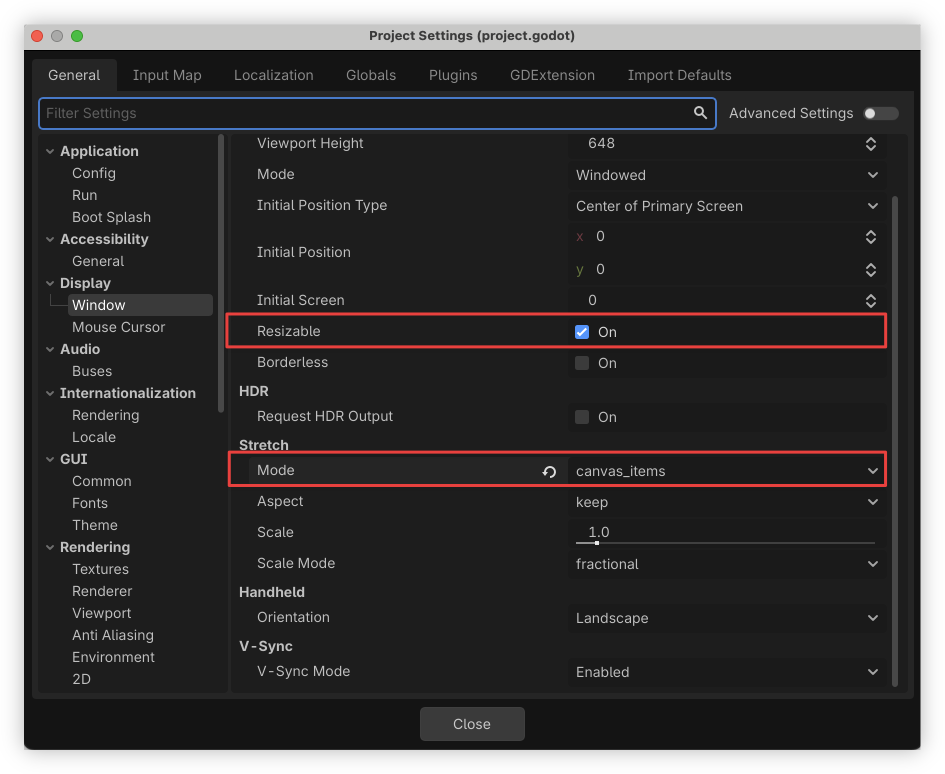
Turns out the solution was simpler than I expected. What you need to do is go to Project Settings, and in the General → Display → Windows pane, make sure “Resizable” is on, and “Stretch Mode” is set to “canvas_items”:
Then, in the Web Export settings, make sure “Canvas Resize Policy” is set to “Adaptive”:
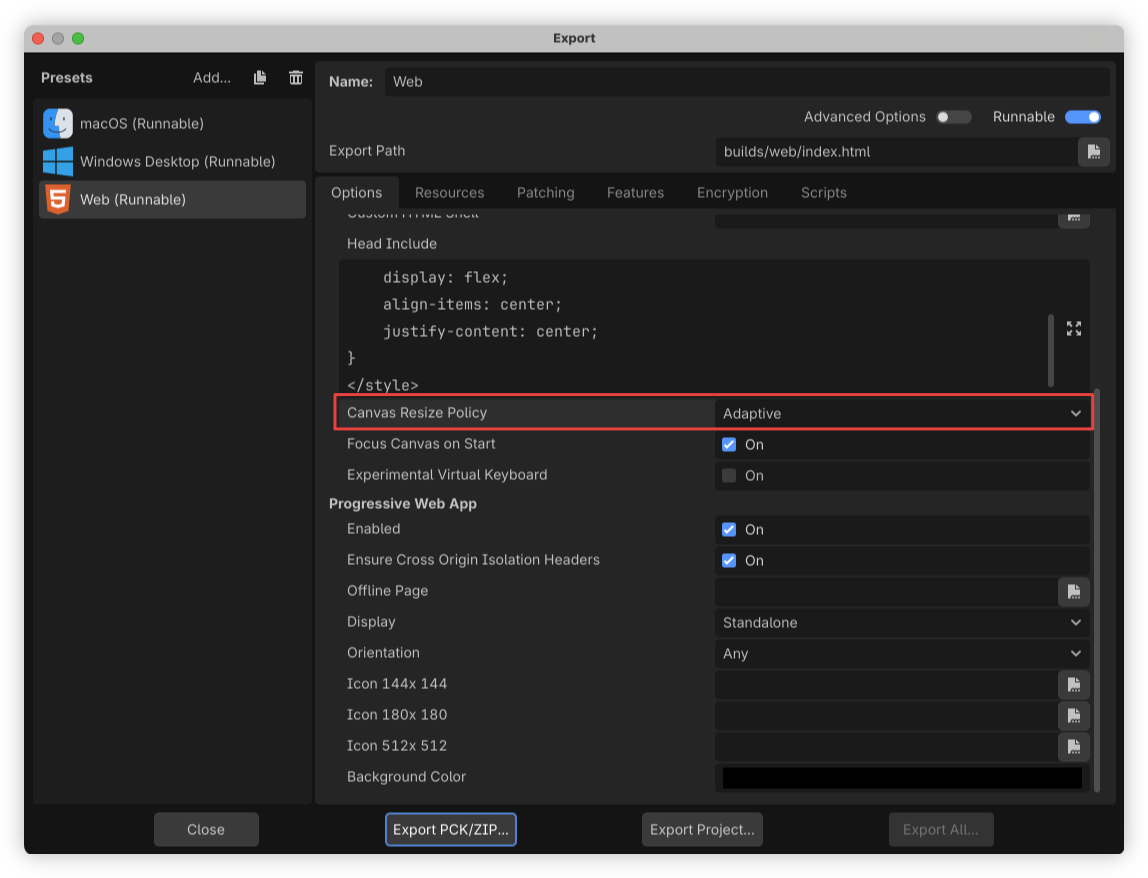
If you change the export settings without changing the project settings you may see some weird behaviour in the export, such as the camera not clipping to the expected viewport. Check the project settings if that’s the case (that’s what led me down a path of thinking this wasn’t possible at all).
As for the CSS that centres the canvas, adding this in a <style> element within the “Head Include” field seems to work for me, even with the resizing:
body {
    width: 100vw;
    height: 100vh;
    display: flex;
    align-items: center;
    justify-content: center;
}