
Blogging Tools - Image Collections Triage App
Up until now, I’ve been using Blogging Tools’ in-app notification system to sort images to collections. There were quite a few limitations in doing so: only notifications for the first for images were raised, galleries weren’t handled, and you could only select one category per image. I also wanted a way to automatically change the header image in this blog. This was done using the image category notification, but it was pretty basic in that the image was chosen as the header if any category was selected.
I had ideas of improving all of this but I realised quickly that I needed something more sophisticated to do so. So I added another app to Blogging Tools to do this. I also thought to try out using Antigravity to do this. I was curious to know how well Google Gemini would work with a project that already had an established architecture and coding patterns. I was also curious to know how Antigravity felt when I held a tighter grip of the reigns: I wanted to drive the development work and only turning to the agent when I need something done.
I started simply enough: I built a basic HTML template for this new app and asked Gemini to prepare a stub handler:
Please create a new handler that services the template “imageposts/show.html”. Implement it much like the other handlers found in the “handlers” directory.
I forgot to mention to the agent that this was to be a stub, and it ended up using the existing provider for the gallery app. But it was pretty close to what I wanted. I then asked it to suggest a good HTML entity for opening a page in an external window.
What’s a good HTML entity for indicating that a link will open up into an external window/tab?
It suggested ↗, also a good answer. I then went on to build the Go models and wanted to work on the CSS styling next, so I asked Gemini to produce some example data using these models:
Please generate 3 stubbed values for this item slice. Use real example image URLs for the source.
It struggled a little on this one, suggesting a URL that didn’t exist. But after pointing this out, it got there in the end. It was at this point that I needed to do some refactoring to some of the existing services, needing to extract out a type that used only the values from another type. Gemini did quite well here too:
Note the select call. At the moment this is returning a micropub.Item model. I want to make a new model called “ImageCollection” that uses only the values of this micropub.Item that the code is currently using now. I don’t want the micropub.Item changed, but any code that is using this for the purpose of the selected call should include a map to this new model.
I guess this is not a novel experience to anyone using Cursor, but what I really liked about this interaction is that I was free to work on other things or move away from the keyboard entirely while the agent was working. This is one annoyance that I have with Claude Code: the exchange pauses and waits for me to approve every change before it proceeds. Having Gemini plan the changes first, then have me approve them once I’m back is a much nicer way of working.
I then turned to the database schema, defining the table schema and SQL queries myself, and asking Gemini to produce the Go code that marshals the data: the so called “database providers”.
Implement the Go DB provider for DB tables for the queries in “imageposts.sql”. Do it in a similar style to the other providers found in “providers/db”.
This is where I get the most use out of using coding agents. This code is not hard, but it’s super annoying to write. I think it also helps that there’s an established code base for the agent to work on. I was a little unhappy with what the agent produced last week, probably because it was required to produce it from scratch and in a way that wasn’t how I would write it. But here, probably because the agent had existing patterns to work on, it’s producing something that looks a lot better, to my eyes at least.
It did struggle with the providers a little, choosing to merge an update to two models in a single method. I did try to correct it, but I just had to go in and fix it manually.
We can probably separate SaveImagePost into one that saves the ImagePost, and another that saves ImagePostItems.
One other thing I discovered is that getting Gemini to write unit tests is important, as it provides a way for the agent to verify it’s code. I approved a change Gemini produced without looking too closely, and if I were to test it myself, it would’ve failed. But only after I asked it to produce a unit test did I see it fix the errors introduced in the last interaction. Something to think about in the future.
Might be a good idea to implement a unit test to verify that the DB methods in imageposts.go work. Do this by creating a new db.Provider instance with a temporary file, and verifying that the provider methods of imageposts.go work as expected. Please use testify.Assert to do the asserts.
It was now time to build the service layer. This is something I wanted to drive myself, occasionally relying on auto-suggestions. Antigravity fell down (ha ha) here a little, producing suggestions that were pretty far from what I wanted. I guess it was lacking the context to know what I actually wanted, which is somewhat understandable as I wasn’t giving that context. It also seems to fight with IntelliSence from VS Code sometimes. I occasionally press tab in response to a type suggestion from the index, only to have it produce a completion for some unknown type. I do wish the suggestions use the code index more in general. There’ve been more than a few times where the agent suggested types and methods that just didn’t exist. Might be something that can be tuned.
One quality of life improvement I did make was increase the timeout for when suggestions would appear. The default was something like 50 milliseconds, which is pretty short. Bumping it to 1 second helps, but even so they still get in the way. I may bump it a little higher.
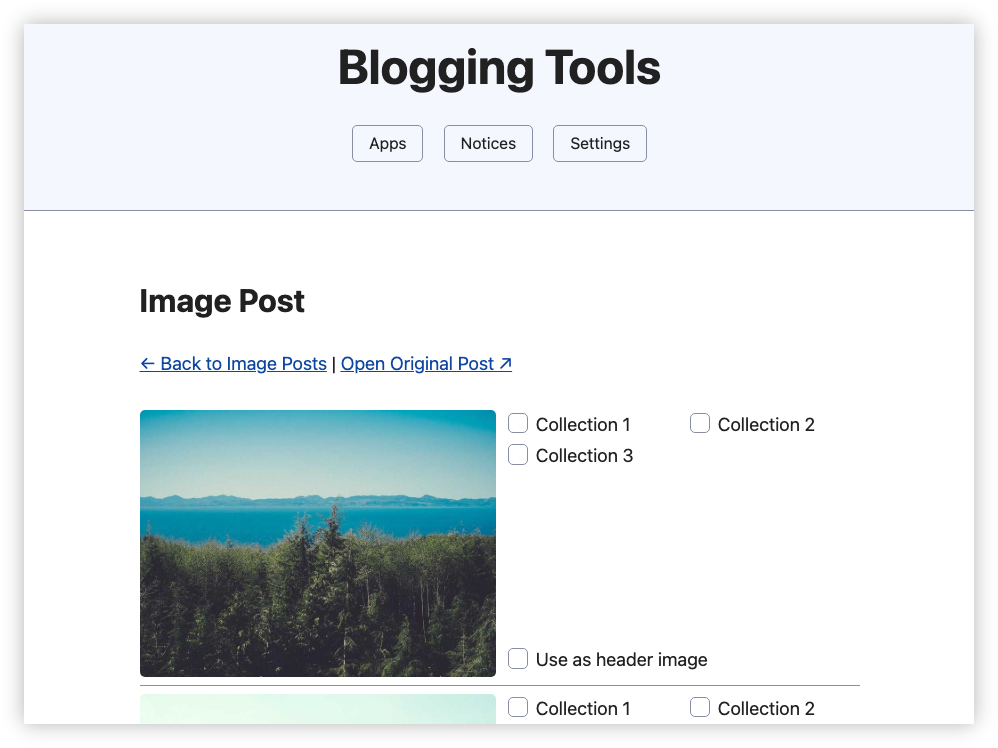
I worked on this feature over the next couple of evenings, occasionally changing tack which required a change in the database schema. One thing I did like while working on this was getting to the point where I could simply ask the agent to update the provider code whenever I did so, and it knew what I meant:
The ImagePost model and table schema now has a PostDate field/column. Please update the providers.
I do get the feeling that the user interaction in Antigravity needs to be refined a little. For someone who is willing to do most of the driving, it would be nice if the editor was a little less “needy”. This is probably more to do with VS Code being the underlying editor: lots of annoying popups and mouse overs, all shouting for my attention: LOOK AT THIS, LOOK AT THIS. But the AI suggestions don’t help. Instead of displaying the generated code, disrupting my sense of where everything is, maybe a more subtler approach is warranted: a small indicator beside the cursor or in the margin indicating that a suggestion is present. I may miss it, but who cares? Remember, I’m the one driving here.
Today, I got the feature finished. The way it works is that it will poll the RSS feed of this blog, and for every post that has an image, it will add an entry for me to triage. Each entry consists of a brief summary, plus the images found within the post:
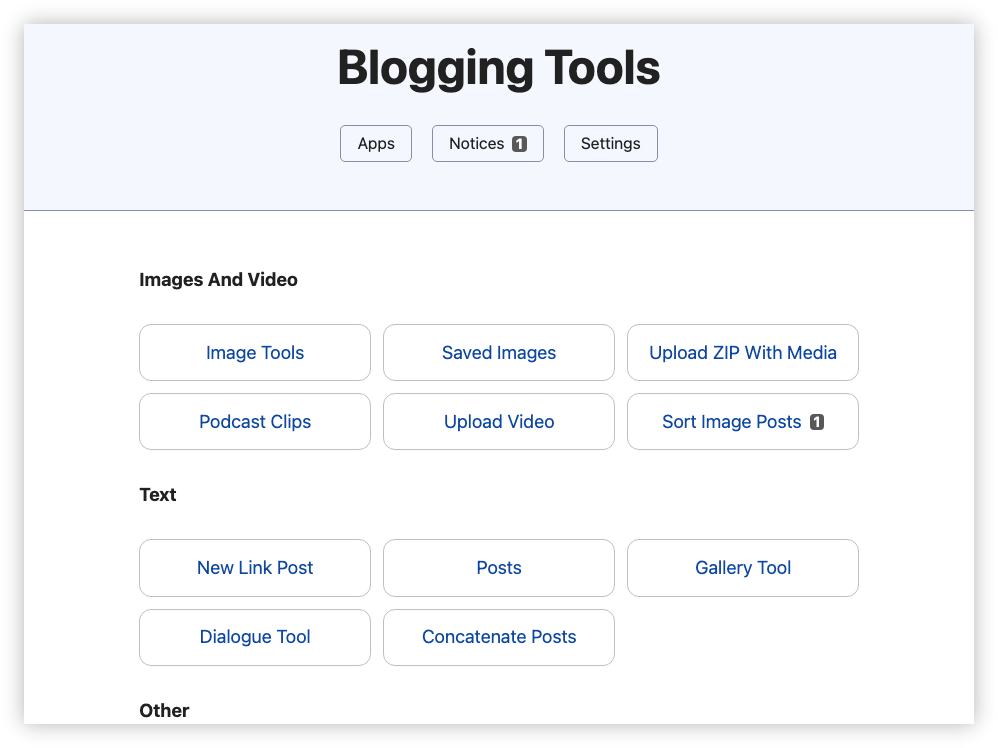
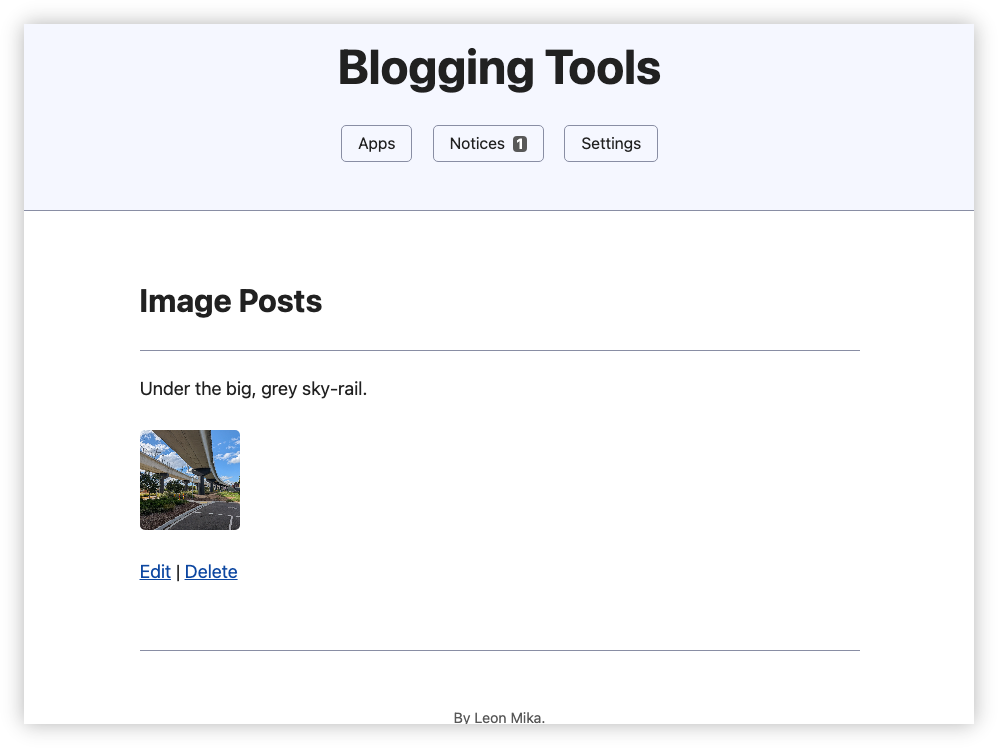
Clicking through to the post would list the collections, and I would select the ones I’d like the image to be filed in. And this would list all the images of the post, not just the first few. It is all or nothing, unfortunately. There are ways to get the images of the collection, but I couldn’t see a way for me to get the collections of an image. I don’t think this would be a problem, as Blogging Tools is the only way I actually set the collections of an image.
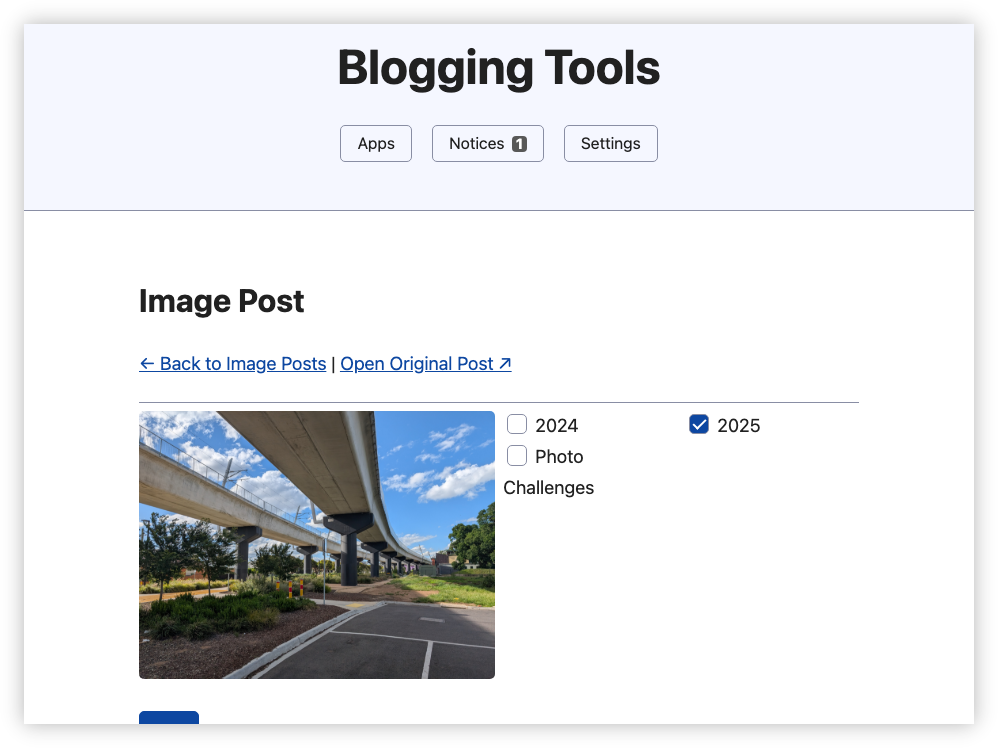
Saving the categories will queue the changes, which will be applied every 5 minutes. A first cut of this feature applied the changes immediately, but the way I imagine using this is that I’d go in, triage the images in one go, then leave. Applying all the changes then felt inefficient.
When it comes to setting the header image, I figured I’d add a dedicated collection for that. Every hour a cronjob will query the local database for images that is within this category, and write the URLs to a manifest file in the assets Git repository. A Forgejo Action on that repository runs every night, and will check the date-stamps for the next image to display on the header. If one is found, it will fetch the image, save it as a JPEG with reduced quality and upload to Netlify. Since Netlify flushes the CDN whenever a deployment happens, nothing more needs to be done: no MD5 sum hashes, no adjustment to CSS files. Just update header.jpg and go:
// Example of the manifest file.
{
  "images": [
    {
      "date": "2025-11-22T13:00:00Z",
      "url": "https://lmika.org/uploads/2025/pxl-20251120-083552448.jpg",
      "crop": "bottom"
    },
    {
      "date": "2025-11-26T13:00:00Z",
      "url": "https://lmika.org/uploads/2025/a3c74bfebd.jpg"
    }
  ]
}
Deployed all these changes to prod and naturally some rework that’s needed. First, I completely forgot about galleries. They do come through as image tags in the generated HTML, but I’m operating on the source post, and they appear as Hugo short-codes. Fortunately the way I write galleries is pretty standardised now, so I think a regular expression would work here.
var (
  galleryRegexp = regexp.MustCompile(`[{]{2}[<][ ]?glightbox.*src="([^"]+)".*[>][}]{2}`)
)
Oh, I also want to fix the layout of the collection checkboxes and hide some options, such as those that for past years. And finally, will turn off the existing image category notification logic.
Deployed again, and now I just need to wait for the next time I post a photo. I suspect some bug fixes or usability adjustments will come from this, but more on that when that happens.