
MD Treatment - Trying Out Pi and Kimi k3
I’m moving markdown files from an Obsidian vault to a private Hugo site, and I needed something that did text transformations. And these were text transformations that would’ve been… well, not difficult to automate, but annoying to automate. The transformations themselves would be easy, it’s just knowing where to apply them. Context is important, and I was not confident that a simple pattern matcher would’ve picked up or applied the transformations correctly.
Anyway, you probably know where I’m going with this: I vibe-coded something to help me. Basically, it’s a GUI tool that allowed me to define macros in the form of Go templates, and apply them to a block of text. The macros were simply line based to begin with: any line of the form @macro arg would invoke the template with the given macro name. The rest of the line would be the argument. This eventually involved into a LaTeX style macro language which is described below.
This was also a good excuse to try out the Kimi k3 model. Someone at work recommended the Pi harness in a way to reduce the context “bootstrap” overhead. But using it with the American models would’ve meant paying high API token prices. I heard good things about the Kimi models, and how they’re comparable to the American ones. And up until now, there wasn’t a great opportunity to use them. But here’s this need for a simple tool to help me, why not try them out?
So I created a new Wails 3 project and gave it this prompt:
Initial prompt to Kimi
I need a small GUI application which will allow me to paste some Markdown text, run a processor for every line beginning with the regex @[^a-z]+, and produce the result in another text area where I can copy and paste. The processors are essentially macros which takes everything after the macro name as the argument. They are to be defined as Go templates, as in a single go template with {{define}} constructs for the macro name. The macro argument should be provided as .
An example of how this would work. Assume the Go template is:
{{define "this"}}Hello{{end}}
{{define "that"}}[[{{.}}]]{{end}}
Then, with the following input:
This is a test

[@this](https://micro.blog/this)

This is another test

@that the thing
The result will be:
This is a test

Hello

This is another test

[[the thing]]
The result, after about 15 minutes and $0.30 USD, was this:
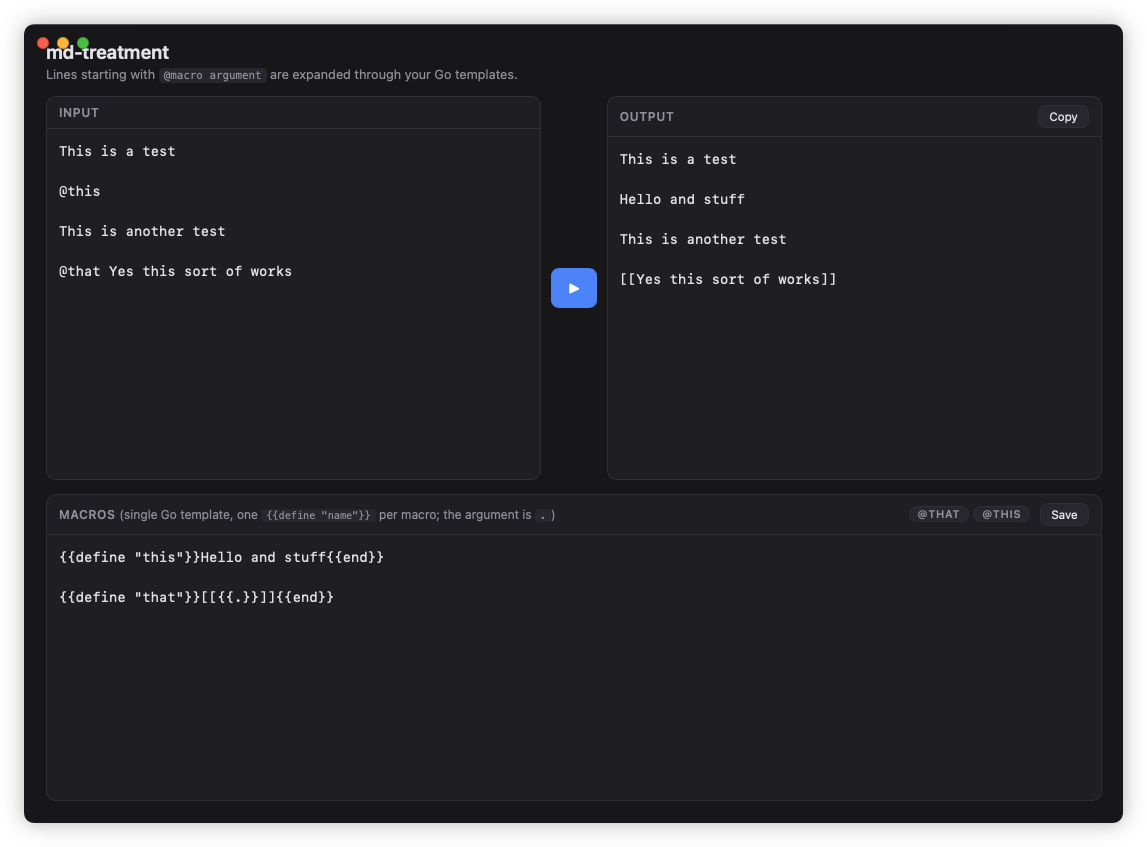
It’s a decent start. Granted, the UI was not going to win any awards, but it’s still usable. I configured the templates, pasted in the input, and copied the output. The addition of live template evaluation was interesting: I didn’t request and was not expecting Kimi to add it. But it turned out to be a good idea as it made it easier to preview template changes as I was make them, although it did make the play button somewhat redundant.
Now, Go’s templating system out of the box is pretty lean. Apart from some logic and arithmetic functions, there aren’t many useful builtins: those need to be added by the template implementor. So my next request was to add some useful string functions, but get rid of dark mode (I don’t know if it’s because agents prefer it, or because that’s what Wails defaults to for new projects):
Prompt for extra functions
Okay, please add the following template functions based on these Go functions, where <x> is an argument to the template function:
reReplace <s> <regex> <replace>: call regexp.Compile(<regex>) and then call ReplaceAllString(<s>, <replace>)trimPrefix <s> <prefix>: strings.TrimPrefix(s,prefix)trimSuffix <s> <suffix>: strings.TrimSuffix(s,suffix)trimSpace <s>: strings.TrimSpace(s)split <s> <sep>: strings.Split(s, sep)join <elems> <sep>: strings.Join(elem, sep)untmpl <s>: surrounds<s>in {{ and }}. Example: untmpl “hello” will produce {{hello}}
Please also make the UI lightmode rather than darkmode
This was hardly stretching what the model is capable of, so there’s not much to say here. But now, a real test. The layout was functional, but it was still pretty crappy. Could I provide the model with an annotated screenshot of UI changes I would like it to make?
Prompt for UI changes
Good. Now I have some adjustments I would like you to make to the UI. I have annotated them in red in the included image. Please make these changes.
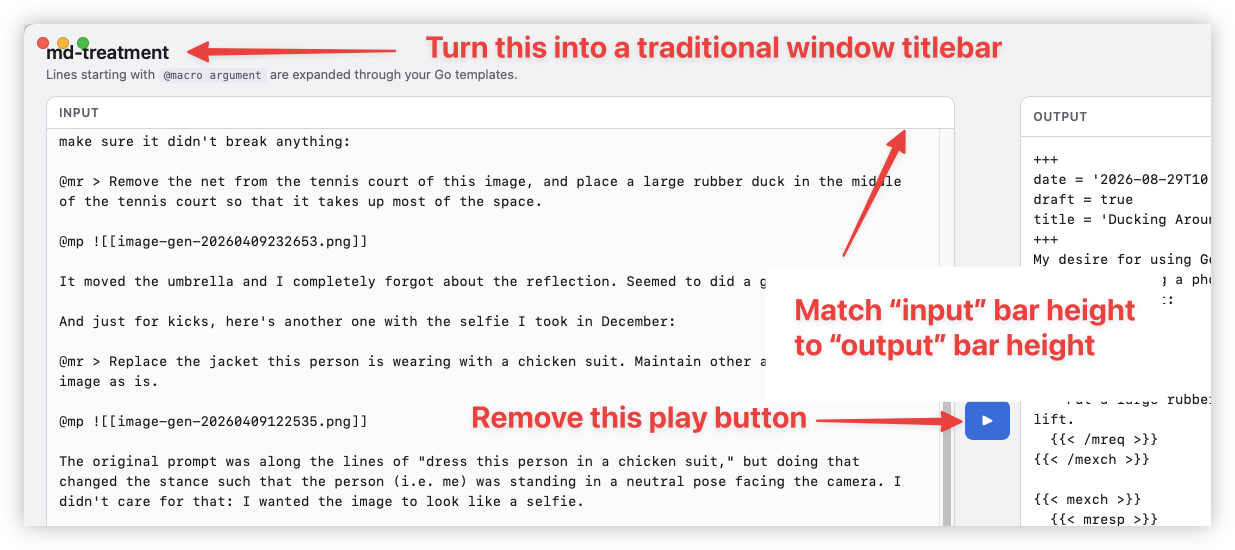
Yes, apparently I can.
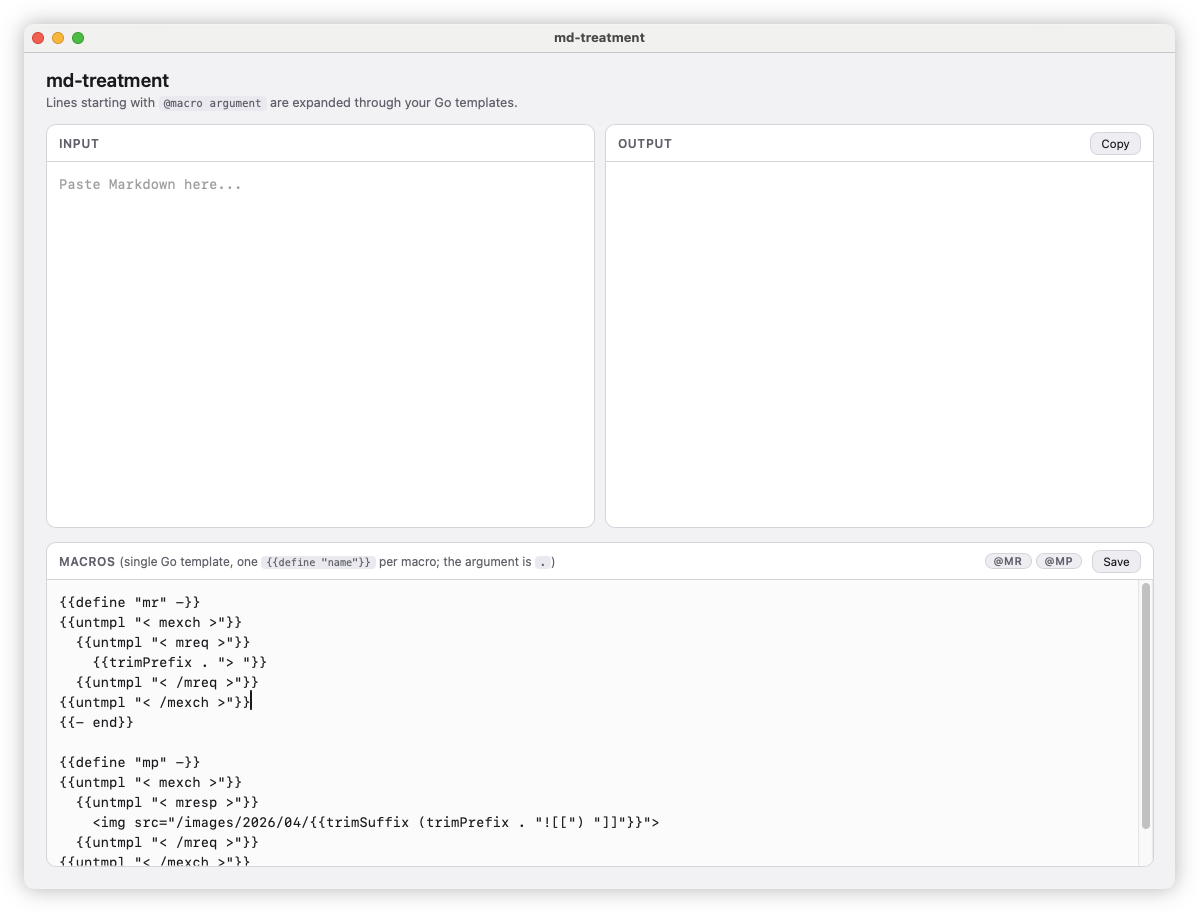
At this point, according to Pi, the context window is at about 2.4% and I’ve yet to spend a single US dollar. And already I have something usable. This I find pretty impressive. An issue I’ve been having with Claude recently is that 15% of the context window is already consumed after my first prompt. Here, there was plenty of space to “continue the conversation.”
One last thing was to add the LaTeX-ese macro invocations:
Prompt for LaTeX macros
Okay, I would like to change how the macros are invoked. Instead of using @
Assume a macro with the name thing which will wrap the argument in square brackets. That is thing with arg foo produces [foo].
- Macros are of the form
'\' <ident> ('{' <string> '}')?, that is a backslash, go identity, and an optional arg within curly brackets. A bit like LaTeX. - Treat any invocation of a macro of the form \ident{arg} as an invocation of a macro with name ident with the contents of the string with the curly brackets as the argument. Example: hello \thing{world} here produces hello [world] here. This can appear anywhere within a line, and can also be nested: hello \thing{world \thing{here}} produces hello [world [here]].
- If the line starts with a backslash followed by an Go identifier, but does not have curly brackets, treat that as a macro invocation with the argument being the remainder of the line after the macro name and leading space. That is \thing world goes here produces [world goes here].
- If a line starts with a backslash followed by a Go identifier, but contains curly brackets, then treat the macro as having no argument. That is the rest of the line should not be considered the argument. Example: \thing{} world goes here produces [] world goes here. This also applies to any macro without a curly bracket that doesn’t appear at the start of the line. Example: world \thing goes here produces world [] goes here.
I think this request confused the model a bit. It didn’t help that it took me a while to write the rules correctly: I aborted a few attempts that had conflicting rules. But in the end it did produce something close to what I wanted:
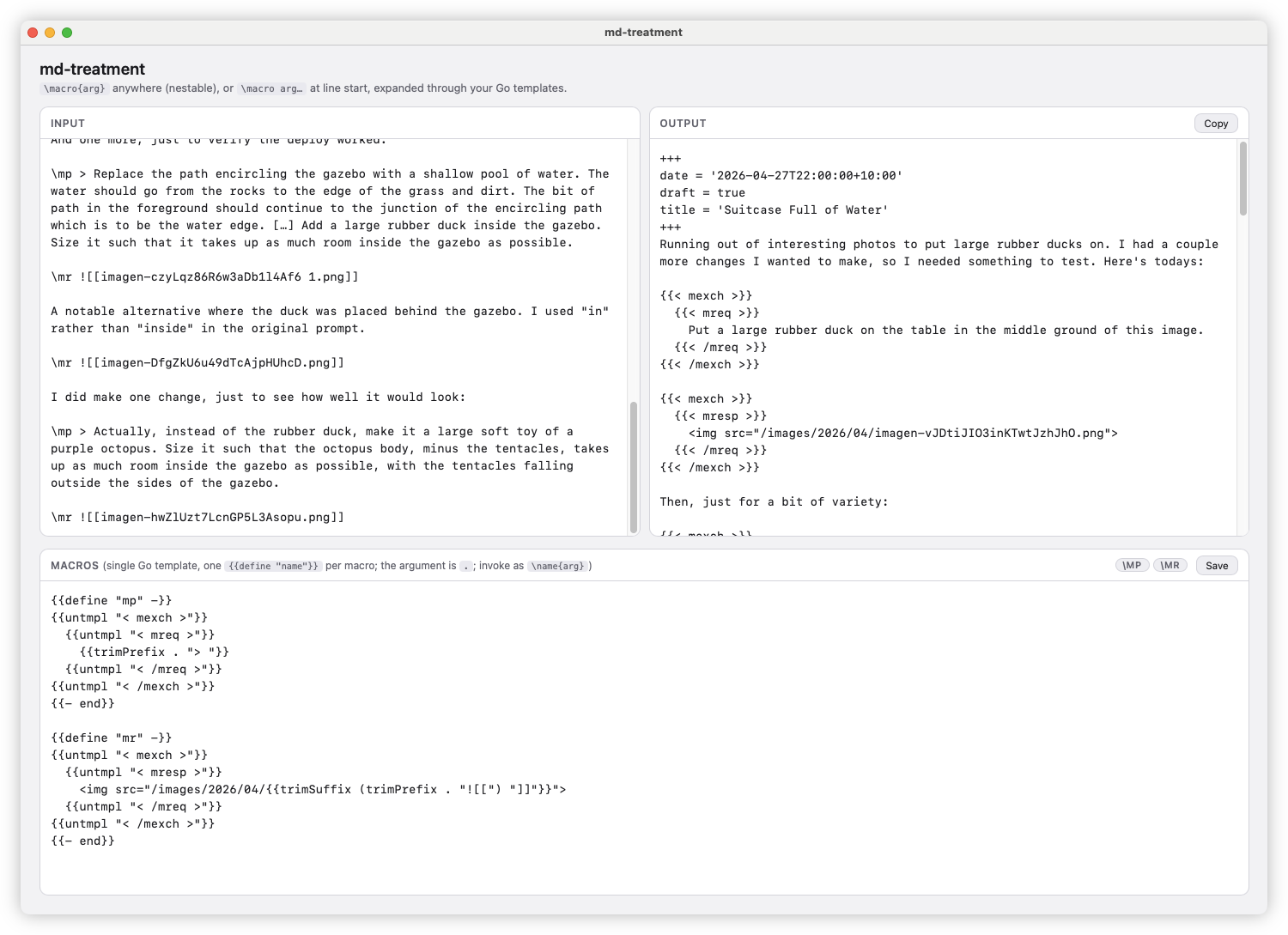
At the end, Pi reported that I’ve only used 3.3% of the context and spend a total of $0.991 USD. I found that hard to believe but they align with what Open Router is reporting. And they would know: they’re the ones billing me.
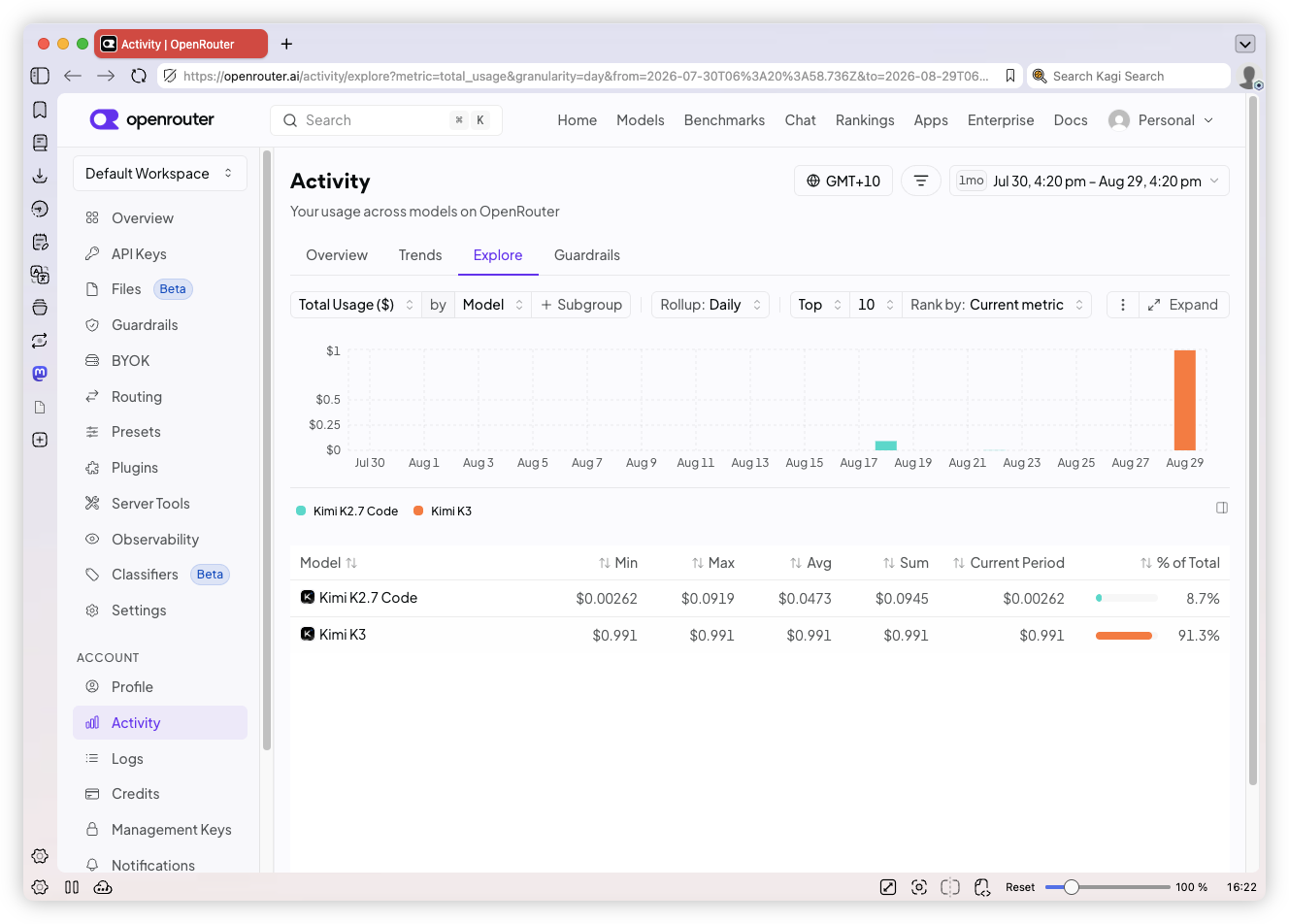
So, all in all, not bad for a US dollar’s worth of tokens. I’ll probably leave it here for now, but I do have some ideas of how to extend this. Whether it would be a tool I return to is yet to be seen, but it’s certainly been useful today.