
-
Project update for Mainboard Madness. Well, today’s the deadline for getting the thing code complete, and what a surprised, it’s not finished.
To be fair, it’s pretty close. All the levels are more or less done, and the beats of the in-game lore have been added. It all just needs tightening up a little. I spent today working on the end-game phase, which mainly involved coding up the credit sequence, and making sure I include credits for those involved in the original game (and who’s artwork I lifted).
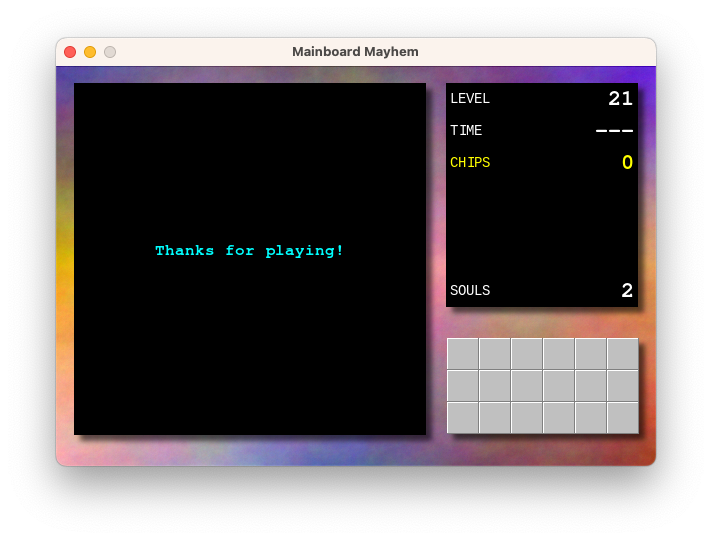
The work remaining is to finish one or two game elements, adding a proper app icon, and finishing off the website. I’m wondering whether to add sound, but I feel bad enough taking the artwork from the original game, I rather not take the sound effects as well. That will mean the game will remain silent for the time being, but I can probably live with that for now.
I think we’re still on track for getting this finished by this time next week. Last dash to the finish line, then I can put this 9 year project to rest for a while.
devlog screenshots -
Visited my Nonna this afternoon and showed her some photos of my recent trip to Italy. I had some concerns that I may have gotten the town she grew up in wrong. But turns out I visited the right one, and she was really happy to see photos of it.
-
I do like the idea of a personal changelog but I know that I’ll need to have some way to automatically create entries when I post to blogs, make changes to repostories, etc. If I had to maintain it manually, it’ll just be one more thing that I neglect.
-
Got some, shall we say… “pointers” about how we could improve the code-base we’re working on at work.
As much as it hurts my ego to hear someone making suggested improvements without fully taking into consideration the context in which that code was originally written (learning the service the code was interacting with, under pressure to deliver it by a given deadlines, etc.), I’ll admit on the whole the feedback is fair enough. I know there are times where I tend to gloss over the finer details of the code I write as part of a team. And that I treat things like sufficient observability metrics, proper naming, and decent logging, to be mere afterthoughts over getting the code to actually work and moving on to the next task. I’ll try to do better there.
There’s one thing I will make a comment on. A few suggestions were of using shared utilities, like core libraries managed centrally, for things that were written in the moment. Here’s the thing about shared utilities: I won’t be aware of, or forget about, their existence unless I have a hand in writing them. You can do things like announce them in Slack, but unless I have an opportunity to start using them right there at that moment — an opportunity that rarely comes up — I’ll eventually forget about them and just fall back to plowing through in my own way. Getting me to review to them will probably work (or, more likely, forcing me to review them; keeping up with code reviews is another thing I’m pretty terrible at).
Anyway, I think my ego’s sufficiently soothed now. I’ll start writing up tickets to get these fixed.
-
Anyone else miss the visualisations of Windows Media Player? Pining for the dance of the freaky circles right now.
-
Not much going on at the moment. The most interesting thing that’s been happening is that I’ve been playing around with Wails recently, building a sort of test workbench for gRPC and REST APIs. It’s really early days so there’s not much more to say about it just yet.
-
Small project update on my Chips Challenge fan game.
Started working on the final level. I was dreading this a little, thanks to my awful level design skills, but I made a great start to it this morning and it’s actually coming along pretty well. It’s a good opportunity to use all the elements that I didn’t get a chance to use in any of the other puzzles, and it’s also shaping up to be one that has a bit of climax.
I’ve also started working on the website, which is little more than just a landing page. This meant finally coming up with a name. I’ve chosen “Mainboard Mayhem” which is… okay, but it’s one that’s been rattling around in my head for a while, and I really couldn’t use anything close to “Chips Challenge”. I’m already using the tile-set from the original game, I rather not step on any more intellectual property.
Anyway, one more week of development left to go. Still need to setup the app icon, finish all the levels, and maybe add a menu. Then I think we’re code complete.
devlog -
Early Version of This Blog
I was looking for something in GitHub the other day when I found the repository for the first iteration of this blog. I was curious as to how it looked and I’d thought that I’d boot it up and post a few screenshots of it.1
It started life as a Hugo site. There a two reasons for that, with the first being that I didn’t have the patients to style a website from scratch, and Hugo came with some pretty nice templates. I chose the Vienna template, which seems to have fallen out date: many of the template variables no longer work with a modern version of Hugo. I’m also please to see that I did end up customising the header image — a photo taken in Macedon of the train line to Bendigo — although that’s pretty much all I customised.
Continue reading → -
I’d like to say I’m looking forward to a day of solid coding, but the last few times I wrote that, I ended up with a day full of annoying meetings. So, do I tempt fate and write that I’m looking forward to a day full of annoying meetings? Not sure I can say that, even if it is just to avoid a jinx.
-
When I heard about what CNET is doing to their old articles it strikes me as to how relying solely on SSO is a bit of a looser’s game. Ok, I might not be your typical web user, but I almost never look for the latest news by making a web-search. I visit or subscribe to sites that I trust, that have a good user experience, and don’t bombard me with crummy ads.
I haven’t visited CNET for a while but seeing them do this this, along the crazy idea of using AI to generate stories, it’s clear that they’re not interesting in building up trust, instead going for the get-top-search-ranking-and-stuff-me-full-of-ads business model. That might get people to click once or twice, but why would they come back? I can’t imagine web users not learning that CNET’s articles are not worth the crappy user experience.
-
Aargh! I’ve been misspelling “aargh” all this time (two A’s, not one).
Incidentally, the word “misspelling” looks like a misspelling of “miss-spelling”. Looks like it’s missing an S. But it’s correct, according to Apple’s dictionary.
-
Aargh! I haven’t had time to write up new work or even finish the work I’ve picked up because I’ve been in meetings and discussions around the work I’ve already planned. Meanwhile the backlog is starting to dry up and people are starting to look for things to do. It’s overwhelming.
Need some focus time. I’ll break for lunch, then I’ll be turning off Slack notifications for the afternoon so I can get my stuff finished.
I don’t know why I’m writing this here. Not sure how this is in any way interesting to anyone else. I’m sorry. Just need somewhere to release some pressure.
-
Multi-carat support in text editors have been a huge game changer to my coding workflow. I love them. I use them all the time, and I miss them when I’m in an editor that doesn’t support them.
-
Ok, mark the date: first time I’ve seen someone in public with a foldable phone. The narrow screen is a bit of a giveaway. I knew they would be thick but I didn’t realise how narrow they are folded up. I’m guessing that’s the point though. 🤷♂️
-
Giving the Scribe editor a try. Works great. Seems like a perfect editor for those focused writing sessions where you need as few distractions as possible.
-
Oof, attended a council meeting this evening about a development that is planned down the road of my place. Must say, I know of better ways to spend a Monday evening. The council decided to let the development go ahead, which is very unfortunate. There are avenues of appeal though, and quite a large level of opposition to this, so hope is not lost.
I’ll be frank, I didn’t want to go this evening. I was kinda expecting this outcome, and feeling all that (justifiable) emotion was uncomfortable. I felt it was important to attend nonetheless. All the Pressfield and Godin I’ve been reading recently seemed to meld together into a simple though along the lines of “yeah, it’ll probably be uncomfortable and ultimately won’t change anything. Do it anyway”.
-
Why does AWS do things like limit the size of IAM role names to 64 characters? Why not something like 256 characters? I cannot deploy something because a service name is slightly too long, so now I need to consider whether to break the naming convention, or just skip deploying it.
-
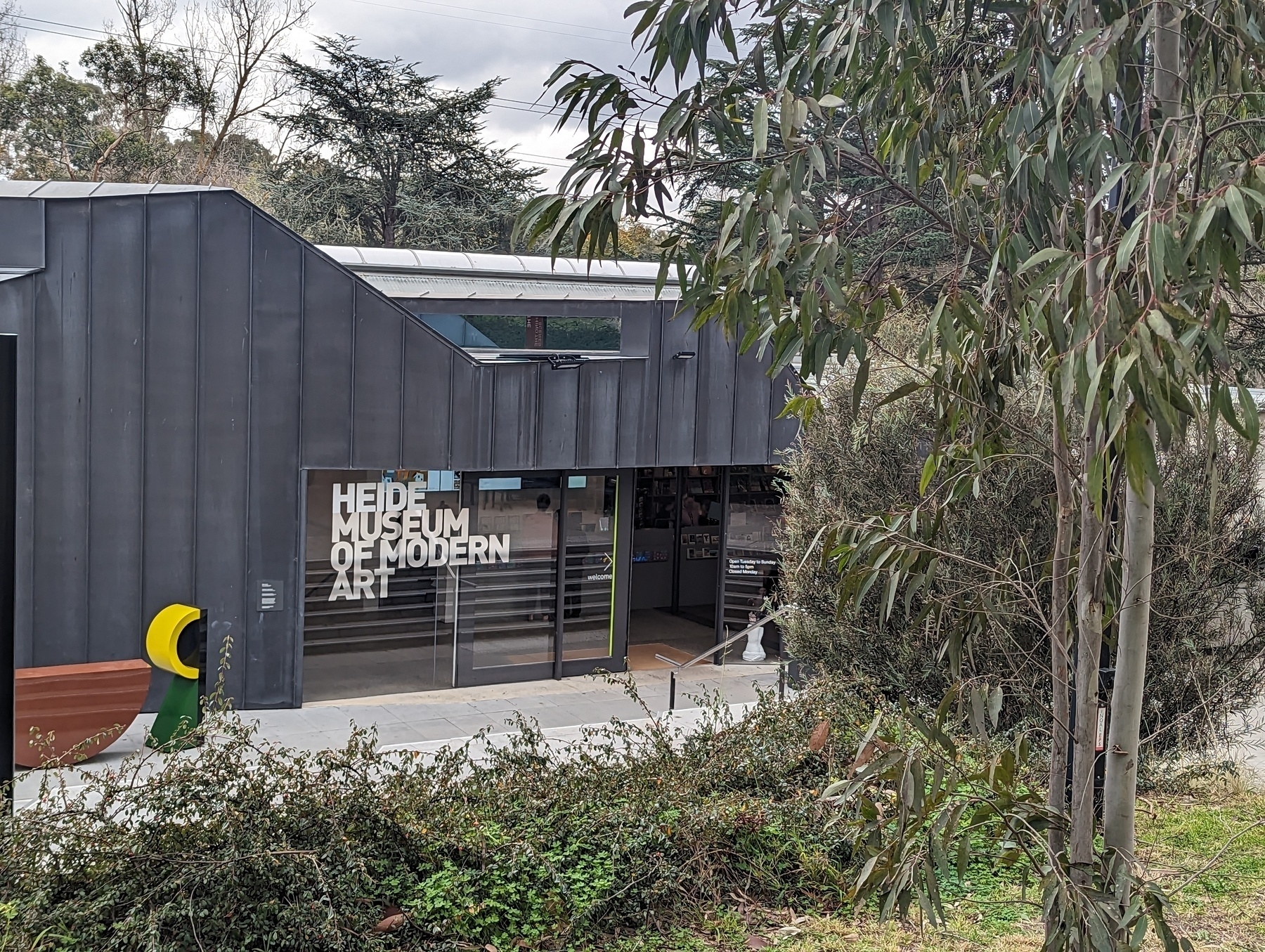
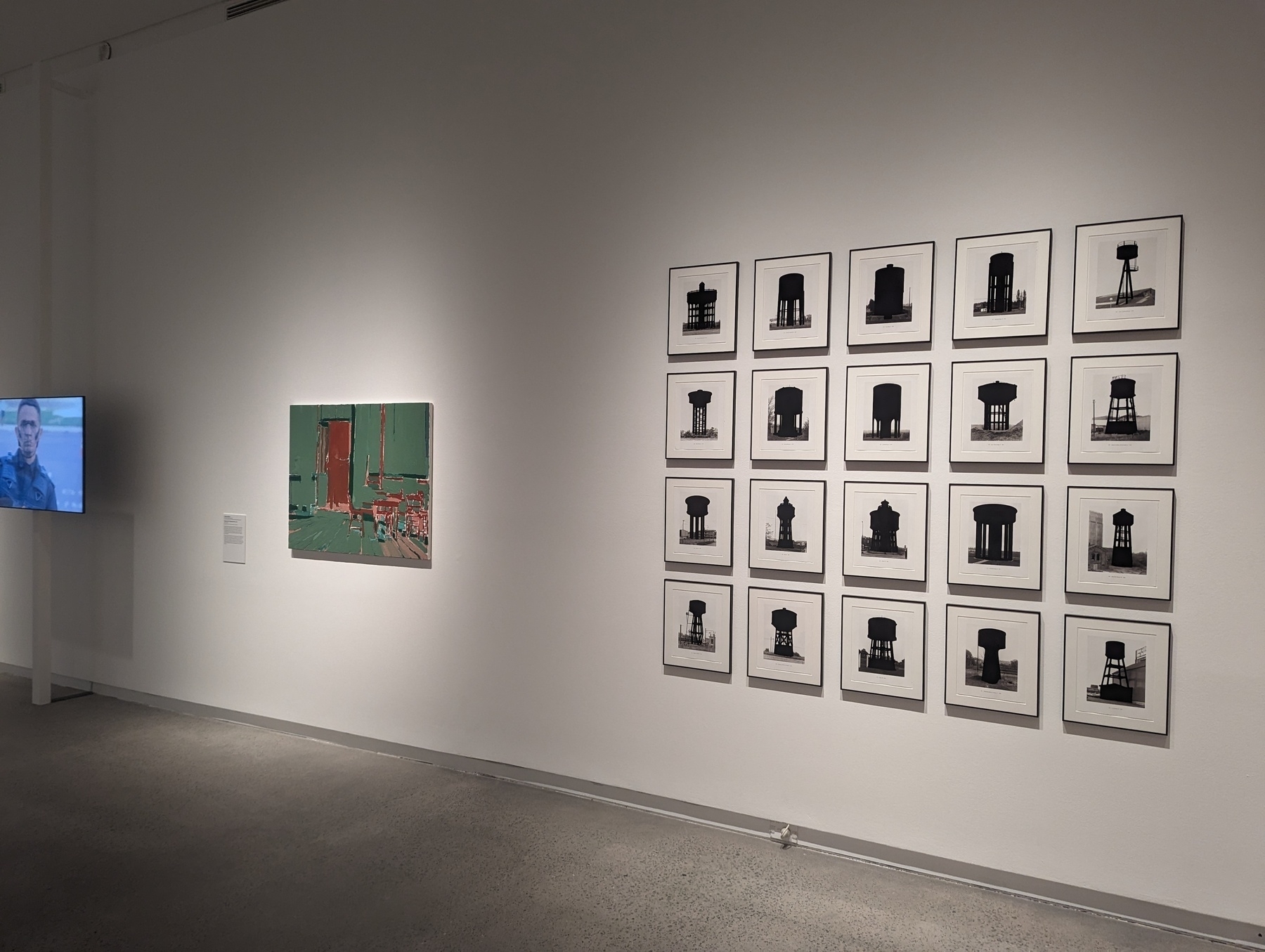
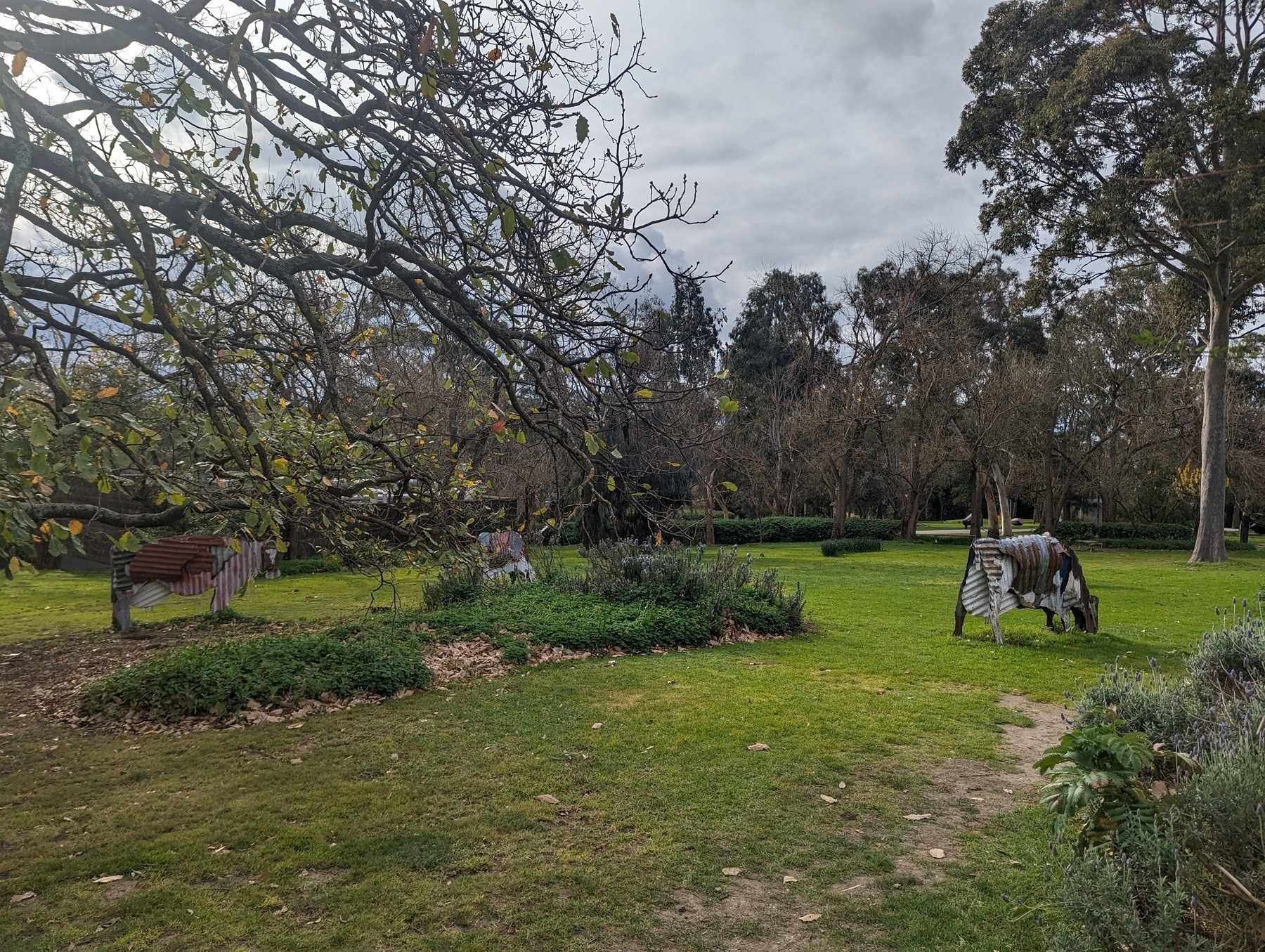
Went to the Heide Museum of Modern Art with Mum and Dad today. Was really good. Found some of the exhibits to be a little challenging (which, I guess, is the point). But the history tour was great and that walk around the grounds was lovely. Can recommend if you’re ever around the Heidelberg area.
-
Working on my Chips Challenge “fan game” this morning. Added the notion of “lower thirds,” which will show text at the bottom of the play field. I’m hoping to use it for narrative or way-finding, like here in this hub level:
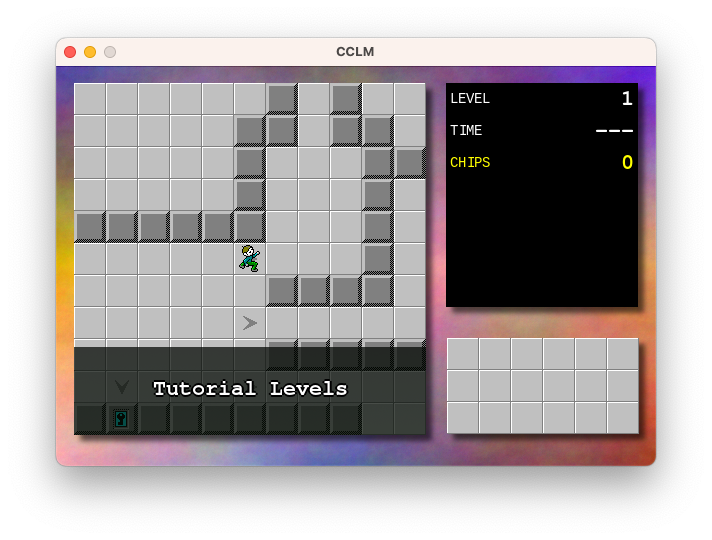
Also working on puzzle design. There’s about 19 or so “real” puzzles but I’m wondering if it’s worth adding a few tutorial ones for those that have never played the original Chip Challenge before. I’ve done about 5 such puzzles and I think I need to add maybe 3 or 4 more to cover everything I’m hoping to demonstrate. I wish I liked puzzle design more than I like tinkering on the engine.
Of course, the big question is why I’m working on this at all. There is, for lack of a better word, a vision for this, in terms of narrative and structure, but this project has been in development on and off for about 9 years or so, and I’m wondering if it’s time to just stop working on it altogether. I really am starting to get sick of it, in a way. And yet, this project has shown remarkable staying power over that time that I feel like if I don’t actually wrap it up, it’ll just continued to be worked on. It feels like the only way to end this project is to finish it, in one way or another.
So I’ll set myself a dead-line: something releasable in two weeks, and actually released a week after that. After that, no more! I’ll work on something else.
devlog screenshots -
Number of consecutive Saturdays where I’ve been swooped by a noisy minor: 2
-
Happy Friday everyone. It’s the end of a busy week at work. Wish I can say more about what we’ve been working on. If the stars align, I may be able to, in time. But until then, here’s hoping for a quiet weekend.
-
On a train. Heard an announcement from the Metro control center: “yadda, yadda, follow us on Twitter.” Wondering if anyone outside of tech news readers know that the service has been rebranded. It’s either that or they’re saying to themselves, “yeah, I’m not gonna call it that.”
-
Sat down on a park bench to reply to someone and this magpie came running up to me. Stayed for a minute then moved on after he realised I had no food for him.
 photos
 -
A thought just occurred to me while reading this post: all the effort that goes into optimising the browser for bloated, “commercial” webpages pay off in spades for sites with a lighter presence. If they can make those crummy, script-laden page usable, they can make the simpler ones sing.
-
On Tools and Automation
The thing about building tools to automate your work is that it’s hard to justify doing so when you’re in the thick of it. Easy to see all the time you save in the aggregate, but when you’re faced with the task in your day to day, you’re just as likely to say “I can build a tool which will let me do this task in a couple of seconds, but it’ll take me an hour to build it verses the 5 minutes it’ll take for me to just do the task.”
Continue reading →