
-
Adventures In Godot: Respawning A Falling Platform
My taste of going through a Godot tutorial last week has got me wanting more, so I’ve set about building a game with it. Thanks to my limited art skills, I’m using the same asset pack that was used in the video, although I am planning to add a bit of my own here and there.
But it’s the new mechanics I enjoy working on, such as adding falling platforms. If you’ve played any platformer, you know what these look like: platforms that are suspended in air, until the player lands on them, at which point gravity takes a hold and they start falling, usually into a pit killing the player in the process:
Continue reading → -
Making A Small Two-Letter Country Code Lookup Page
A small evening project where I made a simple site designed for Vivalidi’s sidebar to quickly lookup two-letter country codes defined in ISO-3166-1 alpha 2. Continue reading →
-
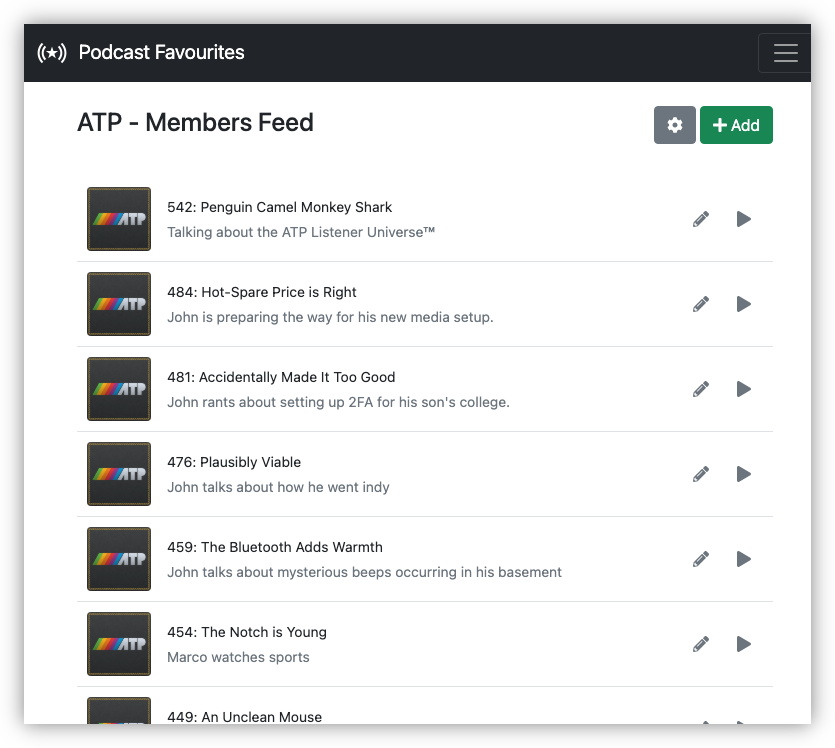
Dusted off Podcast Favourites (last commit 25 April 2022) and fixed a longstanding issue of thumbnails being lost when they’re changed in the feed. Editing the feed properties will now force a refresh of the thumbnail URLs. Didn’t need to change anything else, which was a nice change.
-
UCL: Some Updates
Made a few minor changes to UCL. Well, actually, I made one large change. I’ve renamed the
foreachbuiltin tofor.I was originally planning to have a
Continue reading →forloop that worked much like other languages: you have a variable, a start value, and an end value, and you’d just iterate over the loop until you reach the end. I don’t know how this would’ve looked, but I imagined something like this: -
Idea for UCL: Methods
I’m toying with the idea of adding methods to UCL. This will be similar to the methods that exist in Lua, in that they’re essentially functions that pass in the receiver as the first argument, although methods would only be definable by the native layer for the first version.
Much like Lua though, methods would be invokable using the
:“pair” operator.strs:to-upper "Hello" --> HELLOThe idea is to make some of these methods on the types themselves, allowing their use on literals and the result of pipelines, as well as variables:
Continue reading → -
UCL: Iterators
Still working on UCL in my spare time, mainly filling out the standard library a little, like adding utility functions for lists and CSV files. Largest change made recently was the adding iterators to the mix of core types. These worked a lot like the streams of old, where you had a potentially unbounded source of values that could only be consumed one at a time. The difference with streams is that there is not magic to this: iterators work like any other type, so they could be stored in variables, passed around methods, etc (streams could only be consumed via pipes).
Continue reading → -
This week’s distraction: building a Wordle clone. No particular reason for doing this other than I felt like building one, although I did miss the small time waster of the original Wordle, and watching a game show with my parents that had a similar concept just made those feelings stronger. Main difference between this and Wordle classic: board randomly selects between 4-letter, 5-letter, and 6-letter words; no daily limit or social-media sharing when you guessed the word correctly; and the biggest one: UK English spelling.
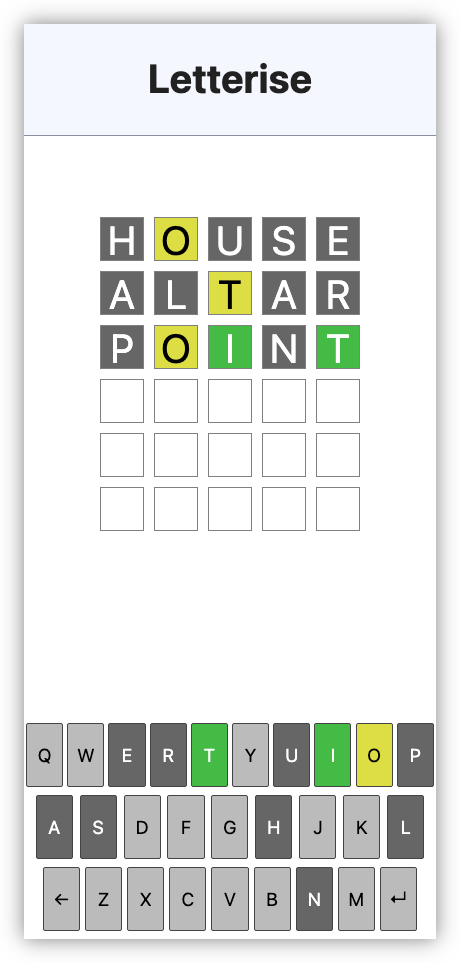
Some remarks on how this was built: I used 11ty to build the static site. It originally started as just a HTML page with some JavaScript, but I wanted to leave the option open for bundling and minifying the JS with Stimulus. The dictionary I got from Hunspell, which is apparently the spell checker Apple has based their work on. There is a little bit of Go to filter and sort the dictionary of words. The words are in sorted order for the binary search algorithm to check if a word exists or not. The puzzle order is predetermined and was done by “shuffling” the indices in a separate array. Base styles are, of course, from simple.css.
If you’re interested in checking it out, you can find it here. Just be aware that it may not be as polished as much of the other stuff you find out there. Turns out that I can tolerate a fair few shortcomings in things that I build for my own amusement.
devlog screenshots -
Learnt a very import thing about Stimulus outlets this evening: the outlet name must match the controller name of the outlet target. If this is not the case, the outlet will not bind and you’d be beside yourself struggling to find out why the outlet target cannot be found.
The outlet identifier in the host controller must be the same as the target controller’s identifier.
Took me 30 minutes and stepping through with code with the debugger to find this out.
devlog -
Started filling out the UCL website, mainly by documenting the core modules. It might be a little unnecessary to have a full website for this, given that the only person who’ll get any use from it right now will be myself. But who knows how useful it could be in the future? If nothing else, it’s a showcase on what I’ve been working on for this project.
-
I’ve been using UCL a lot recently, which is driving additional development on it. Spent a fair bit of time this evening fixing bugs and adding small features like string interpolation. Fix a number of grammar bugs too, that only popped up when I started writing multi-line scripts with it.
-
Project Update: DSL Formats For Interactive Fiction
Still bouncing around things to work on at the moment. Most of the little features have been addressed, and I have little need to add anything pressing for the things I’ve been working on recently. As for the large features, well apathy’s taking care of those. But there is one project that is tugging at my attention. And it’s a bit of a strange one, as part of me just wants to kill it. Yet it seems to be resisting.
Continue reading → -
I recently got a new phone, a Pixel 9 Pro, which meant I needed to bring Alto Player up to date. I probably could’ve gotten away using the version I was using on my Pixel 6. But I didn’t have a binary build, and I needed to upgrade Gradle anyway, so I decided to spend a bit of time bringing it up to date to API version 35, the version used in Android 15.0. Fortunately it was only a few hours in total, and once I got it running in the simulator, I side-loaded it onto my phone and started using it.
It worked, but there were some significant UI issues. The title-bar bled into the status bar, the album image in the Now Playing widget was cropped by the curved corners of the phone, and the media notification didn’t display playback controls.
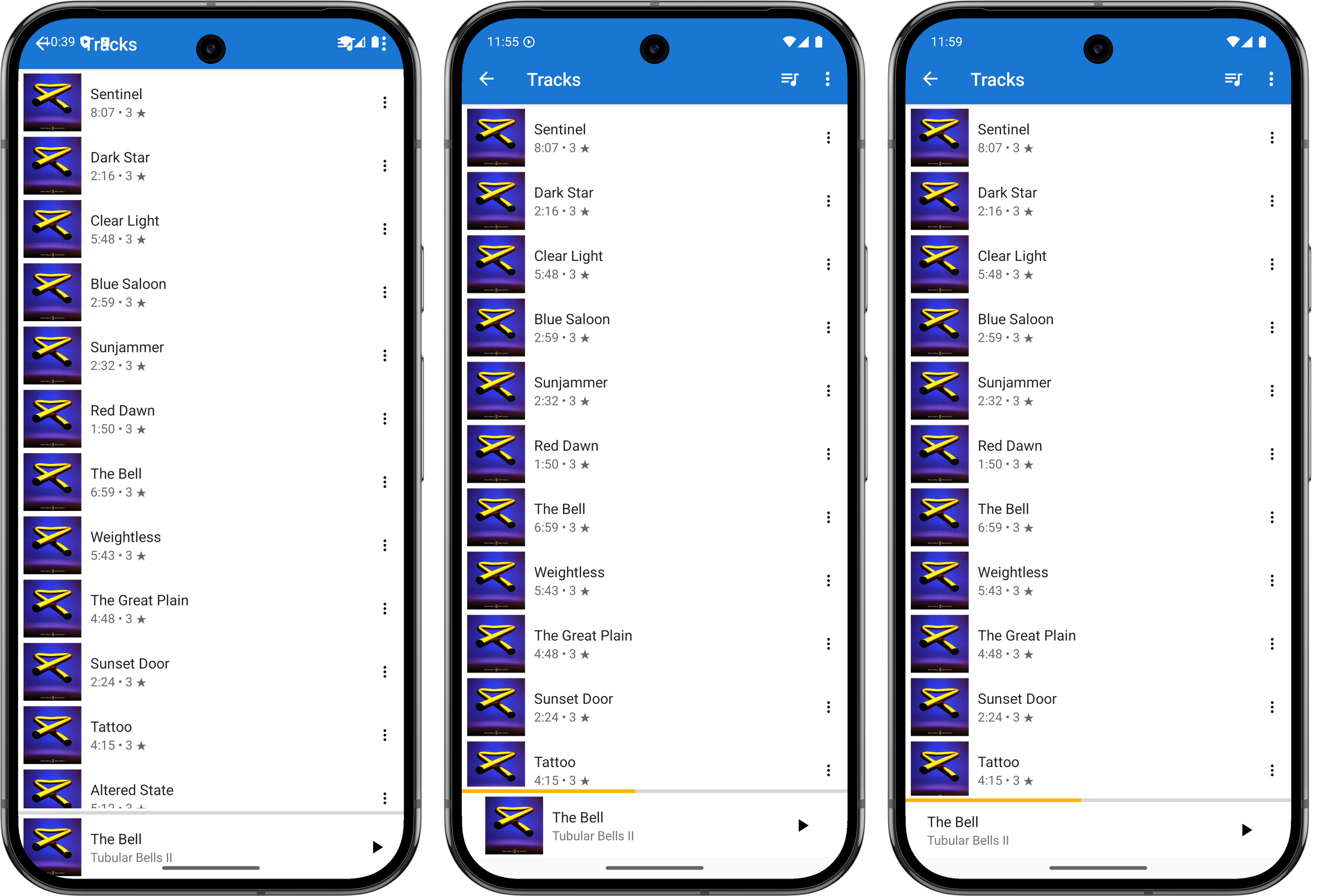
Evolution of the window insets, from left-to-right: before any changes, version with the album cover and margin, final version with no album art. I set about fixing these issues today, starting with the title-bar and Now Playing widget. These was an issue with the views not respecting the window insets, and after a quick Google search, I found this article showing how one could resolve this by adding a ViewCompat.setOnApplyWindowInsetsListener and reacting to it by adjusting the margins of the view.
val topLevelLayout = findViewById(R.id.top_level_layout) as CoordinatorLayout
ViewCompat.setOnApplyWindowInsetsListener(topLevelLayout) { v, windowInsets ->
    val insets = windowInsets.getInsets(WindowInsetsCompat.Type.systemBars())
    v.updateLayoutParams<ViewGroup.MarginLayoutParams> {
        leftMargin = insets.left
        bottomMargin = insets.bottom
        rightMargin = insets.right

        // applying a top margin here would work, but will not have the toolbar
        // background colour "bleed" into the status bar, which is what I want.
    }

    val t = v.findViewById<Toolbar>(R.id.toolbar)
    t.updateLayoutParams<ViewGroup.MarginLayoutParams> {
        // make the toolbar a little "narrower" than full height
        topMargin = insets.top * 3 / 4
    }

    WindowInsetsCompat.CONSUMED
}
It took a few attempts, but I managed to get this working. Just using the top inset for the toolbar margin made it a little larger than I liked, so I adjusted the height to be 75% of the inset. This means the toolbar will actually encroach into the area reserved for cut-outs like the front-facing camera. This is arguably not something a “real” Android apps should do, but this is just for me and my phone so it’s fine.
I went through a few iterations of the album artwork cutoff on the bottom right corner trying to find something I liked. I tried bringing in the horizontal margins a little, but I didn’t like the alignment of the album art in the player, particularly compared to the covers that appear in the track list screen. One thing I didn’t try was raising the bottom margin so that it would fit “above” the curve. But those corners curve in quite a bit, and doing this would sacrifice a lot of vertical space. So I settled on hiding the album art altogether. It’s a bit of a shame to loose it, but at least it looks neater now.
The next thing I looked at was fixing the playback controls in the media notification. After some investigating, I found that this was because I was not setting the available actions in the PlaybackStateCompat builder. This, if I understand correctly, is used to communicate to various systems the current state of the playing media: what the track name is, whether it’s playing, whether one can skip forward or back. I have my own types for tracking this information — which is probably not correct but I wasn’t completely sure as to what I was doing at the time with Android’s media stack1 — and when I needed to convert this to a type understood by the framework, I made instances of this builder without setting the available actions. Earlier versions of Android seemed not to care, and the controls always appeared on the notification. But I guess they changed that.
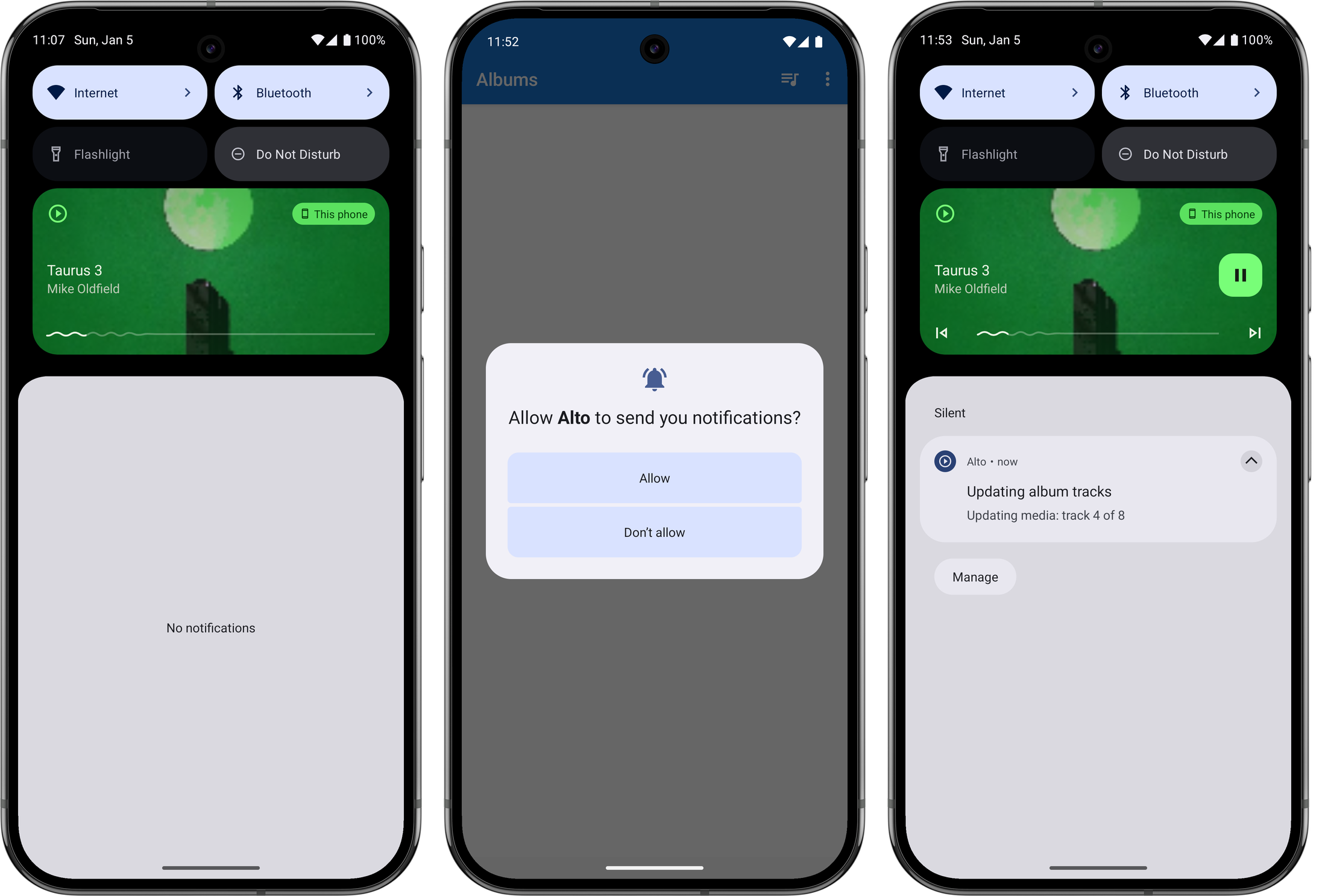
Evolution of the playback notification, from left-to-right: before any changes, the request to show notifications upon first launch (this is defined by the system), the playback notifications with controls again. One other thing I needed to do was to explicitly ask the user permission to show a notification before I could publish one. This is also relatively new: my experience with Android goes back to the early days where these permissions were disclosed up front when the app was installed. But I can completely understand why they changed it, as it was easy to simply tap through those screens with reading them. I am wondering whether media playback notifications are in some way exempt from these permission checks, as I was actually getting one to appear before I made this changes. But I figured it was probably worth doing anyway, so I added this permission request on first launch. Arguably I should be asking for this permission when playback starts, but again, this is just for me.
One final thing I needed to address were long album titles. The text view displaying the the album title had a width that autosized to the title itself, and the start and end constraints were set such that it appears centred in the view. This worked for “normal” length titles but when the length became excessive, the text view would fill the entire width of the screen and the title will appear left justified.
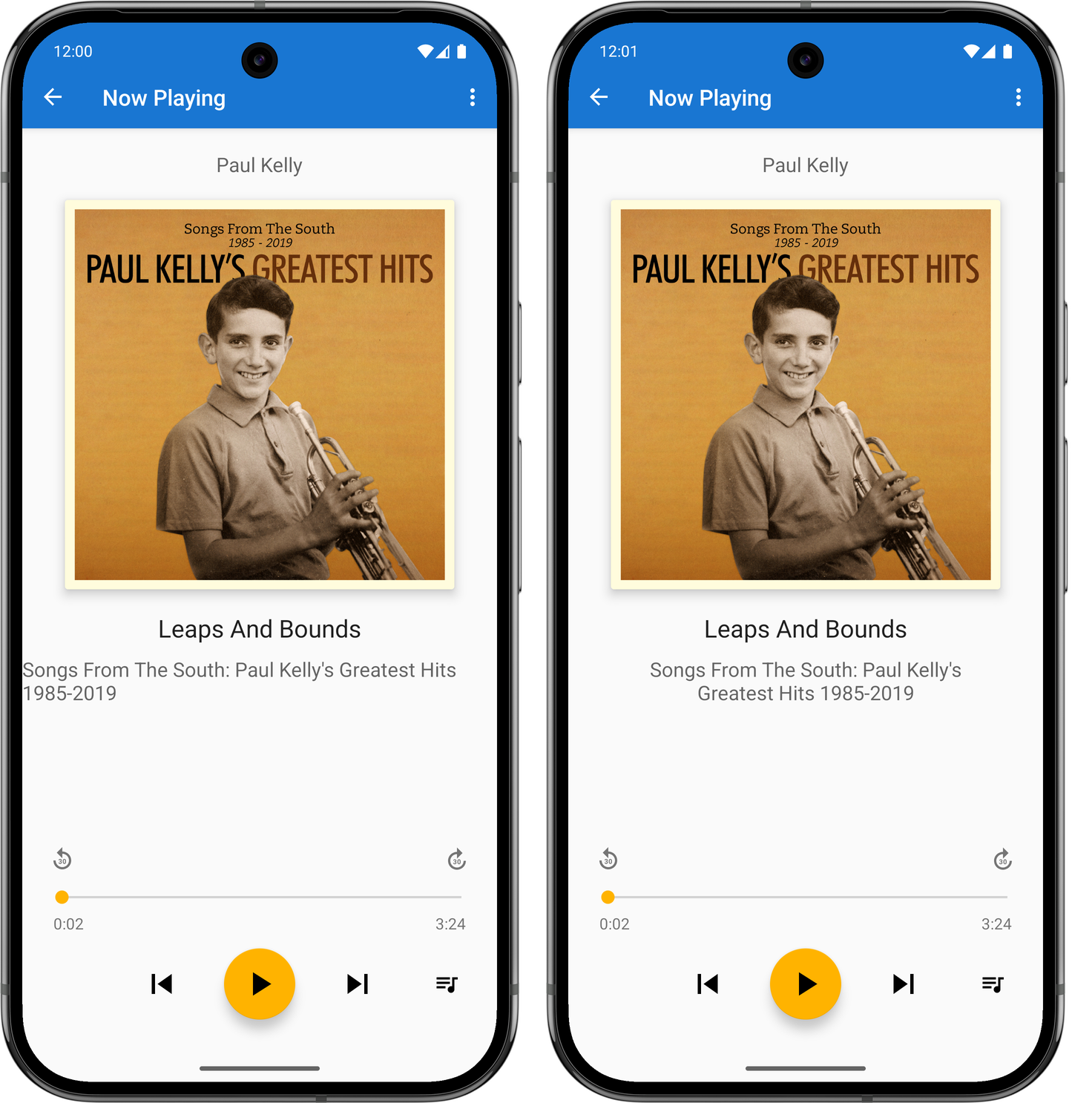
Before (left) and after (right) shot of the fixed album title. The fix for this was to set the text width to be calculated by the start and end constraints (setting
layout_widthto0dp), bringing in the margins a little, and making the label text centre justified. I did this already for the track title, so it was easy to do this here too. Not sure why I didn’t do it earlier, or why I haven’t done it for the artist’s name yet.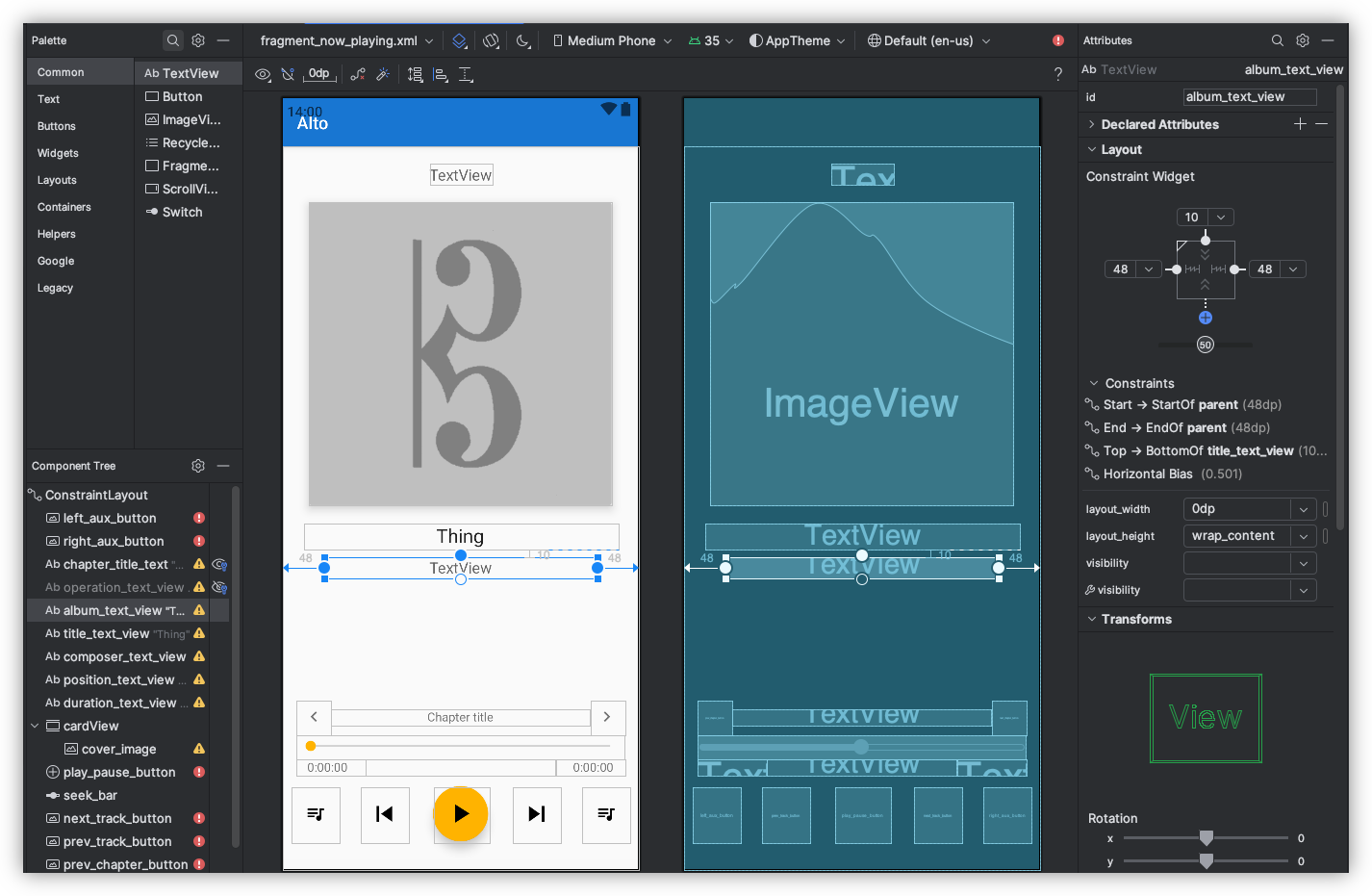
This was all rushed, and I’ll admit I wasn’t 100% sure what I was doing. I was going down the route of trial-and-error to get this working, mixed in with web searches and a trip to ChatGPT. And yeah, the methods I used won’t make this a portable Android app that would work on every phone out there. But I’m reasonably happy with how it turned out.
-
This is still true to this day. ↩︎
devlog screenshots -
-
Thanks for my new found fondness of buying mainstream music instead of streaming it, I needed a way to get these albums into Alto Catalogue. There exists a feature for fetching and importing tracks from a Zip referenced by a URL. This works great for albums bought in Bandcamp, but less so for any tracks I may have on my local machine.
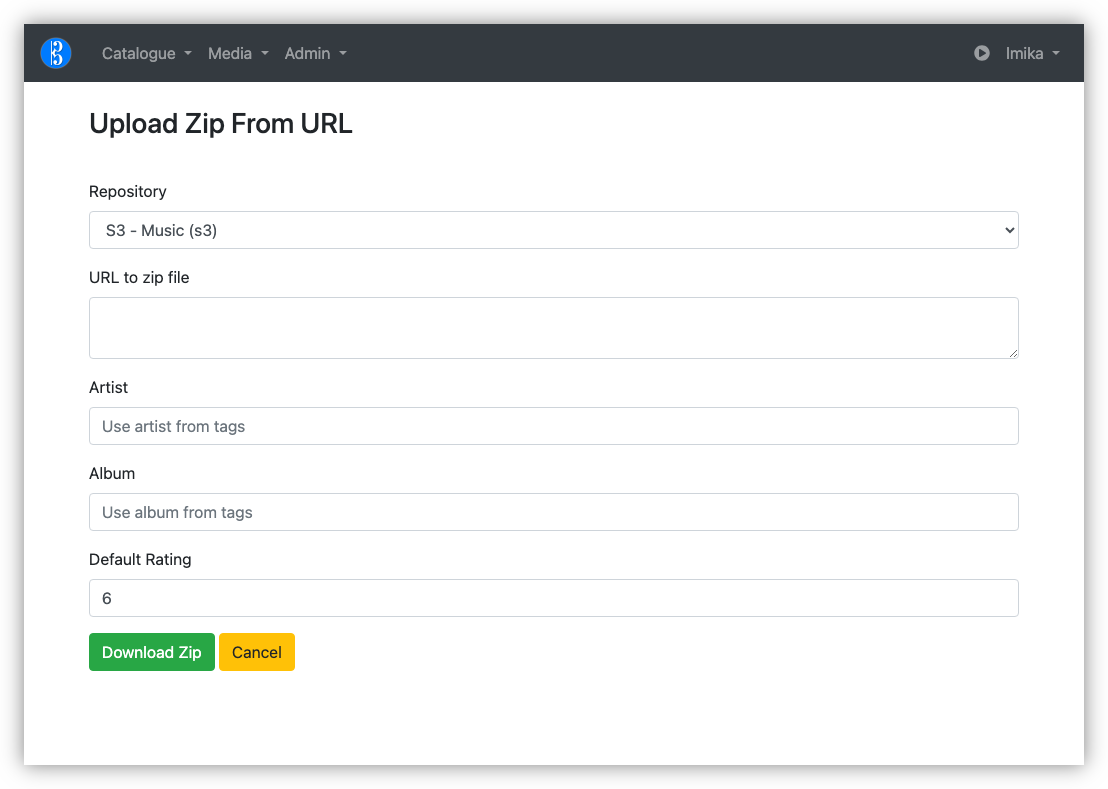
I’ve managed to get Alto Catalogue building again after updating Webpack and a few NPM packages, so in theory, I could add an Upload Zip file action. But there’s more to this than simply accepting and unpacking a Zip file. I have to read the metadata, maybe even preview the tracks that will be imported, just in case I’m importing something I rather not (I did see this once, where zipping a bunch of tracks in the Finder introduced duplicates). This already exists for Zip files that are downloadable online.
I had a though about what my options are, until I remembered that I had a Gokapi instance running in Pikapods. So I tried using that to temporarily host the Zip file with a publicly available URL that could be read by Alto Catalouge.
The only problem is my internet upload speed is sooooo sloooooow. The Gokapi instance is hosted in Europe, and I suspect the instance itself is a little underpowered. So uploading 100 MB Zip files would take a fair bit of time: maybe 15-30 minutes. When I tried doing this via the web frontend, the connection timed out.
Fortunately, Gokapi has an API and one of the methods allows you to upload a file in “chunks,” which Gokapi will assemble back into the original file. Even better is that this chunking can be uploaded in parallel.
So I built a CLI tool which made of this chunking API to upload the Zip files. Once the upload is complete, the tool will display the hot-link URL, which I can copy-and-paste into Alto Catalogue.
The whole process isn’t fast (again, slow upload speeds). But it works, and I can use this tool to queue a bunch of uploads and let it do its thing while I’m doing something else. I really like tools that do this, where you’re not forced to babysitting them through the process.
There are a few limitations with it. It doesn’t allow for an awful lot of customisations on the lifecycle of the uploaded file. And the tool stalled out once when my computer went to sleep, and I had to start the upload from scratch. I could probably add something to track the chunks that were successful, allowing one to continue a stalled upload. If this happens frequently, I may look more into adding this.
But even so, this could be a useful addition to my use of Gokapi for transferring temporary files. If you think this might be useful to you, you can find the tool here.
-
Fixed the UI of Alto Player, plus addressed some long standing issues I’ve been having.
One was displaying the album covers for playlists instead of the generic “missing album” image. It’s technically possible to set an album cover on a playlist, but I never built the UI to do this in the web-app. So the app now uses the album cover of the first track in the playlist if one isn’t specified. Another was getting automated release builds working in GitHub, as per these instructions
But the biggest improvement was finally getting around to storing the position of the album list, so that going back up the navigation stack wouldn’t reposition the list to the top. I tried this a way back, but couldn’t get it working, probably because I was testing
RecyclerView.scrollToPositionWithOffsetby passing last constant numbers, like 100, only to find the list not actually scrolling. It turns out that this method actually takes the index of the item to position at the top, not a pixel offsets. So the view wouldn’t scroll if you happen to have a list with less than 100 items. It only started working after I tried smaller numbers, like 5.So all in all, a good day.
devlog -
Exploring Godot to see if I could use it to make a card game. I got this far:
Yep, I’m on a roll. 😄
Might need to work through a couple Godot tutorials first, just so that I understand the basics.
devlog screenshots -
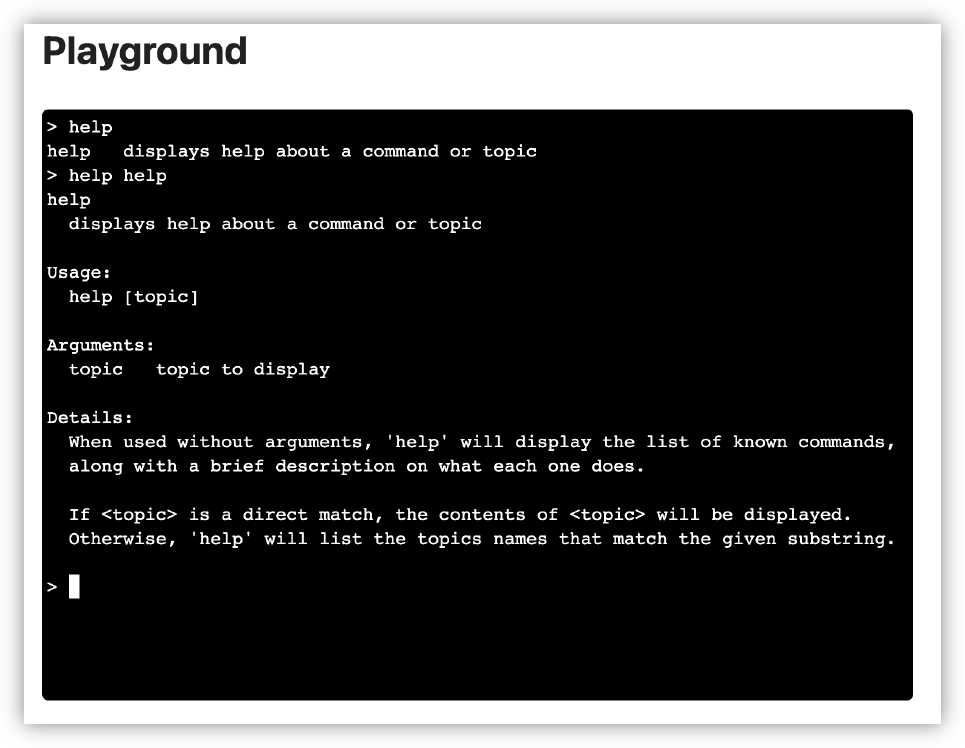
I plan to integrate UCL into another tool at work, so I spent last night improving it’s use as a REPL. Added support for onboard help and setting up custom type printing, which is useful for displaying tables of data. I started working on the tool today and it’s already feeling great.
-
In other building-small-things-for-myself news, I spent a bit of time this morning on the image processor for Blogging Tools. The big new change was adding support for working with multiple source images, instead of just one. This made way for a new “Phone Shot” processor, which arranges multiple screenshots of phone apps in a row, while also downscaling them and proving some quick crops and distribution options.
This should reduce the vertical size of mobile app screenshots I post here, something that’s been bothering me a little.
-
Some more work on that feed reader app. You know how I said that I wanted to hold off looking at appearances? Well, I abandoned that approach when I installed the app on my phone and tried viewing a few articles. And oof! There’s work to be done there.
First, it’s slow. Very slow. It’s taking a good second or two to pull feeds and entries from Feedbin. I was expecting this, and I’ve got a few plans on how to speed this up. But the biggest concern is the janky list scrolling. I mean, I wasn’t expecting the buttery smoothness of iPhone list scrolling, but I expected Flutter to be better than what I was experiencing. I’m hoping that it’s just because I was running a debug build, but part of me fears that Flutter is just not optimised for smooth list scrolling, favouring ease of development and a common runtime. I rather not change frameworks now, especially after spending an evening dealing with all the build issues, but I don’t want to live with this for ever.
But speed is not the biggest issue. The biggest offender was the feed reader view. The embedded web-view was only lightly styled, and it felt like it. The margins were all off, and I didn’t like the default font or colours. It made reading the article a bad experience to a surprising degree. I’ve dealt with rushed or poorly designed UIs in the past, but I didn’t have much tolerance for this. Not sure why this is, but I suspect it’s because I’ve been using feed readers that put some effort into the design of their reader screen.
In any case, a couple of evenings ago, I decided to put some effort into the styling. I replace the body text font with Noto Sans and the fixed-font with Ubuntu Mono. I dropped the font-size a little to 1.05 em (it was previously 1.1 em, with felt a little big, and 1.0 em felt a little small). I bought the margins in a little. And I styled the block-quote, figure, and pre elements to an appearance that, despite being a little overused, felt quite modern.
The results look much better, at least to my eye (and my emulator). Here are some side-to-side comparison shots of the changes (left side is the unstyled version, while the right side has the new styling changes):
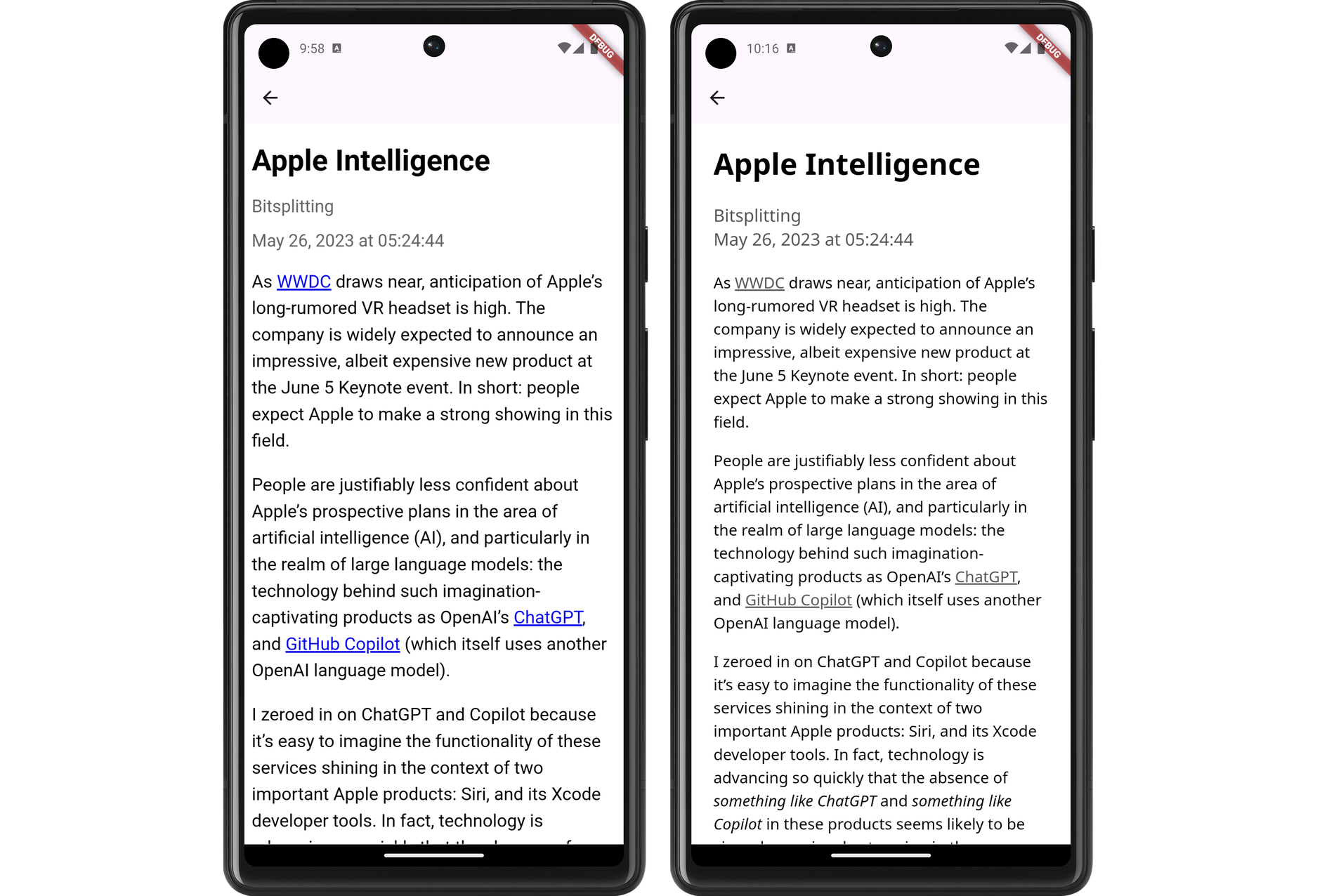
Demonstration of the new font and link colouring choices. 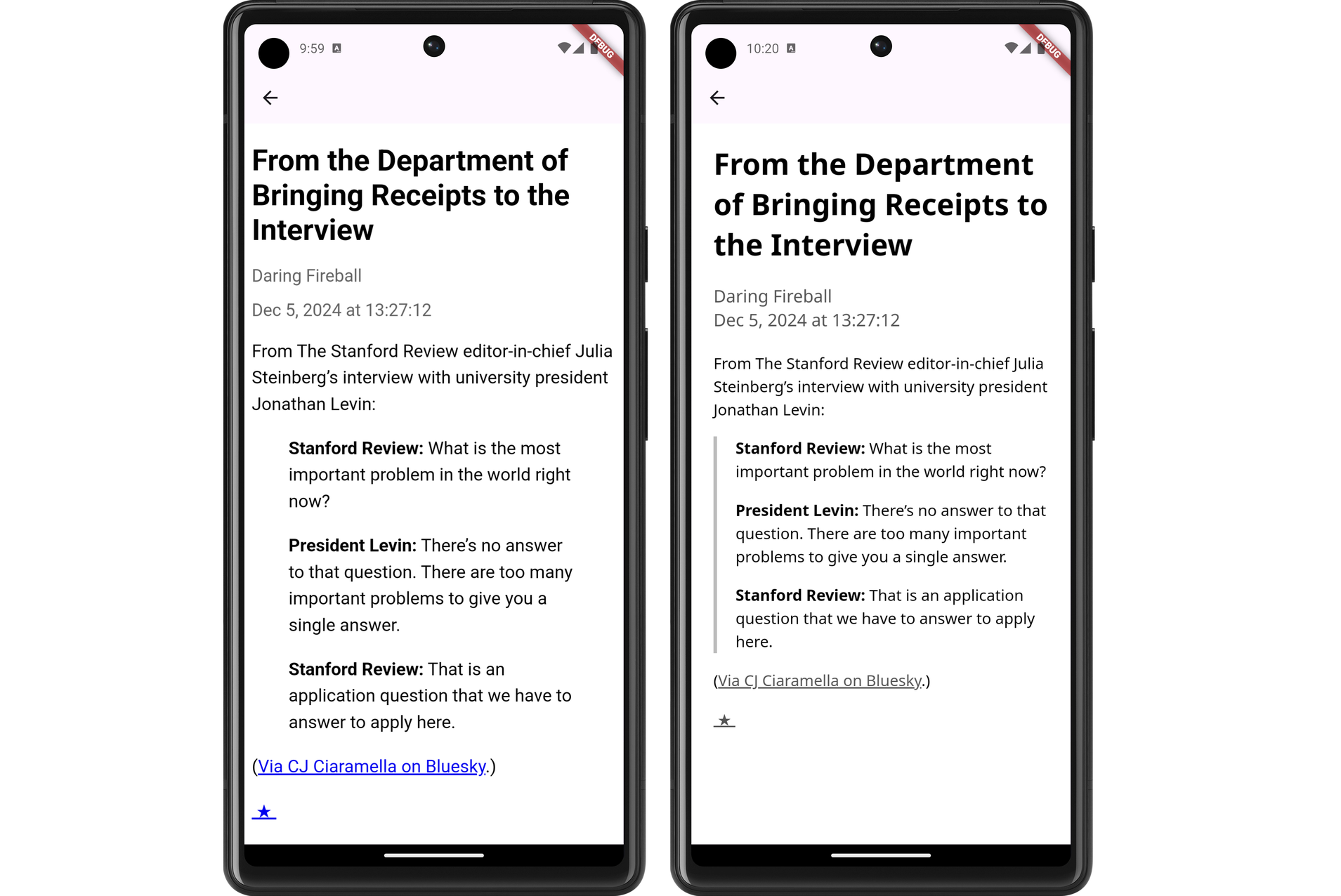
Demonstration of the changes to block-quotes. Having a line down the left-sided is a pretty common style, but it's one I like. 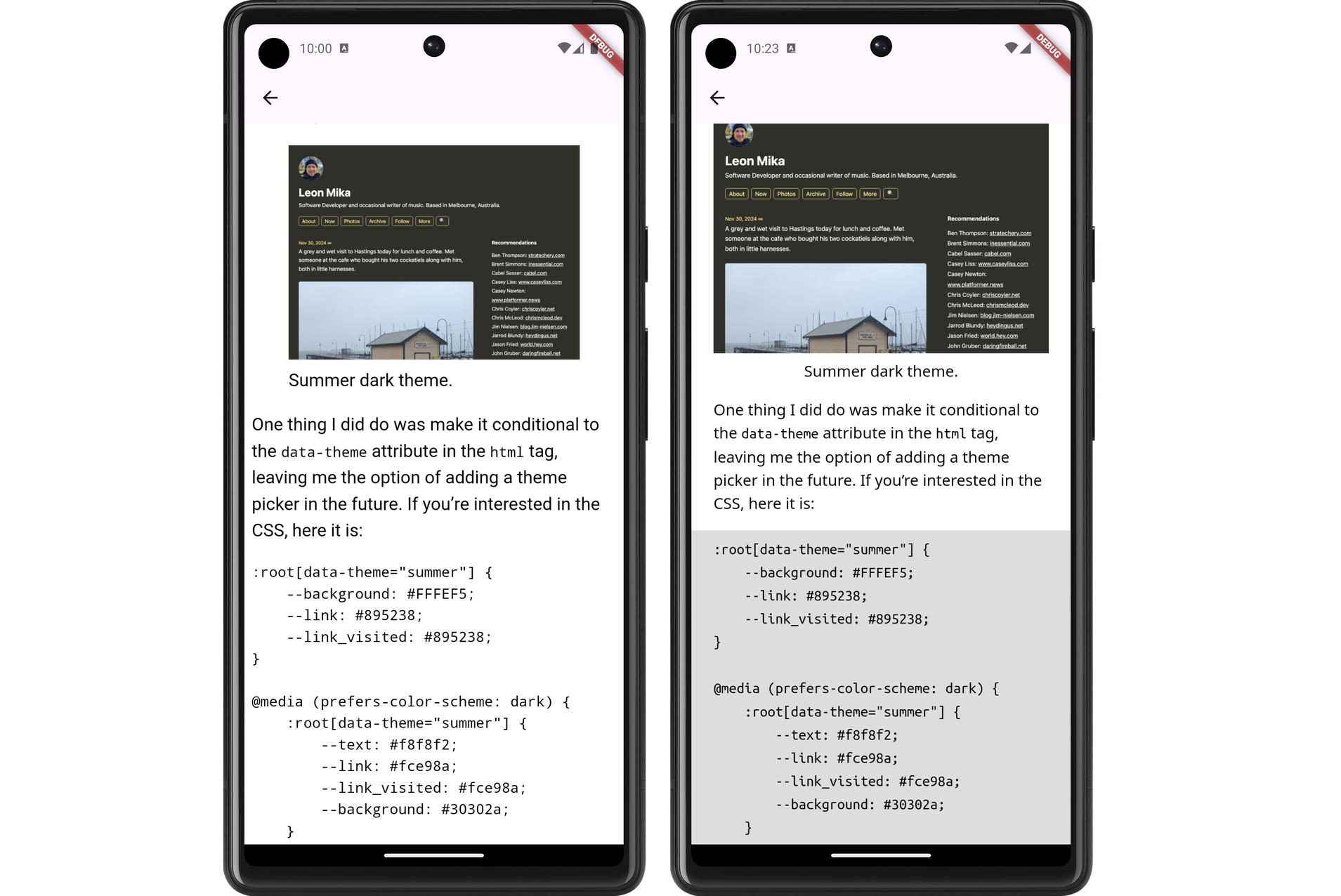
Demonstration of code blocks and figures with captions. I still need to actually install this on my phone and try it out. I’m wondering whether I should do so after a bit more work syncing the read status with Feedbin. That’s a feature that’s keeping me on Feedbin’s PWA for now.
devlog screenshots -
Spent the last few evenings continuing work on a Flutter-based RSS feed reader. This project is now further along then my previous attempts at doing this. I’m at the point where feeds and feeds items are being fetch from Feedbin and displayed in a list view:
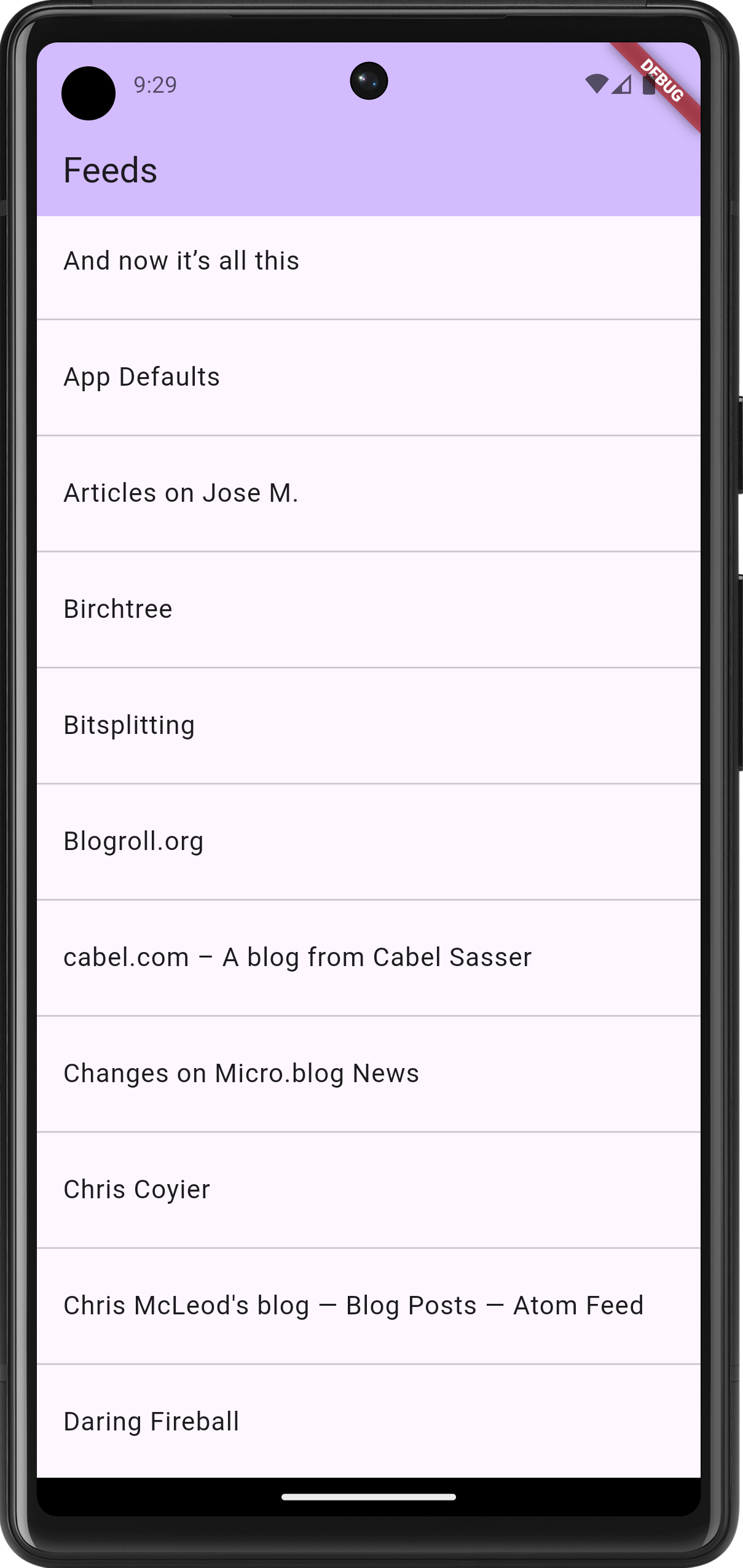
The beginning of the feed list 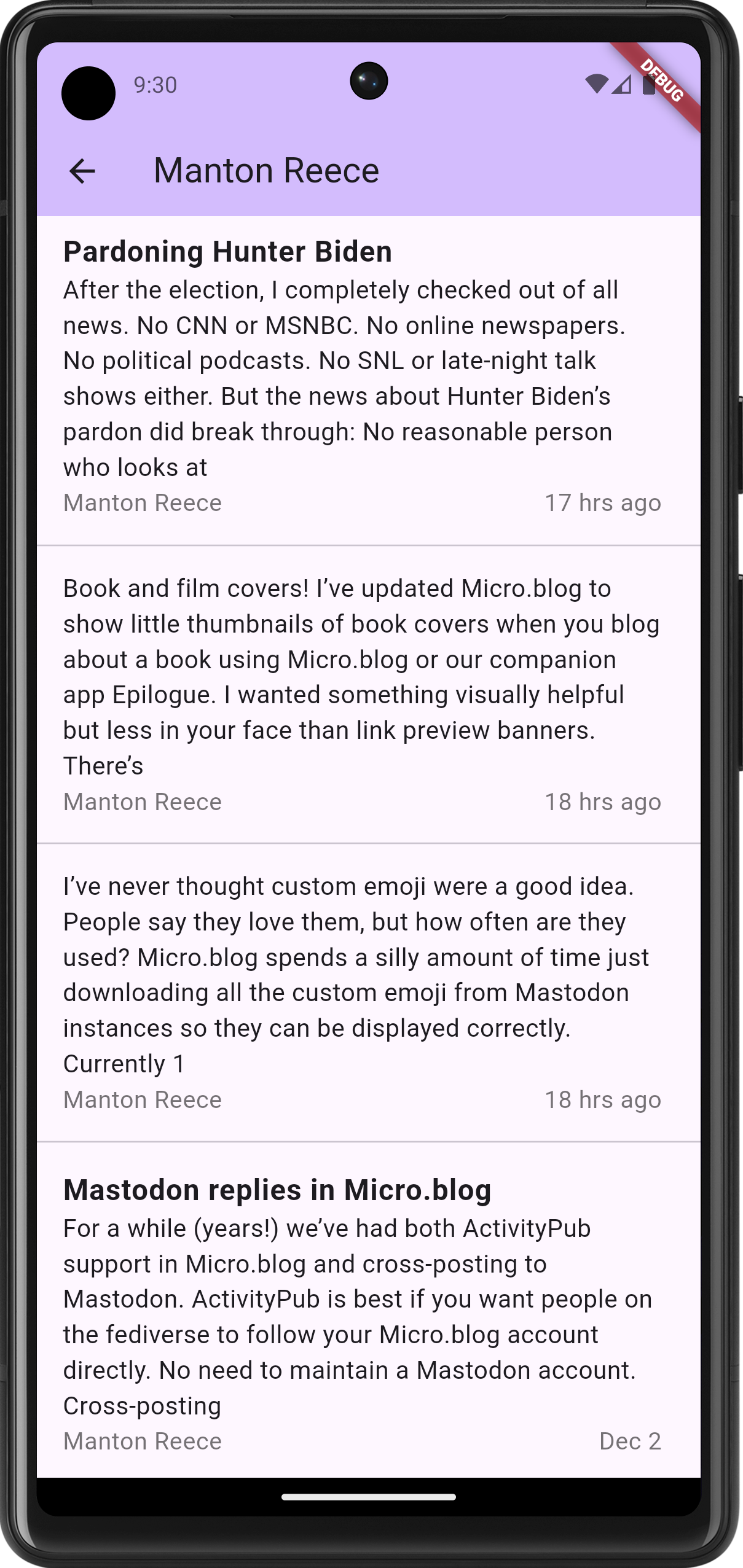
The feed item list. Title-less posts are to be fully supported, with a bulk of the summary shown in the list. Titled posts should have a smaller summary. The aesthetics are taking a bit of a back seat in favour of functionality for now; I haven’t even changed the default accent colour. But the infrastructure is there: tapping a feed will bring up the entries for that feed. This is using named routes for navigation, and cubits for state management. It’s a bit more work upfront, but it does make for a neater codebase.
The biggest challenge so far was getting the actual reader view working. I hoping to use the webview plugin, but when I tried adding it, I ran into a bunch of Gradle errors. These were either class version errors or dependency errors, depending on what I tried to fix it (I didn’t get screenshots, sorry). I eventually stumbled upon this Flutter Gradle plugin migration guide, and following this, along with upgrading Java to OpenJDK 25, got Gradle working again.
But I was still getting build errors. The first couple were Gradle plugins
com.android.applicationandorg.jetbrains.kotlin.androidthat needed to be updated. Easy stuff. And then I got this error message:Execution failed for task ':webview_flutter_android:compileDebugJavaWithJavac'. > Could not resolve all files for configuration ':webview_flutter_android:androidJdkImage'. > Failed to transform core-for-system-modules.jar to match attributes {artifactType=_internal_android_jdk_image, org.gradle.libraryelements=jar, org.gradle.usage=java-runtime}. > Execution failed for JdkImageTransform: /Users/leonmika/Library/Android/sdk/platforms/android-34/core-for-system-modules.jar. > Error while executing process /Users/leonmika/Applications/Android Studio.app/Contents/jbr/Contents/Home/bin/jlink with arguments {--module-path /Users/leonmika/.gradle/caches/8.10.2/transforms/575ccd1a7426c0be21d9fe3a81898be3-05a021da-a1a7-409f-a30a-bba769b57371/transformed/output/temp/jmod --add-modules java.base --output /Users/leonmika/.gradle/caches/8.10.2/transforms/575ccd1a7426c0be21d9fe3a81898be3-05a021da-a1a7-409f-a30a-bba769b57371/transformed/output/jdkImage --disable-plugin system-modules}Running a web search on the error revealed this Stack Overflow answer, which resolve it. There were still a few complaints about the the NDK version but after all that, the app finally launched with the web-viewer.
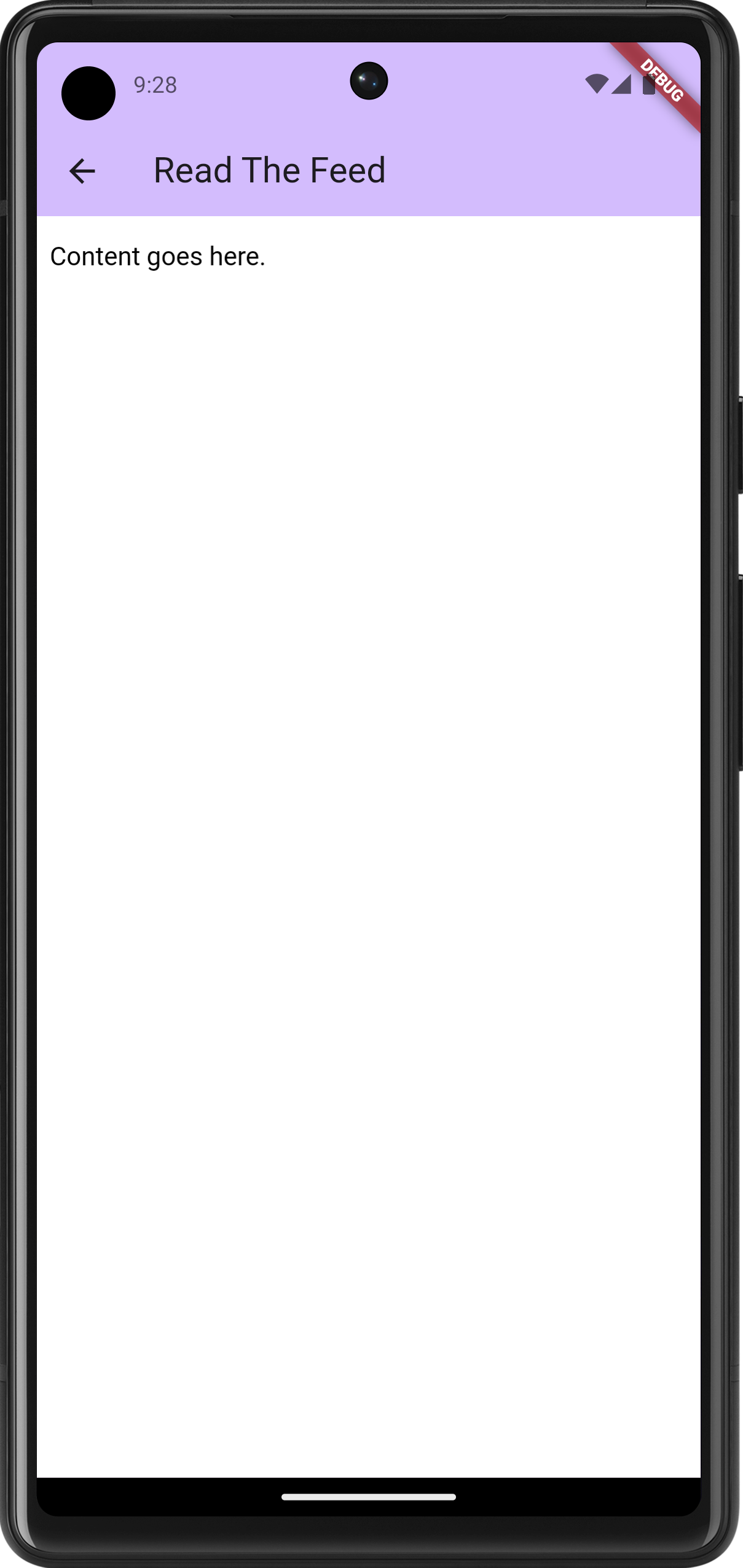
The web-viewer, with a "hello world"-ish test HTML document I still need to actually render the entry, plus style the HTML a bit. The immediate goal after this, once the reader view, is getting this on my phone to start playing with it. It’s just barebones for now, but I find that the sooner I can start using a project myself, the more likely I am to keep at it.
devlog screenshots -
Looking for my next project to work on. I have a few ideas but my mind keeps wandering back to an RSS reader for Android. I read RSS feeds quite frequently on my phone and Feedbin’s web app is great, but I think I prefer a native app.
I just need to get over the hump of setting up my Android Studios. There’s something about starting a new project there that just sucks the life out of you.
devlog -
Playing around with some possible UI design choices for that Android RSS Feed Reader. I think I will go with Flutter for this, seeing that I generally like the framework and it has decent (although not perfect) support for native Material styling.
Started looking at the feed item view. This is what I have so far:
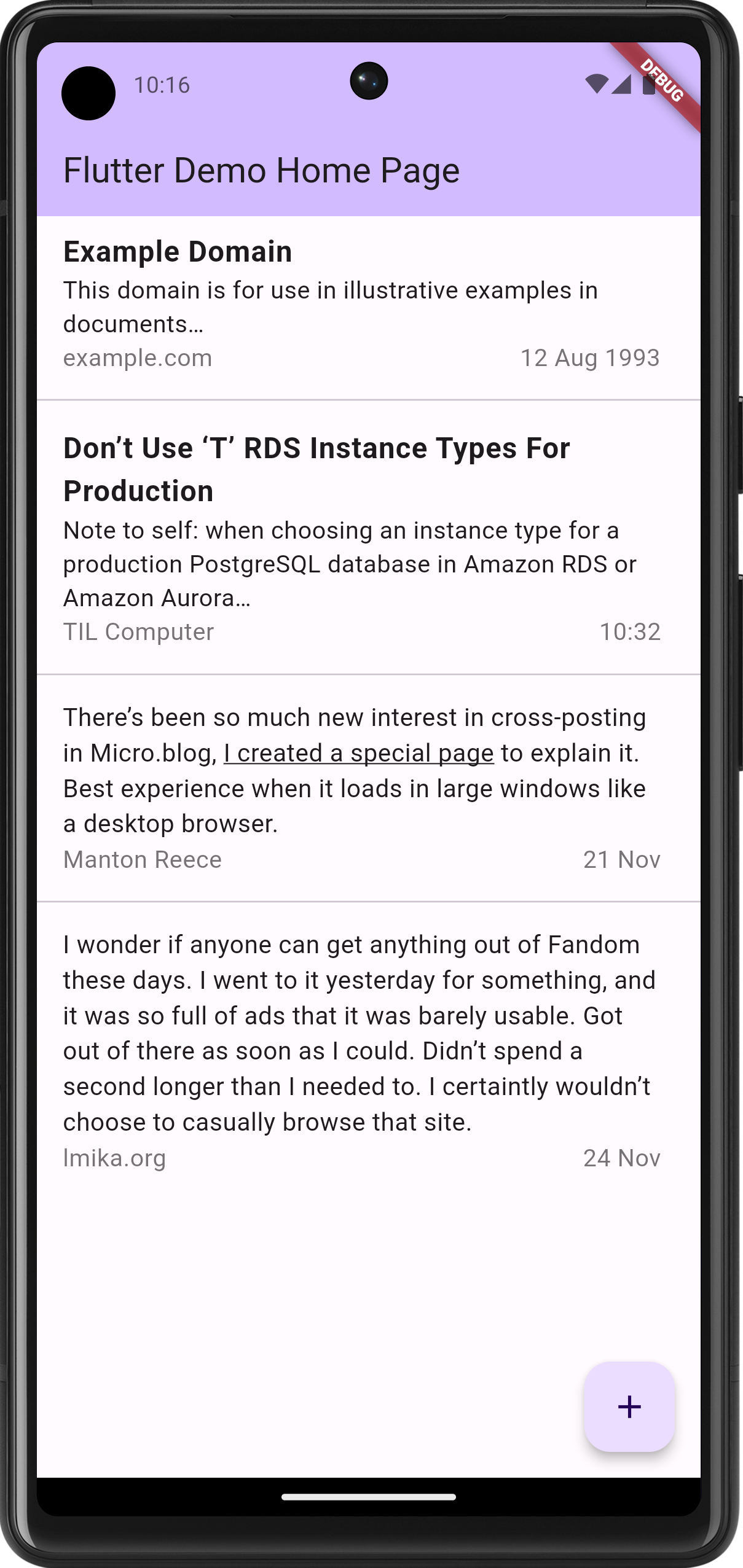
Note that this is little more than a static list view. The items comes from nowhere and tapping an item doesn’t actually do anything yet. I wanted to get the appearance right first, as how it feels is downstream from how it works.
The current plan is to show most of the body for items without titles, similar to what other social media apps would show. It occurred to me that in doing so, people wouldn’t see links or formatting in the original post, since they’ll be less likely to click through. So it might be necessary to bring this formatting to the front. Not all possible formatting, mind you: probably just strong, emphasis, and links. Everything else should result with an ellipsis, encouraging the user to open the actual item.
Anyway, still playing at the moment.
devlog -
It’s done! Cyber Burger, the Pico-8 arcade game I’ve been working on for the last few months, is finished and can now be played online in a (desktop) browser. Check it out here.
 devlog
 -
I also decided to put the documentation “on-board”, as opposed to putting it on the web. Yes, it breaks from what was typical during the 8-bit gaming period, but I’ve got the space, and it makes adding illustrations easier.
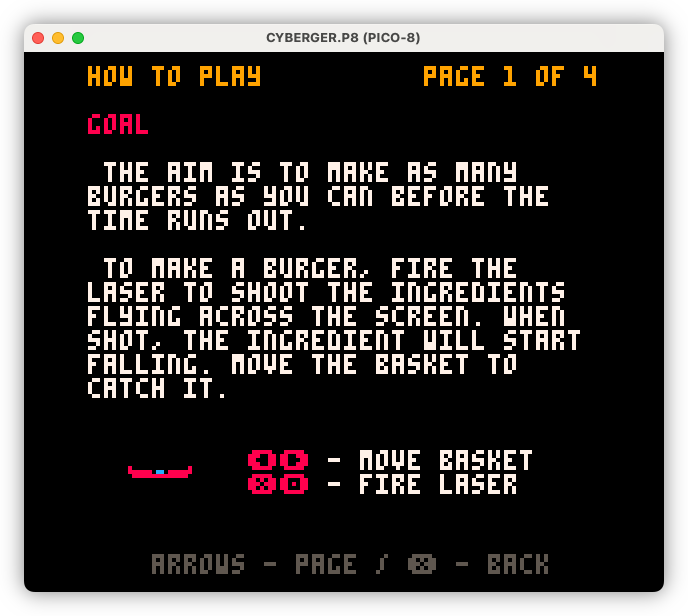
Also forces me to keep it brief, which is no bad thing.
devlog -
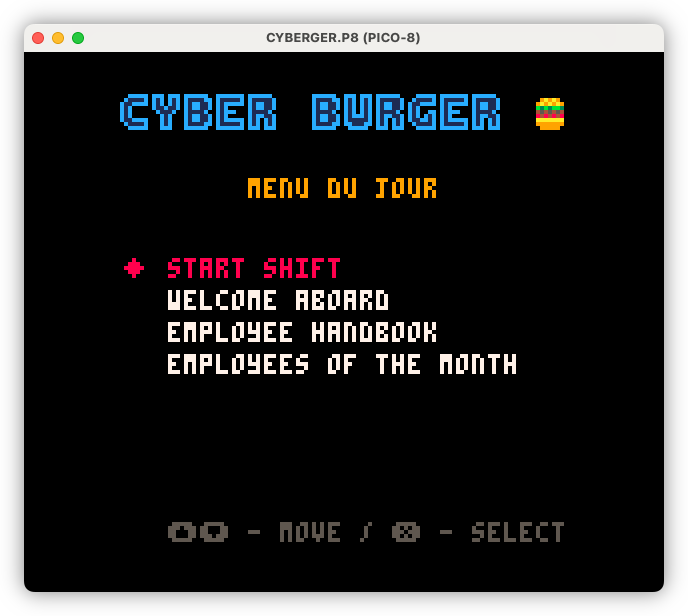
Building out the meta elements of Cyber Burger, including the “menu du jour” a.k.a. the main menu. I’ve used food-service terms for the menu items to maintain the theme, but there is a button to switch them over to more conventional names should it be too unclear.
 devlog screenshots
 -
Weekly Update - 3 Nov 2024
I probably should stop calling these “weekly updates,” seeing that they come up a lot less frequently than once a week. Maybe I should switch to something like “Sunday updates,” or maybe something closer to what this is, which is an excuse to procrastinate by writing about what I’ve been working on, rather than just working on it.
But I’m sure you’re not interested in my willowing about the frequency of these updates, so let’s just get straight to the meat of it.
Continue reading → -
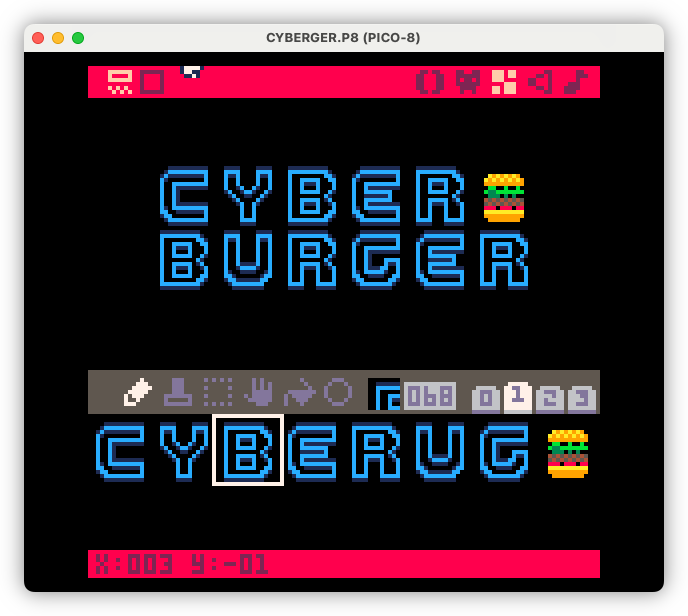
Title design this morning. Trying to get as close as I can to the Cyberspace Raceway font as my pixel art skills will allow for.
 devlog screenshots
 -
Try-Catch In UCL - Some Notes
Stared working on a
trycommand to UCL, which can be used to trap errors that occur within a block. This is very much inspired by try-blocks in Java and Python, where the main block will run, and if any error occurs, it will fall through to the catch block:try { echo "Something bad can happen here" } catch { echo "It's all right. I'll run next" }This is all I’ve got working at the moment, but I want to quickly write some notes on how I’d like this to work, lest I forget it later.
Continue reading → -
Weekly Update - 20 Oct 2024
Yeah, I know, it’s been a while… again. A lot has been happening in life and there’ve been many days that I haven’t done any work on anything. Things are starting to settle down now, although I am expecting a few more bumpy days ahead, so we’ll see how we go with project work.
Cyber Burger
Yeah, I’m getting pretty tired of this one. I’m right in the trough of despair here, where the initial excitement has worn off and I just want to finish it. All the remaining work for it has been defined, which I think helps, and now it’s just a matter of plowing through the tasks.
Continue reading → -
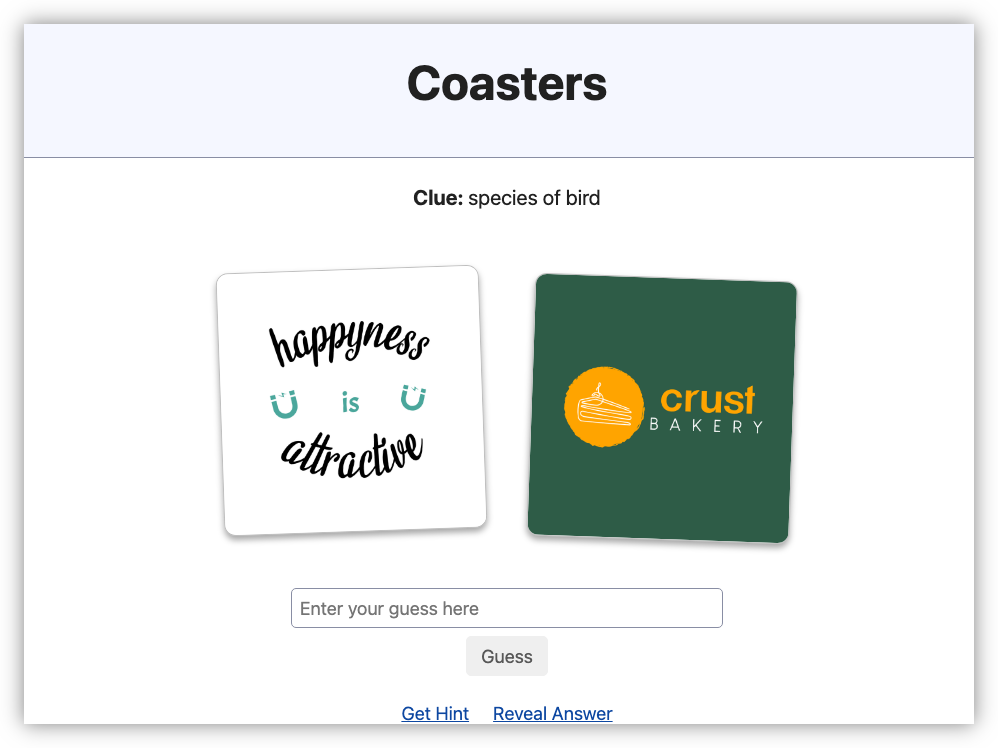
I’ve spent the last week working on a small puzzle game called Coasters, where you presented with two images and a clue, and you need to guess the word or phrase. One puzzle a day, sort of like Wordle. I’ve got 10 puzzles ready to go and I may add more but no promises. Check it out if you like.
 devlog screenshots
 -
Weekly Update - 22 Sept 2024
No preface today. Let’s move on to the update.
Cyber Burger
Cyber Burger now has sound!
I started added some basic sound effects to the laser and the items flying across the screen. They may change, depending on how I find them after a while, but it’s a start. I do like how Pico-8 makes these easy to make: select a waveform, then just draw out the pitch and volume graphically:
Continue reading → -
Weekly Update - 15 Sept 2024
Two projects to discuss this week.
Cyber Burger
I’ve decided to ditch game mode A, where the player is given a series of stages they need to clear. Instead, I’m changing this to be closer to an old-school arcade experience. In this mode, you start the game with a 45 second timer, and you need get as high a score as you can before the timer runs out. Your score depends roughly on how large and “interesting” your burger is. Every burger you make also adds 10 seconds to the clock, so the ultimate aim is to balance making interesting burgers for a higher score, vs. trying to avoid letting the clock run down to zero. Or at least that’s the idea. I need to do some rebalancing, as I think the game is a little easy.
Continue reading → -
Project Updates
Well, it’s been three weeks since my last post here, and as hard as it was to write this update, not writing it would’ve been harder. So let’s just skip the preamble and go straight to the update.
Cyber Burger (That Pico-8 Game)
I’m terrible at being coy, I’ll just spill the beens. That game I’ve been working on is call Cyber Burger. It’s based on a DOS game I saw on YouTube, and it seemed like a fun project to try and work on, with some tweaks to the gameplay that I think would make it more forgiving.
Continue reading → -
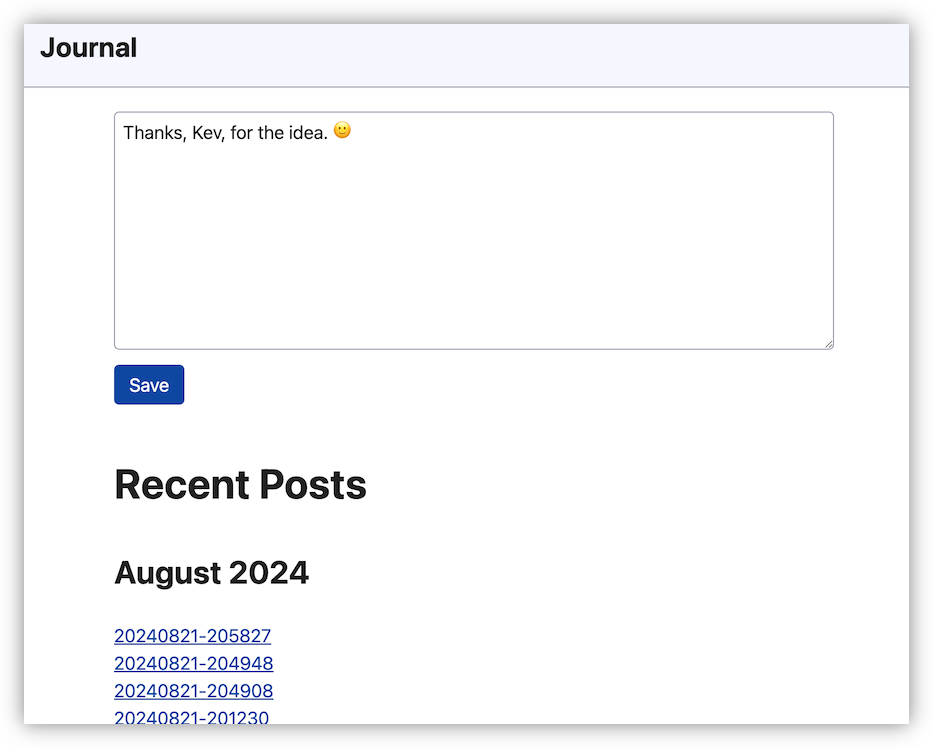
I enjoyed reading Kev Quirk’s post about building a simple journal. I’m still using Day One, but I am still thinking of moving off it. So I was inspired to build a prototype similar to Kev’s, just to see if something similar works for me. Built using Go instead of PHP, but it also uses Simple CSS.
 devlog screenshots
 -
Project Seed - A Pico-8 Prototype
Oof, another long stretch between updates. This has not been a productive winter.
Much of the project I’ve been writing about here are, shall we say, “on ice”. UCL is still being used for the project it’s been built for, but there’s been no further work done on it recently. I think we can safely say Photo Bucket is dead, at least for now. Blogging Tool and that interactive fiction project is still ongoing, but both are running on a slow burn. I was hoping to get the fiction thing done by the end of winter, but it’s likely that timeline will slip. Maybe some time in spring.
Continue reading → -
Current Project Update
Hmm, another long gap between posts. A little unexpected, but there’s an explanation for this: between setting up Forgejo and making the occasional update to Blogging Tools, I haven’t been doing any project work. Well, at least nothing involving code. What I have been doing is trying my hand at interactive fiction, using Evergreen by Big River Games.
Well, okay, it’s not completely without code: there is a bit of JavaScript involved for powering the “interactive” logic part. But a bulk of the effort is in writing the narrative, albeit a narrative that’s probably closer to a video game rather than a work of pure fiction.
Continue reading → -
More Tools For Blogging Tool
Spent the last week working on Blogging Tool. I want to get as much done as a I can before motivation begins to wain, and it begins languishing like every other project I’ve worked on. Not sure I can stop that, but I think I can get the big ticket items in there so it’ll be useful to me while I start work on something else.
I do have plans for some new tools for Blogging Tool: making it easier to make Lightbox Gallery was just the start. This last week I managed to get two of them done, along with some cross-functional features which should help with any other tools I make down the road.
Continue reading → -
Blogging Gallery Tool
Oof! It’s been a while, hasn’t it.
Not sure why I expected my side-project work to continue while I’m here in Canberra. Feels like a waste of a trip to go somewhere — well, not “unique”, I’ve been here before; but different — and expect to spend all your time indoors writing code. Maybe a choice I would’ve made when I was younger, but now? Hmm, better to spend my time outdoors, “touching grass”. So that’s what I’ve been doing.
Continue reading → -
Bulk Image Selection
Some light housekeeping first: this is the 15th post on this blog so I thought it was time for a proper domain name. Not that buying a domain automatically means I’ll keep at it, but it does feel like I’ve got some momentum writing here now, so I’ll take the $24.00 USD risk. I’d also like to organise a proper site favicon too. I’ve got some ideas but I’ve yet to crack open Affinity Design just yet.
Continue reading →