
-
The Site Page Model
I opened up Photo Bucket this morning and found a bunch of commits involving pages. I had no idea why I added them, until I launched it and started poking around the admin section. I tried a toggle on the Design page which controlled whether the landing page showed a list of photos or galleries, and after finding that it wasn’t connected to anything, it all came flooding back to me. So while what I’m going to describe here isn’t fully implemented yet, I decided to write it down before I forget it again.
Continue reading → -
Indexing In UCL
I’ve been thinking a little about how to support indexing in UCL, as in getting elements from a list or keyed values from a map. There already exists an
indexbuiltin that does this, but I’m wondering if this can be, or even should be, supported in the language itself.I’ve reserved
Continue reading →.for this, and it’ll be relatively easy to make use of it to get map fields. But I do have some concerns with supporting list element dereferencing using square brackets. The big one being that if I were to use square brackets the same way that many other languages do, I suspect (although I haven’t confirmed) that it could lead to the parser treating them as two separate list literals. This is because the scanner ignores whitespace, and there’s no other syntactic indicators to separate arguments to proc calls, like commas: -
Tape Playback Site
Thought I’d take a little break from UCL today.
Mum found a collection of old cassette tapes of us when we were kids, making and recording songs and radio shows. I’ve been digitising them over the last few weeks, and today the first recorded cassette was ready to share with the family.
I suppose I could’ve just given them raw MP3 files, but I wanted to record each cassette as two large files — one per side — so as to not loose much of the various crackles and clatters made when the tape recorder was stopped and started. But I did want to catalogue the more interesting points in the recording, and it would’ve been a bit “meh” simply giving them to others as one long list of timestamps (simulating the rewind/fast-forward seeking action would’ve been a step too far).
Continue reading → -
UCL: Brief Integration Update and Modules
A brief update of where I am with UCL and integrating it into Dynamo-browse. I did managed to get it integrated, and it’s now serving as the interpreter of commands entered in during a session.
It works… okay. I decided to avoid all the complexities I mentioned in the last post — all that about continuations, etc. — and simply kept the commands returning
Continue reading →tea.Msgvalues. The original idea was to have the commands return usable values if they were invoked in a non-interactive manner. For example, thetablecommand invoked in an interactive session will bring up the table picker for the user to select the table. But when invoked as part of a call to another command, maybe it would return the current table name as a string, or something. -
UCL: Breaking And Continuation
I’ve started trying to integrate UCL into a second tool: Dynamo Browse. And so far it’s proving to be a little difficult. The problem is that this will be replacing a dumb string splitter, with command handlers that are currently returning a tea.Msg type that change the UI in some way.
UCL builtin handlers return a
Continue reading →interface{}result, or anerrorresult, so there’s no reason why this wouldn’t work. Buttea.Msgis also aninterface{}types, so it will be difficult to tell a UI message apart from a result that’s usable as data. -
UCL: The Simplifications Paid Off
The UCL simplifications have been implemented, and they seem to be largely successful.
Ripped out all the streaming types, and changed pipes to simply pass the result of the left command as first argument of the right.
"Hello" | echo ", world"
--> "Hello, world"
This has dramatically improved the use of pipes. Previously, pipes could only be used to connect streams. But now, with pretty much anything flowing through a pipe, that list of commands has extended to pretty much every builtins and user-defined procs. Furthermore, a command no longer needs to know that it’s being used in a pipeline: whatever flows through the pipe is passed transparently via the first argument to the function call. This has made pipes more useful, and usable in more situations.
Continue reading → -
Simplifying UCL
I’ve been using UCL for several days now in that work tool I mentioned, and I’m wondering if the technical challenge that comes of making a featureful language is crowding out what I set out to do: making a useful command language that is easy to embed.
So I’m thinking of making some simplifications.
The first is to expand the possible use of pipes. To date, the only thing that can travel through pipes are streams. But many of the commands I’ve been adding simply return slices. This is probably because there’s currently no “stream” type available to the embedder, but even if there was, I’m wondering if it make sense to allow the embedder to pass slices, and other types, through pipes as well.
Continue reading → -
Imports And The New Model
Well, I dragged Photo Bucket out today to work on it a bit.
It’s fallen by the wayside a little, and I’ve been wondering if it’s worth continuing work on it. So many things about it that need to be looked at: the public site looks ugly, as does the admin section; working with more than a single image is a pain; backup and restore needs to be added; etc.
Continue reading → -
UCL: Procs and Higher-Order Functions
More on UCL yesterday evening. Biggest change is the introduction of user functions, called “procs” (same name used in TCL):
proc greet {
    echo "Hello, world"
}

greet
--> Hello, world
Naturally, like most languages, these can accept arguments, which use the same block variable binding as the
foreachloop:proc greet { |what| echo "Hello, " $what } greet "moon" --> Hello, moonThe name is also optional, and if omitted, will actually make the function anonymous. This allows functions to be set as variable values, and also be returned as results from other functions.
Continue reading → -
UCL: First Embed, and Optional Arguments
Came up with a name: Universal Control Language: UCL. See, you have TCL; but what if instead of being used for tools, it can be more universal? Sounds so much more… universal, am I right? 😀
Yeah, okay. It’s not a great name. But it’ll do for now.
Anyway, I’ve started integrating this language with the admin tool I’m using at work. This tool I use is the impetus for this whole endeavour. Up until now, this tool was just a standard CLI command usable from the shell. But it’s not uncommon for me to have to invoke the tool multiple times in quick succession, and each time I invoke it, it needs to connect to backend systems, which can take a few seconds. Hence the reason why I’m converting it into a REPL.
Continue reading → -
Tool Command Language: Lists, Hashs, and Loops
A bit more on TCL (yes, yes, I’ve gotta change the name) last night. Added both lists and hashes to the language. These can be created using a literal syntax, which looks pretty much looks how I described it a few days ago:
set list ["a" "b" "c"]
set hash ["a":"1" "b":"2" "c":"3"]
I had a bit of trouble working out the grammar for this, I first went with something that looked a little like the following, where the key of an element is optional but the value is mandatory:
Continue reading → -
Backlog Proc: A Better JQL
Backlog Proc is a simple item backlog tracker I built for work. I’d like to link them to Jira tickets, so that I know whether a particular backlog item actually has tasks written for them, and what the status of each of those tasks are. I guess these are meant to be tracked by epics, but Jira’s UI for handling such things is a mess, and I’d like to make notes that are only for my own eyes.
Continue reading → -
Tool Command Language: Macros And Blocks
More work on the tool command language (of which I need to come up with a name: I can’t use the abbreviation TCL), this time working on getting multi-line statement blocks working. As in:
echo "Here"
echo "There"
I got a little wrapped up about how I can configure the parser to recognise new-lines as statement separators. I tried this in the past with a hand rolled lexer and ended up peppering
Continue reading →NLtokens all around the grammar. I was fearing that I needed to do something like this here. After a bit of experimentation, I think I’ve come up with a way to recognise new-lines as statement separators without making the grammar too messy. The unit tests verifying this so far seem to work. -
Tool Command Language
I have this idea for a tool command language. Something similar to TCL, in that it’s chiefly designed to be used as an embedded scripting language and chiefly in an interactive context.
It’s been an idea I’ve been having in my mind for a while, but I’ve got the perfect use case for it. I’ve got a tool at work I use to do occasional admin tasks. At the moment it’s implemented as a CLI tool, and it works. But the biggest downside is that it needs to form connections to the cluster to call internal service methods, and it always take a few seconds to do so. I’d like to be able to use it to automate certain actions, but this delay would make doing so a real hassle.
Continue reading → -
Photo Bucket Update: Exporting To Zip
Worked a little more on Photo Bucket this week. Added the ability to export the contents of an instance to a Zip file. This consist of both images and metadata.
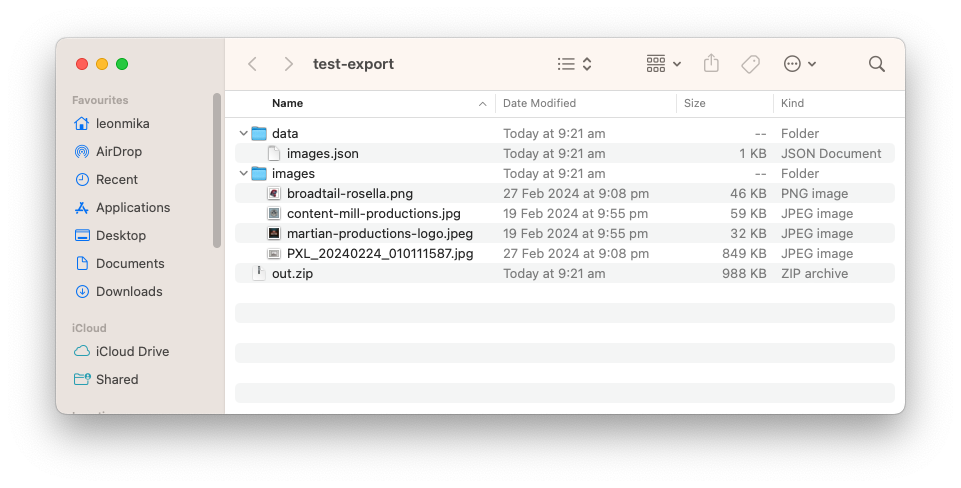
I’ve went with lines of JSON file for the image metadata. I considered a CSV file briefly, but for optional fields like captions and custom properties, I didn’t like the idea of a lot of empty columns. Better to go with a format that’s a little more flexible, even if it does mean more text per line.
Continue reading → -
Photo Bucket Update: More On Galleries
Spent a bit more time working on Photo Bucket this last week1, particularly around galleries. They’re progressing quite well. I’m made some strides in getting two big parts of the UI working now: adding and removing images to galleries, and re-ordering gallery items via drag and drop.
I’ll talk about re-ordering first. This was when I had to bite the bullet and start coding up some JavaScript. Usually I’d turn to Stimulus for this but I wanted to give HTML web components a try. And so far, they’ve been working quite well.
Continue reading → -
Photo Bucket Galleries and Using the HTML Popover API
Spent a bit more on Photo Bucket this evening. Tonight I started working on galleries, which’ll work more or less like albums.
At the moment you can create a gallery and add a photo to it. Most of the work so far has been backend so the UI is pretty rough. Eventually you’ll be able to do things like rearrange photos within galleries, but for the moment they’ll just be added to the end.
Continue reading → -
Spent some time this evening working on my image hosting tool. It’s slowly coming along, but wow do I suck at UI design (the “Edit Photo” screen needs some rebalancing).
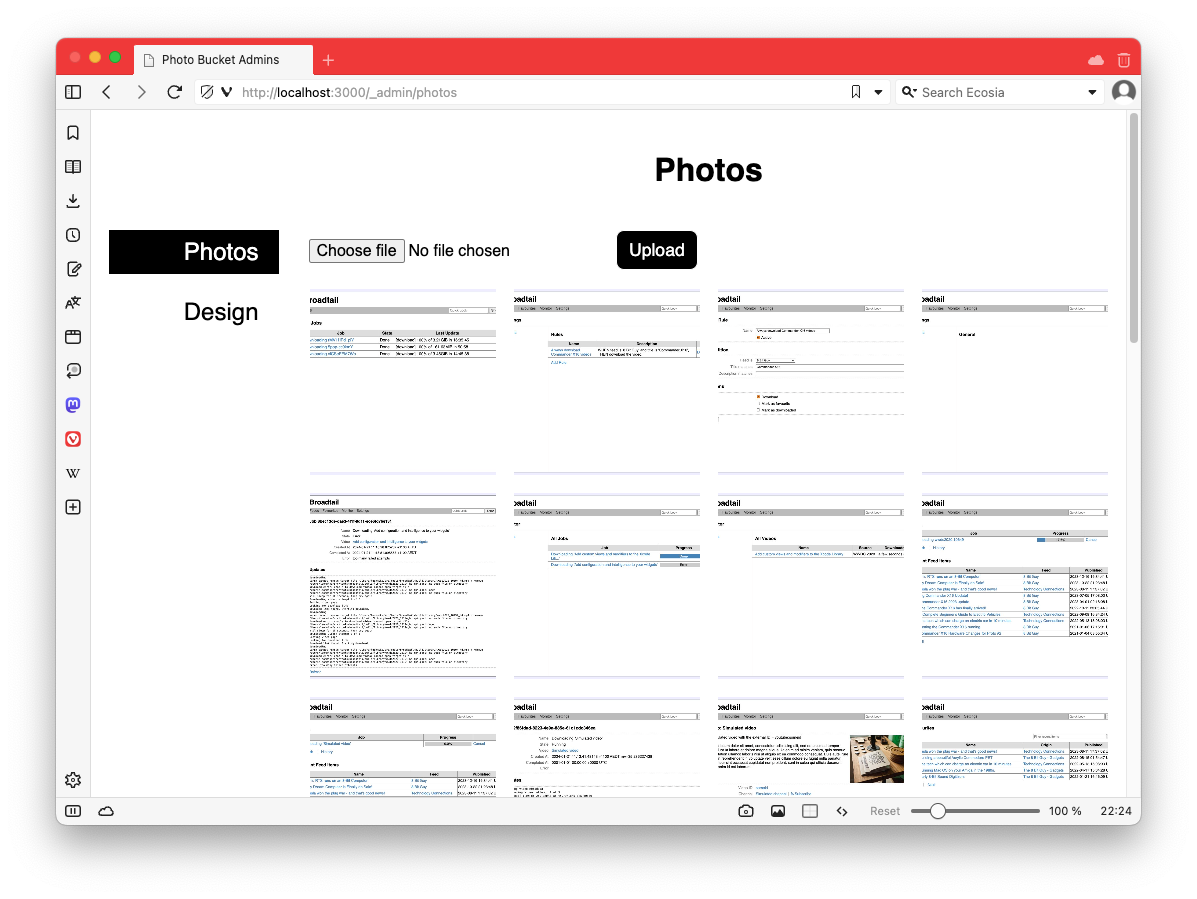
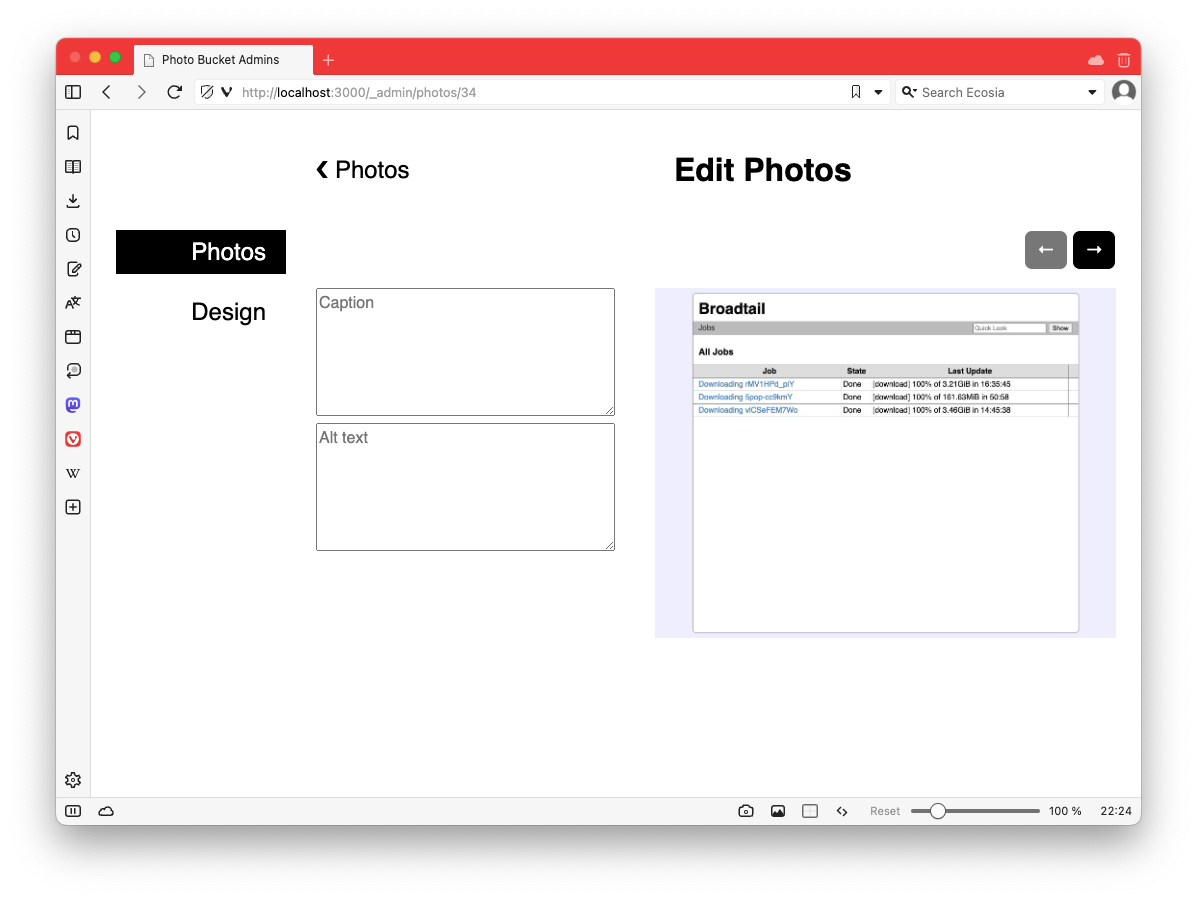 devlog screenshots
 -
Working on one of the admin sections of the project I was alluding to yesterday. Here’s a screencast of how it’s looking so far.
The styling and layout is not quite final. I’m focusing more on functionality, and getting layout and whitespace looking good always takes time. But compared to how it looked before I started working on it this morning, I think it’s a good start.
-
In the end it took significantly more time to write about it then to actually do it, but the dot product approach seems to work.
-
Making some progress in learning Elm for building frontends. Started working on a Connections clone, which I’m calling “Clonections”. This is what I’ve got so far:
It’s been fun using Elm to build this. So far I’m liking the language. Of course, now I’ll have to come up with puzzles for this. 😐
-
Spent a little more time working on my idea for Dynamo-Browse this week. Managed to get it somewhat feature complete this weekend:
I probably should say a few words on what it actually is. The idea is to make it quick and easy to run pre-canned queries based on the currently selected item and table.
Let’s say you’ve got a table with customer information, and another table with subscription information, and they’re linked with some form of customer ID. If you wanted to see the subscriptions of a customer, up until now, you’d have to copy the customer ID to the paste-board, change the currently viewed table, then run a query to select the subscription with that customer ID. It’s not difficult but it’s extremely tedious.
This change is meant to streamline this. Now, in a script function, you can define a “related item” provider which, if matched against the currently displayed table, will be given the currently selected item, and will return a list of queries that will display items related to the current item (depending on whatever definition of “related” will be). This will be presented to the user as a list. When the user chooses the item, the query will run and the results will be displayed.
Here’s an example of the script used for the screencasts:
ext.related_items("business-addresses", func(item) {
    return [
        {"label": "Customer", "query": `city=$city`, "args": {"city": "Austin"}},
        {"label": "Payment", "query": `address^="3"`},
        {"label": "Thing", "table": "inventory",
            "query": `pk=$pk`, "args": {"pk": "01fca33a-5817-4c27-8a8f-82380584e69c"}},
    ]
})

ext.related_items("inventory", func(item) {
    sk := string(item.attr("sk"))
    return [
        {"label": "SK: " + sk, "table": "business-addresses",
            "query": `pk^=$sk`, "args": {"sk": sk}},
    ]
})
Notice how the last
business-addressesitem specifies the “inventory” table, and that the “inventory” provider actually uses an attribute of the item. Here’s a screencast of that working:This feature has been on the idea board for a while. I was trying to work out how best to handle the pre-canned queries, especially considering that they will likely be different for each item and table. Some ideas I had were adding additional UI elements that the user could use to configure these queries. These would go into the workspace file, a sort of an embedded database which is created for each session. This was pretty crappy, especially when you consider that workspaces usually only last until the user exists. It was only a few weeks ago when I considered using the scripting facilities to implement this (which, honestly, shows how much it remains under-utilised).
Anyway, I’ve only just finished development of it. I’d still like to try it for the various related items I tend to use during my day-to-day. We’ll see how well it works out.
-
Idea For Mainboard Mayhem: A Remote Pickup
Sort of in-between projects at the moment so I’m doing a bit of light stuff on Mainboard Mayhem. I had an idea for a new element: a remote control which, when picked up, will allow the player to toggle walls and tanks using the keyboard, much like the green and blue buttons.
I used ChatGGT to come up with some artwork, and it produced something that was pretty decent.

Prompt: pixel art of a remote control with a single red button styled like the tiles found in Chips Challange, rotated 45 degrees to the right. Only issue was that the image was huge — 1024 x 1024 — and the tiles in Mainboard Mayhem were only 32 x 32.
Continue reading → -
More work on Mainboard Mayhem today. Had a bit more success getting the Windows build into a releasable state.
First thing was the app icon. That blog post I talked about yesterday worked: I was able to set the icon of the executable. I did make a slight adjustment though. The post suggested using ImageMagick to produce the ICO file, but I wasn’t happy with how they looked. There were a lot of artefacts on the smaller icon sizes.
So I looked around for an alternative, and found this package by Lea Anthony. He’s the maintainer of Wails, a cross-platform toolkit for making browser-based GUI apps in Go, sort of like Electron but without bundling Chrome. In fact, most of the build for Mainboard Mayhem was put together by reading the Wails source code, so I trust he knows what his doing. And sure enough, his package produced a nicely scaled ICO file from a source PNG image. Better yet, it was distributed as a Go package, so I could no need to install and shell-out to run it: I could just integrated it directly into the project’s build tool.
Using rsrc to generate the SYSO file with the icon worked as expected: Go did pick it up and embed it into the executable. I did have some trouble getting the Go compiler to pick up these files at first. In short, they need to be in the same directory as the
mainpackage. So if you’re runninggo build ./cmd/thing, make sure the SYSO files are in./cmd/thing. Other than that, no real issues here.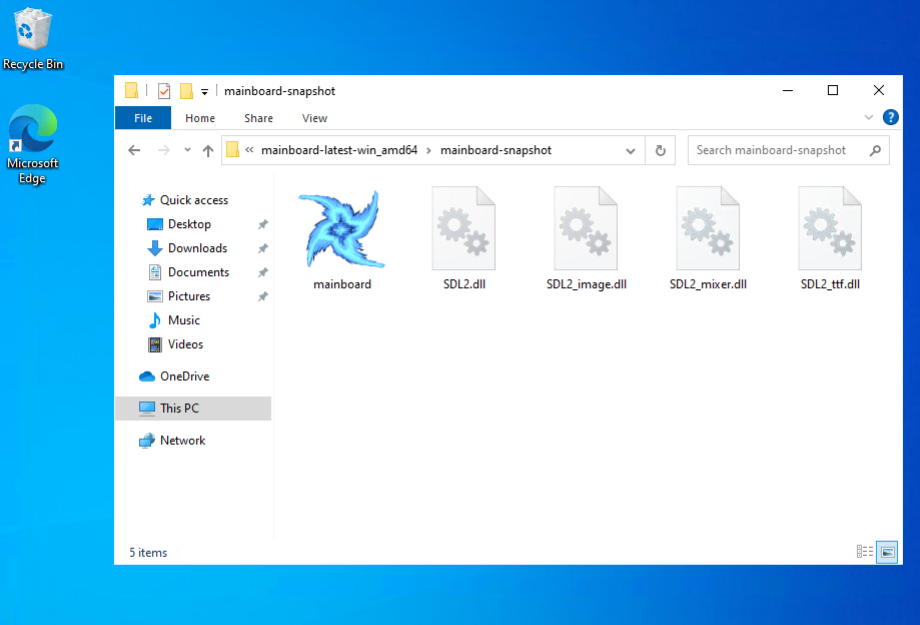
A beautiful site: Mainboard.exe with the embedded app icon One last thing I had to deal with was the console window. Running a Go app in Windows shows the console by default. Perfectly fine for command line tools, but less so for games:
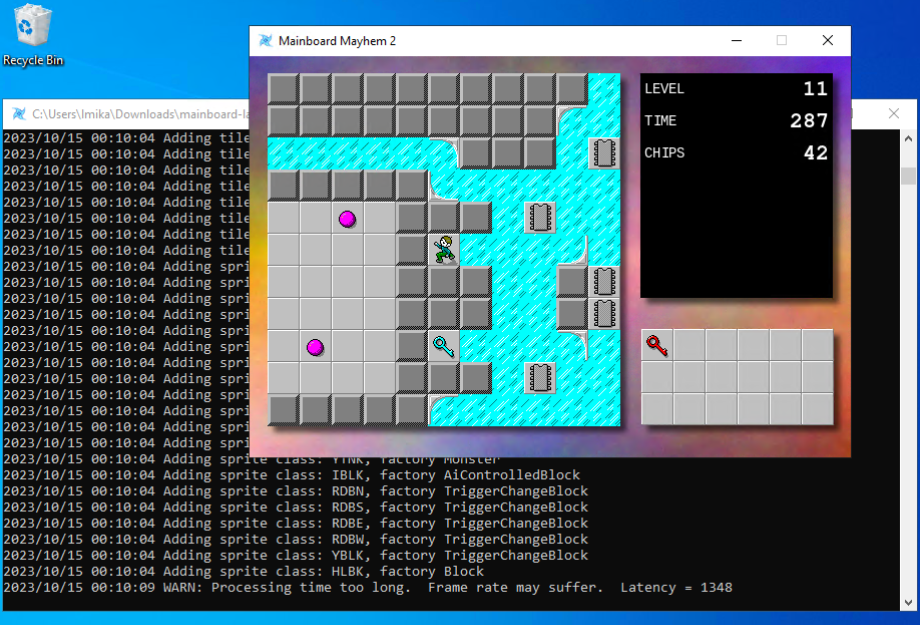
Mainboard Mayhem with that annoying console window. Even the log messages are dull (well, unless you're working on the app). So I had to find a way to hide the console on launch. Since Mainboard Mayhem is using SDL, I’m actually using MinGW to cross-compile the Windows release on an Ubuntu build runner. The documentation for MinGW suggests adding
-mwindowsas a linker option to hide the console:# What I was doing before, which didn't work CGO_ENABLED=1 \ CC="x86_64-w64-mingw32-gcc" \ GOOS="windows" \ CGO_LDFLAGS="-mwindows -L…" \ go build -o dist/cclm/mainboard.exe ./cmd/cclm'This didn’t actually work when I tried it: launching the app kept bringing up the console. Turns out what I should’ve done was follow the advice of many Stack Overflow answers, and set
-ldflags "-H=windowsgui"on the Go command:# This works CGO_ENABLED=1 \ CC="x86_64-w64-mingw32-gcc" \ GOOS="windows" \ CGO_LDFLAGS="-L…" \ go build -ldflags "-H=windowsgui" -o dist/cclm/mainboard.exe ./cmd/cclm'This works even without the
-mwindowsswitch. Not completely sure why though. I guess MinGW is not actually being used for linking? Or maybe-monly works with C header files? Don’t know. 🤷 But doesn’t matter: the console no longer shows up on launch.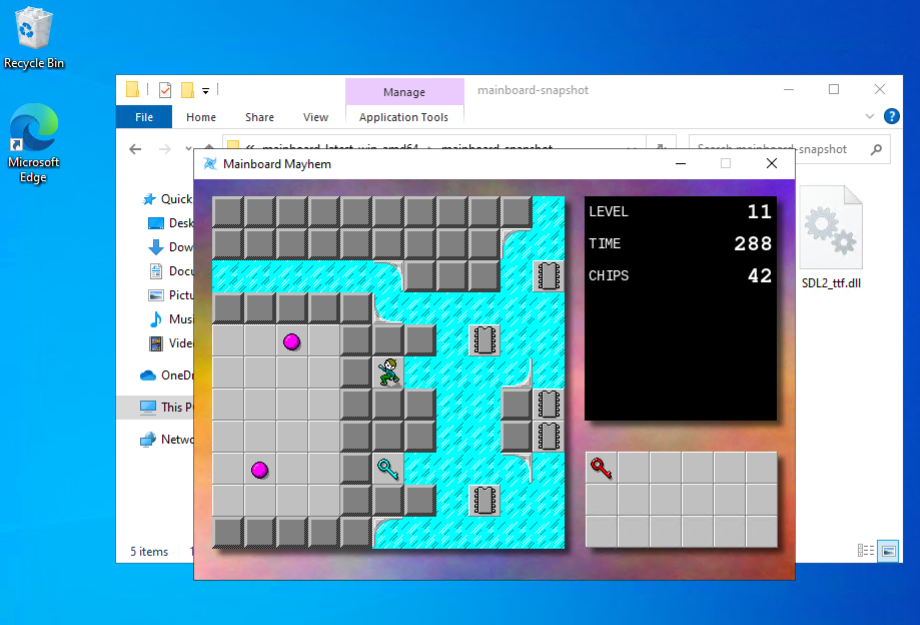
Mainboard Mayhem without the console window. A much nicer experience now. Finally, there was testing it all, and for this I just bit the bullet and set-up a Windows 10 virtual machine in Azure. The rate is something like $0.16 AUD an hour, an easy decision compared to spending time trying to get a VM with Windows 10 running on my machine.
One remaining thing that’s slightly annoying is Windows Defender refusing to launch it after download, doing effectively the same thing as Gatekeeper on MacOS does:
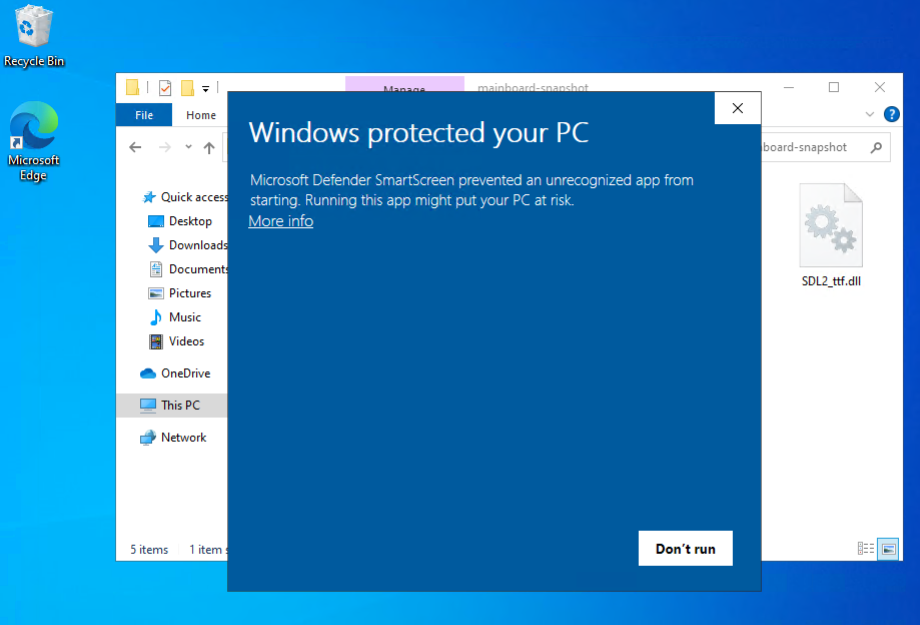
Gatekeeper a.la. Microsoft. I’m sure there’s a way around it but it’s probably not worth learning about it at this stage. It’s easy enough to dismiss: click “More Info” and the click “Run Anyway”:
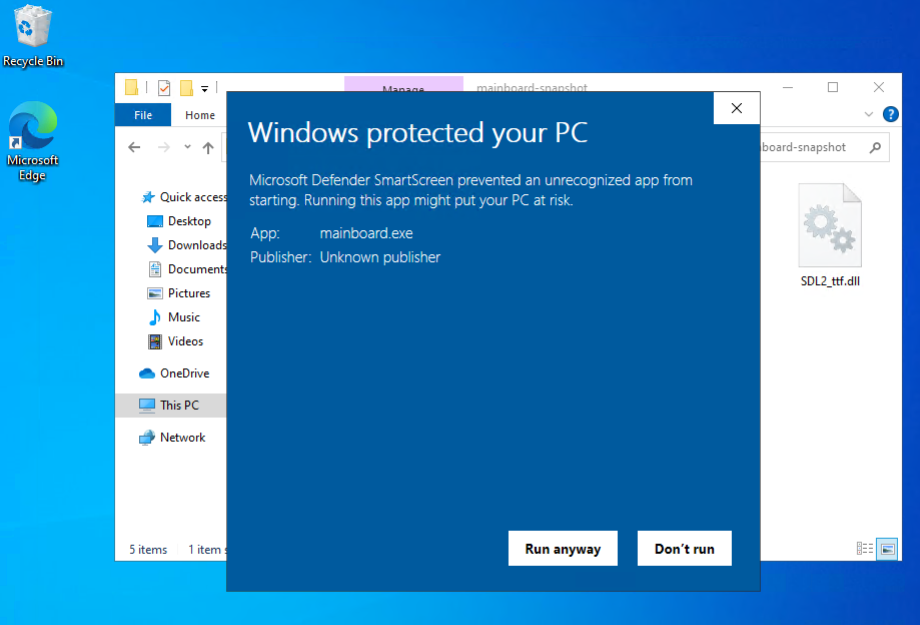
Clicking 'More Info' gives you a way to launch the app. But other than that, I think the Windows version of Mainboard Mayhem is ready. I’ve updated the website to include the Windows archive if anyone’s interested.
devlog screenshots -
Spent some time today on Mainboard Mayhem, trying to finish the Windows build. I’ve actually got Windows version of the game being built for a while now. I just haven’t published them, mainly because I haven’t got the app icon set-up yet.
But this week, Golang Weekly had a link to a blog post by Mahmud Ridwan on how to do so. It looked pretty straightforward, so I thought I’d give it a try.
And yeah, the instructions themselves were easy enough, and I wish I could say if they worked or not. But in order to test it, I need a Windows machine. And I don’t have one, and I wasn’t about to get one just for this.
So I tried setting up Windows in a VM using UTM. I got this far:
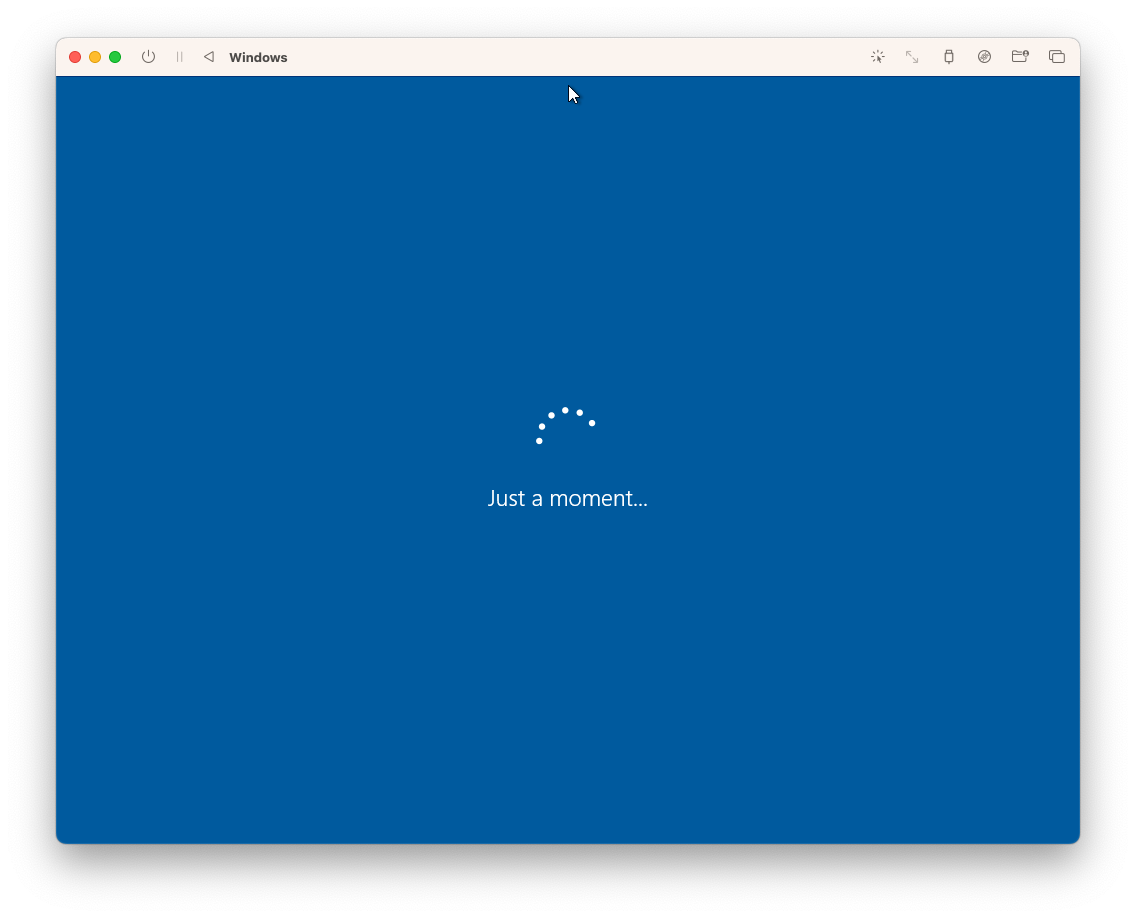
Yeah, this infinite spinner has been staring at me pretty much all day. I got a Windows 10 installer ISO using CrystalFetch, and it seemed to work. But it just doesn’t want to boot up for the first time.
Not actually sure what the problem is. The error message seems to suggest that it’s having trouble connecting to the internet. Might be that? Or maybe the installation didn’t complete properly? Could be anything. 🤷
So no luck getting this tested yet. I’m wondering if it might be easier to forget virtualisation and just launch a Windows instance in the cloud somewhere instead.
devlog screenshots -
Mainboard Mayhem
Project update on Mainboard Mayhem, my Chip’s Challenge fan game. I didn’t get it finished in time for the release deadline, which was last weekend. I blame work for that. We’re going through a bit of a crunch at the moment, and there was a need to work on the weekend.
The good news is that there wasn’t much left to do, and after a few more evenings, I’m please to say that it’s done. The game is finish, and ready for release.
Continue reading → -
Project update for Mainboard Madness. Well, today’s the deadline for getting the thing code complete, and what a surprised, it’s not finished.
To be fair, it’s pretty close. All the levels are more or less done, and the beats of the in-game lore have been added. It all just needs tightening up a little. I spent today working on the end-game phase, which mainly involved coding up the credit sequence, and making sure I include credits for those involved in the original game (and who’s artwork I lifted).
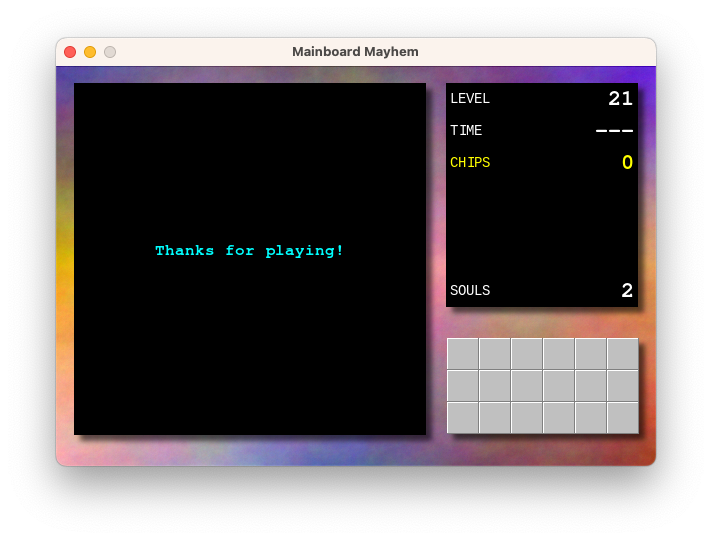
The work remaining is to finish one or two game elements, adding a proper app icon, and finishing off the website. I’m wondering whether to add sound, but I feel bad enough taking the artwork from the original game, I rather not take the sound effects as well. That will mean the game will remain silent for the time being, but I can probably live with that for now.
I think we’re still on track for getting this finished by this time next week. Last dash to the finish line, then I can put this 9 year project to rest for a while.
devlog screenshots -
Small project update on my Chips Challenge fan game.
Started working on the final level. I was dreading this a little, thanks to my awful level design skills, but I made a great start to it this morning and it’s actually coming along pretty well. It’s a good opportunity to use all the elements that I didn’t get a chance to use in any of the other puzzles, and it’s also shaping up to be one that has a bit of climax.
I’ve also started working on the website, which is little more than just a landing page. This meant finally coming up with a name. I’ve chosen “Mainboard Mayhem” which is… okay, but it’s one that’s been rattling around in my head for a while, and I really couldn’t use anything close to “Chips Challenge”. I’m already using the tile-set from the original game, I rather not step on any more intellectual property.
Anyway, one more week of development left to go. Still need to setup the app icon, finish all the levels, and maybe add a menu. Then I think we’re code complete.
devlog -
Working on my Chips Challenge “fan game” this morning. Added the notion of “lower thirds,” which will show text at the bottom of the play field. I’m hoping to use it for narrative or way-finding, like here in this hub level:
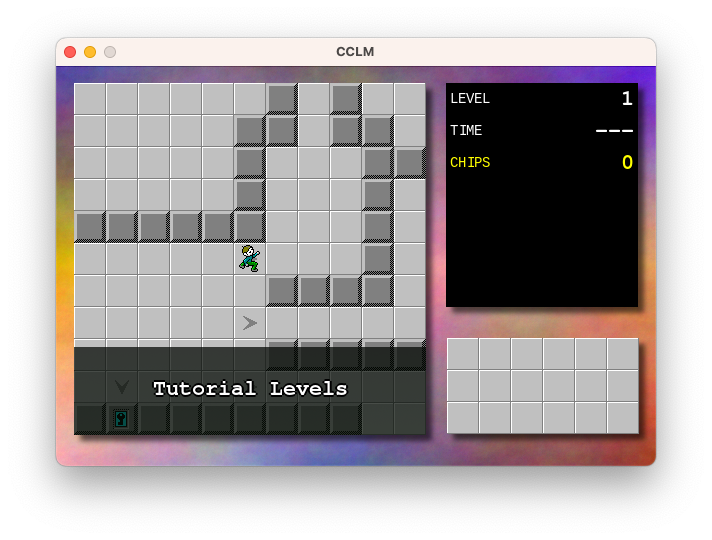
Also working on puzzle design. There’s about 19 or so “real” puzzles but I’m wondering if it’s worth adding a few tutorial ones for those that have never played the original Chip Challenge before. I’ve done about 5 such puzzles and I think I need to add maybe 3 or 4 more to cover everything I’m hoping to demonstrate. I wish I liked puzzle design more than I like tinkering on the engine.
Of course, the big question is why I’m working on this at all. There is, for lack of a better word, a vision for this, in terms of narrative and structure, but this project has been in development on and off for about 9 years or so, and I’m wondering if it’s time to just stop working on it altogether. I really am starting to get sick of it, in a way. And yet, this project has shown remarkable staying power over that time that I feel like if I don’t actually wrap it up, it’ll just continued to be worked on. It feels like the only way to end this project is to finish it, in one way or another.
So I’ll set myself a dead-line: something releasable in two weeks, and actually released a week after that. After that, no more! I’ll work on something else.
devlog screenshots -
Attempting to design an app icon for a Chips Challenge fan game I’m working on. Going for something that looks like the fireball sprite in the original game with a hint more realism and tinted in the colour blue. For reference, here’s the original fireball sprite:
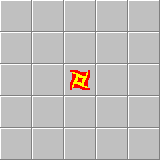
And here’s my attempt:

I started with Stable Diffusion to get the base image:

Prompt: a blue plasma fireball shaped like a throwing star with four points on a white background, pixel art Then imported into Acorn to rotate it, colourise it, and distort it to look a bit closer to the original sprite.
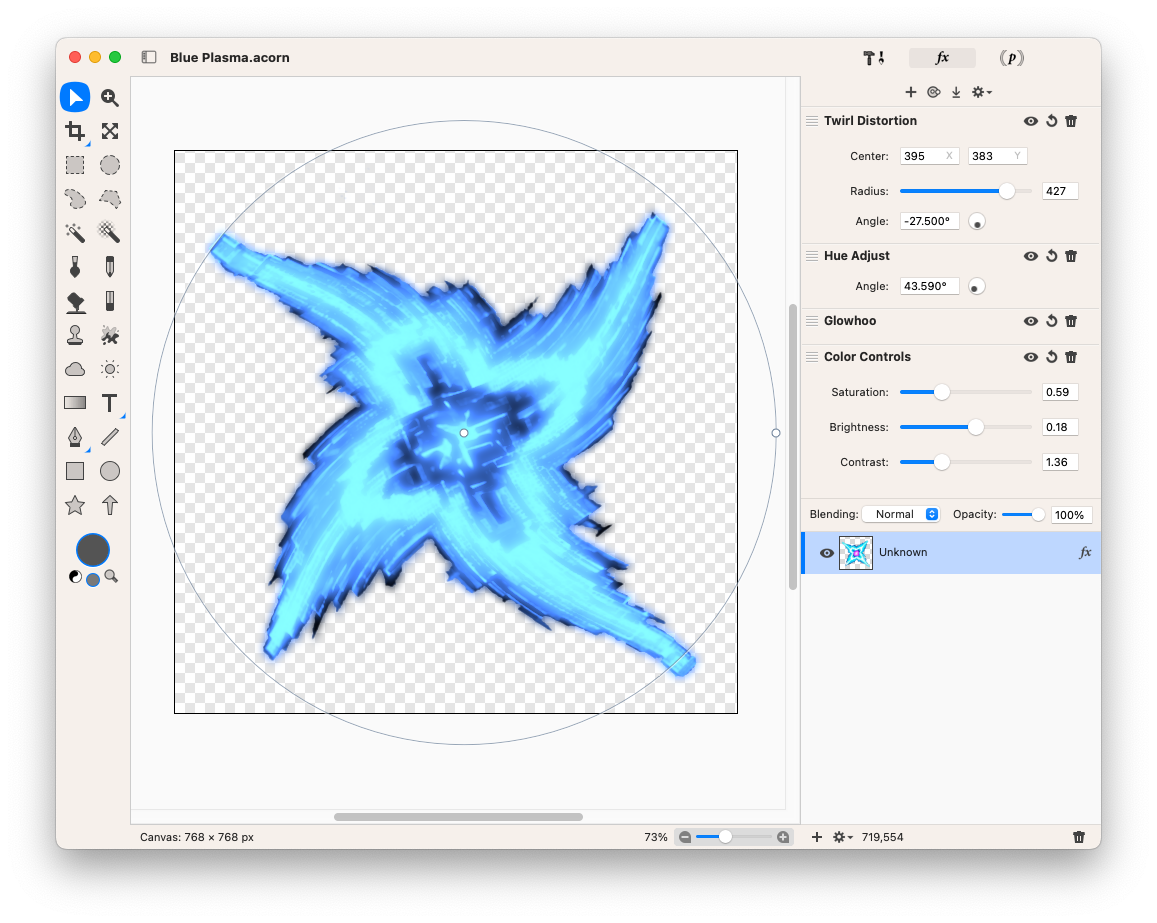
Desaturating the original image got rid of the purple centre, then applying the Glowhoo and Hue Adjust effect recolourised it to the blue I was looking for (I’m not sure what the Glowhoo effect does, but it seems to adjust the colour based on the pixel intensity, so it was good enough for what I wanted). Finally, I added a Twirl Distortion effect to achieve the slight warp in the star.
And yeah, it’s not going to win any design awards, but it’s good enough for now.
Oh, and just for kicks, here was my first attempt of producing the sprite using Affinity Designer.

That’s definitely not going to win any design awards. 😂
devlog screenshots -
Success! Managed to get a Go app built, signed, and notarised all from within a GitHub Action. It even cross-compiles to ARM, which is something considering that it’s using SDL. Here’s the test app being downloaded and launched in a VM (ignore the black window, the interesting part is the title).
-
Spent most of the weekend going down various rabbit holes to get a Go application signed and notarised as a MacOS app. I’m trying to do this in a way that would make this easy to automate using GitHub Actions. This means things like no implicit access to the system keychain: I want to make a temporary keychain, add my secret stuff to it, then delete it once signing and notarisation is done.
It also means no XCode GUI either: command line stuff only. Not that I had much hope of using XCode here anyway, since this is a Go application.
But that’s fine, preferable even. I’ve never liked all the manual steps needed to get code signing work with XCode. What are you going to do when you change systems? Would you remember all the steps you took several years ago, when you last setup developer certificates?
So this is why I’m trying to get it working with the terminal. But it’s not easy. Lots of esoteric commands that I need to learn and be made aware of. Just hope it’s not a huge waste of time.
devlog -
I’ve been working on Micropub Checkins over the last week. It’s been a bit of a rush trying to get it into a usable state for an upcoming trip. And by “usable”, I mean a form that I can tolerate, and when it comes to projects like this, I can tolerate quite a lot. It can have a really dodgy UI (which this does) and miss some really important features that are annoying to work around; but if it works, and doesn’t loose data, I’ll be fine with it.
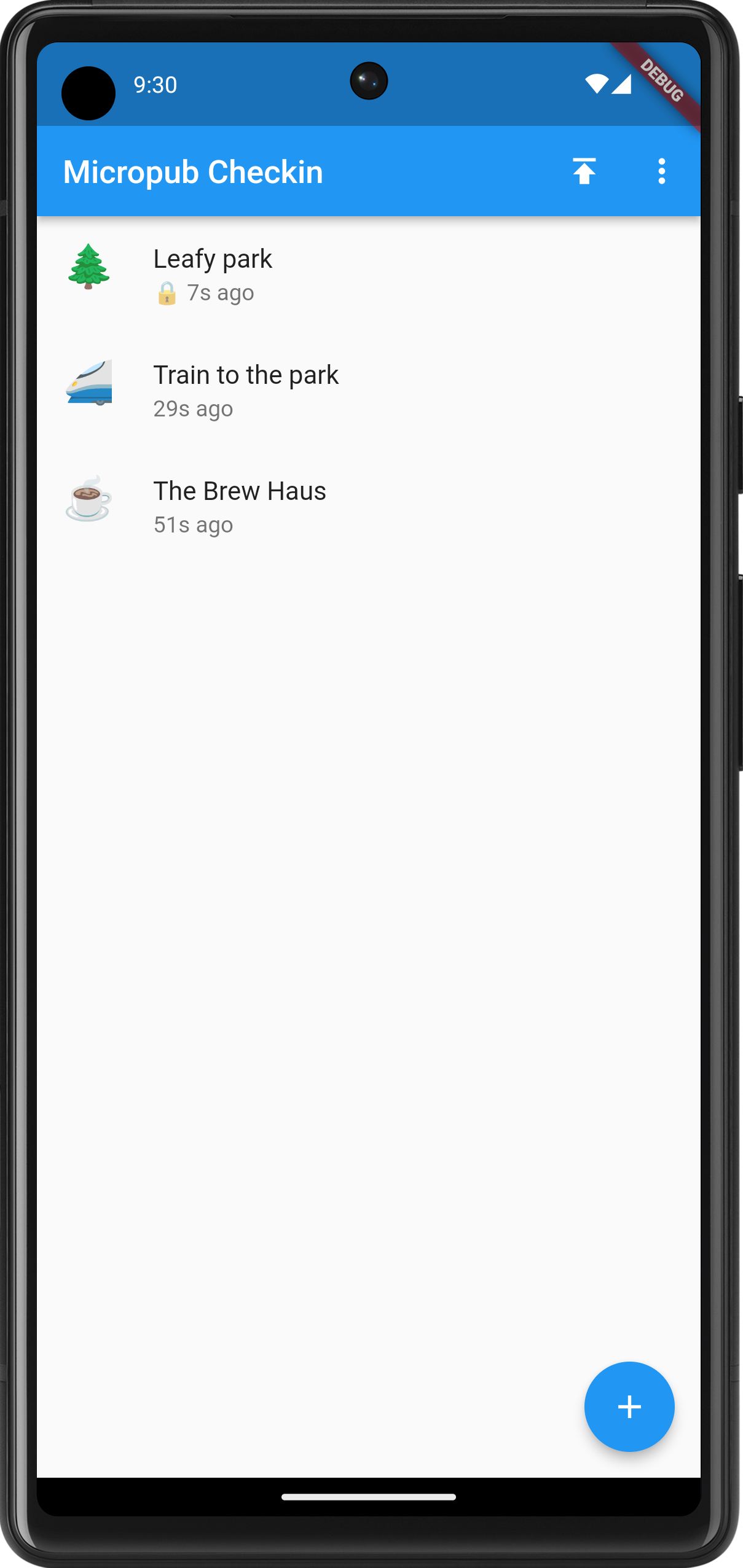
The main screen showing the recent check-ins. Note the lock next to some of them. These won't be published until the locks are removed. The last week was dedicated to making the act of checking in distinct from publishing it. Until now, check-ins were published the minute they were entered, meaning that you cannot check-in somewhere unless you’re comfortable with people knowing where you are the minute you do. Yes, some people like it that way, but not me. And I’m aware that this’ll only be the case if people are following my check-in blog, which I’m doubtful of.
So pressing the floating action button and choosing a check-in type now starts the flow of a new check-in that will get saved in an SQLite database. You can edit the check-in whenever you like, so long as it’s not published. Currently there’s no real way of deleting a check-in unless it’s been published. This is a bit dodgy, but it’s a good example of how tolerant I am with working around these feature gaps for the moment.
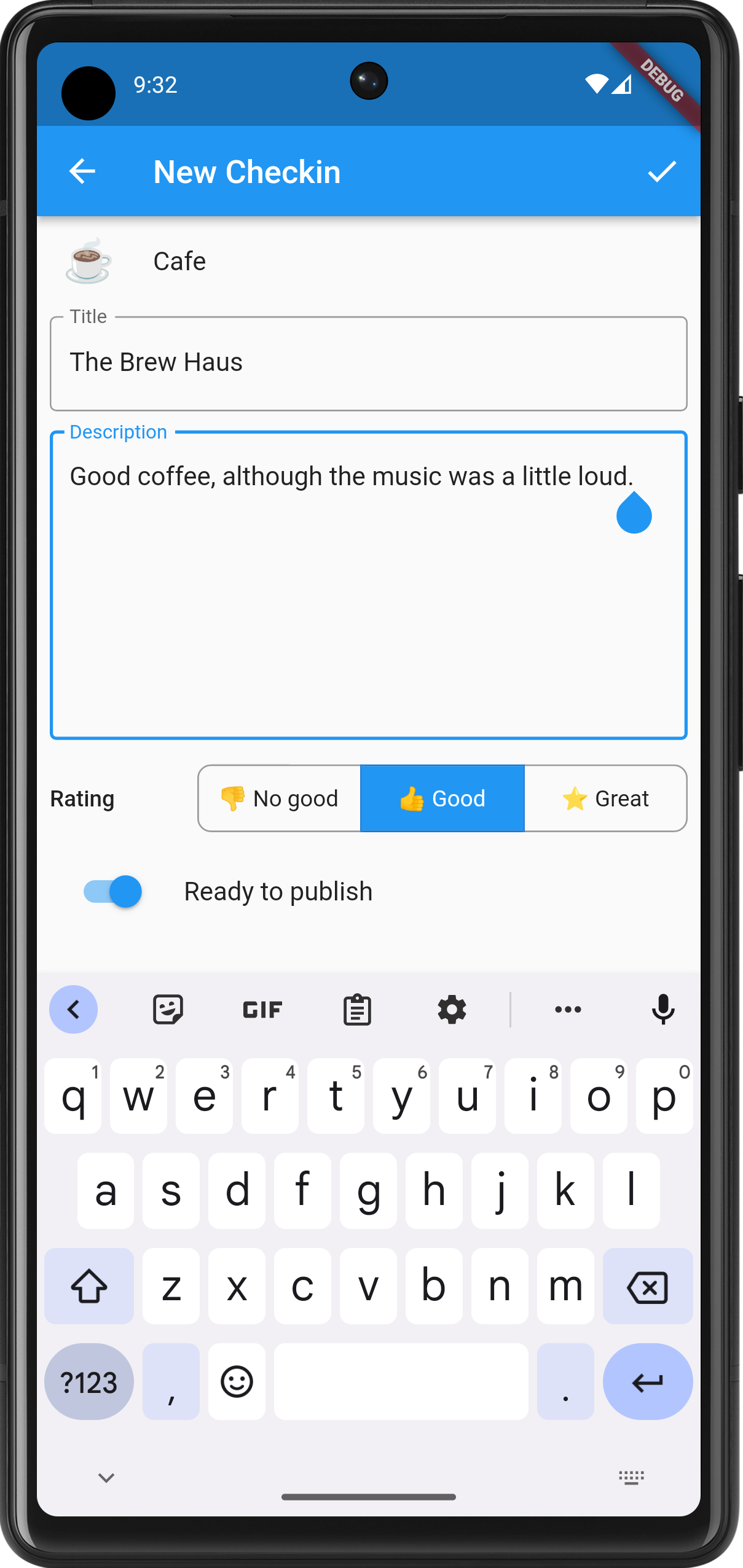
The newly styled edit screen. Notice the rating field, which will appear for eateries. Check-ins can be published by tapping the upward facing button on the main screen. Any check-in with a lock is private and will not be published until you toggle the “Ready to publish” switch in the properties. Doing so will not change the date of the check-in: it will still have the date and time that check-in was created.
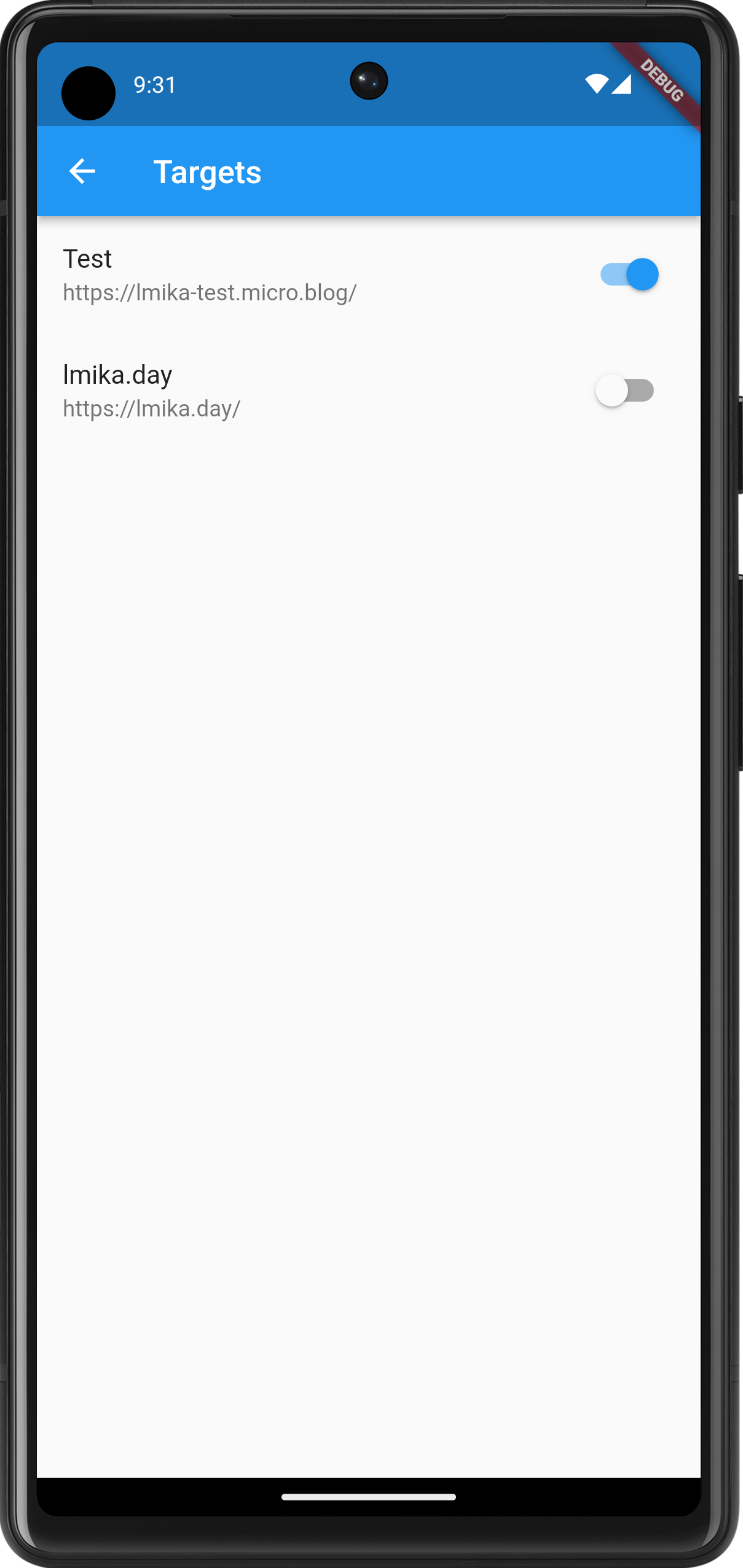
The targets are currently hard-coded but they can be turned on or off. I had a bit of trouble publishing a check-in to two targets, so I'm not sure if I'll keep multi-target publishing. On the subject of publishing, I had some issues with Dart’s date and time methods. The method on the DateTime class used to produce an ISO-8501 date-stamp don’t include the time-zone if the date and time is not in UTC. This is important as I want the post date and time to be as close to the check-in time as possible, and in the time-zone of the phone. DateTime knows all this, including what the time-zone we’re in. So why didn’t the developers include it in the ISO-8501 date-time string?
This is really strange. Fortunately, ChatGPT stepped in to help out, writing a function which will add the time-zone offset to the ISO-8501 date-time string:
String formatTimeZoneOffset(Duration offset) {
  String sign = offset.isNegative ? '-' : '+';
  int hours = offset.inHours.abs();
  int minutes = (offset.inMinutes.abs() % 60);

  return '$sign${_padZero(hours)}:${_padZero(minutes)}';
}
Honestly, ChatGPT has been so helpful over the past week with this project, I probably should give it a credit if I get this polished enough to release.
devlog screenshots -
Back working on Micropub Checkin. Re-engineered the home page to now include a list of what would eventually be check-ins — both historical and soon to be published — complete with the check-in type emoji as the icon:
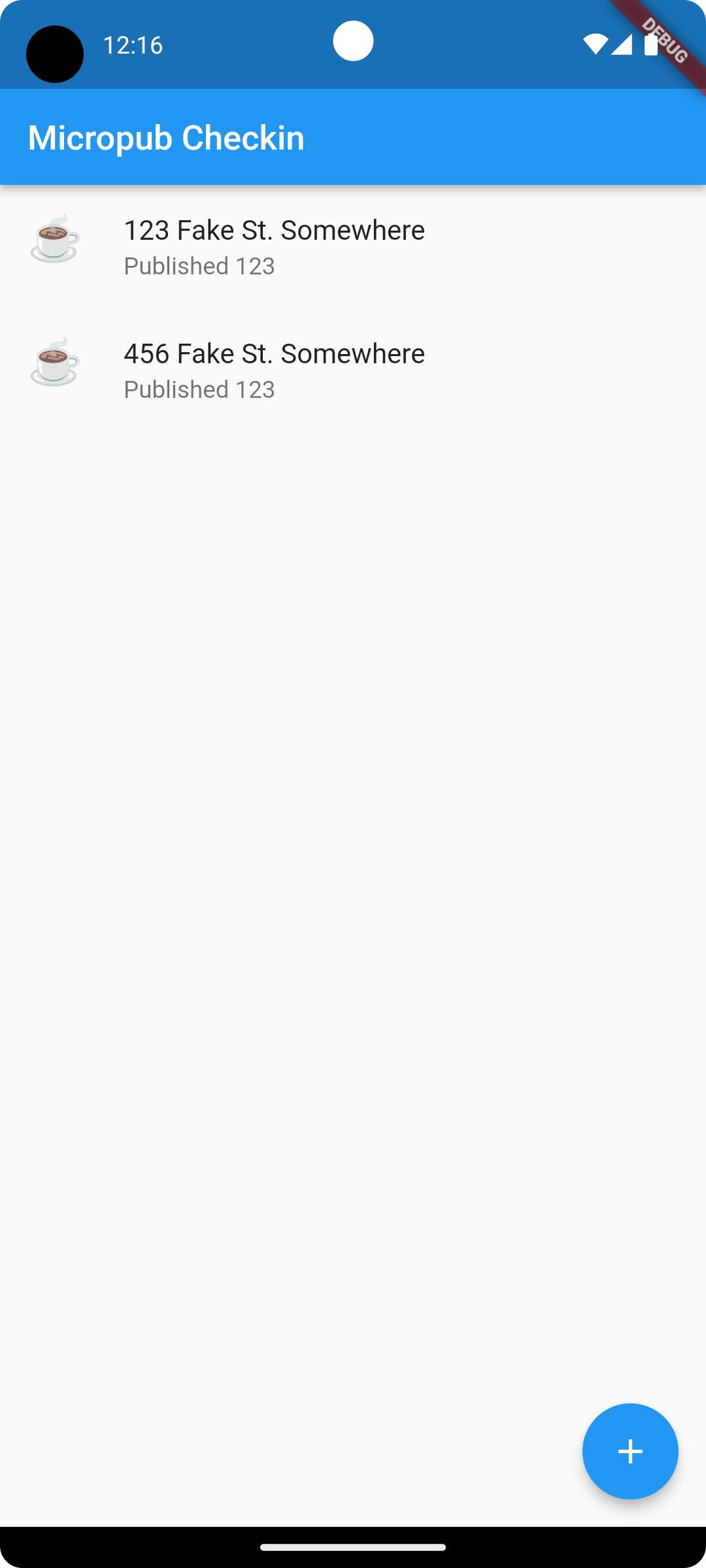
Main screen for Micropub Checkin The same list of emoji icons now adorn the check-in type picker as well (except for the airplane one which seems to always be shown as what I can only describe as the “Wingding” representation):
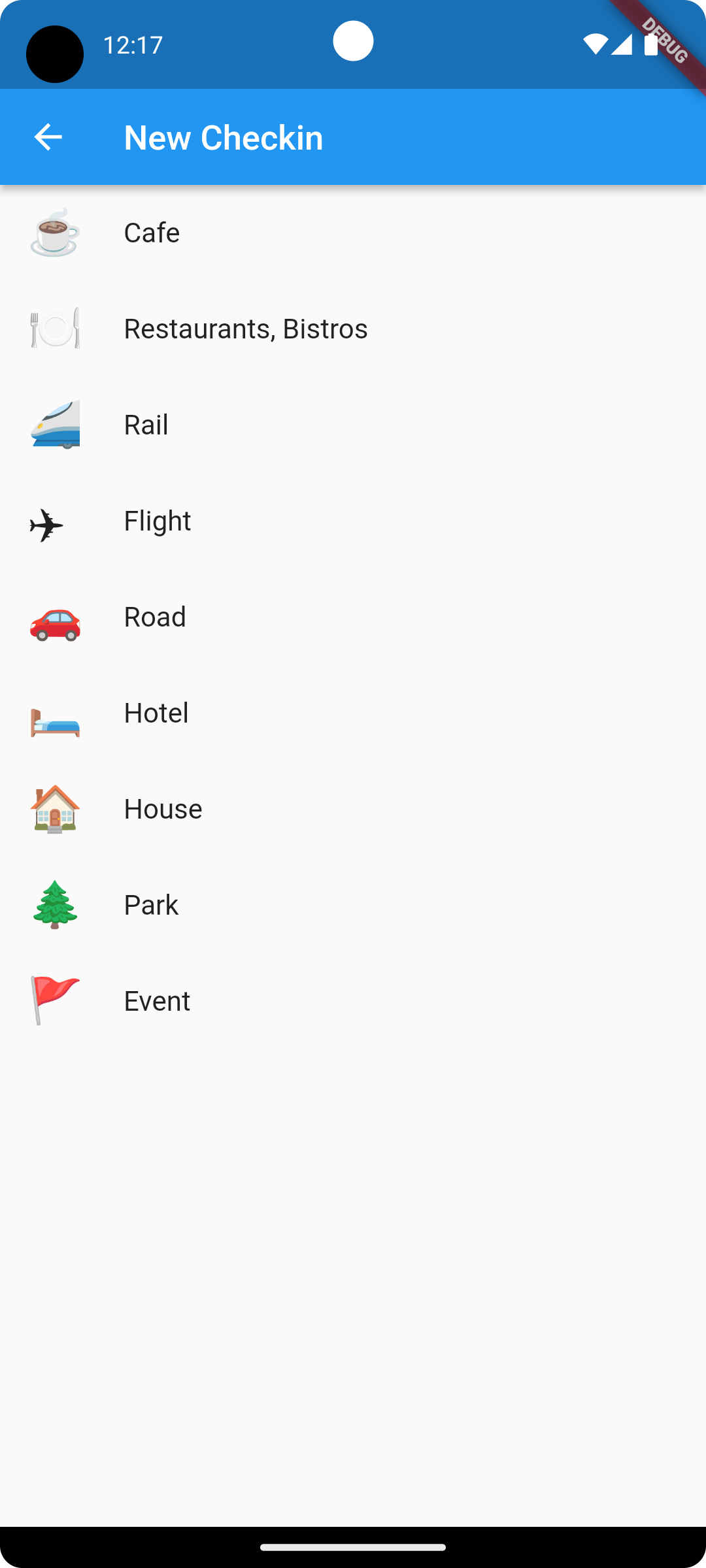
The check-in type picker I went around a bit trying to work out how best to use these emojis icons in the
leadingslot of theListTilewidget. I expored trying to convert them toIconData, but it turns out just using aTextwidget with a large font worked well. I wrapped in in aWidgettype with a fixed font-size and so far it looks quite good, at least in the emulator:class EmojiIcon extends StatelessWidget { final String emoji; const EmojiIcon({super.key, required this.emoji}); Widget build(BuildContext context) { return Text(emoji, style: TextStyle(fontSize: 26.0)); } }Also started working on a Cubit to handle state for the main page. I had a bit of trouble working ont where the soon-to-be database call to get the list of checkins should go in the cubit. After asking ChatGPT, it looks like the initializer is the best place for it:
class CheckinListCubit extends Cubit<CheckinListState> {

  CheckinListCubit(): super(LoadingCheckinListState()) {
    loadCheckinList();
  }

  void loadCheckinList() async {
    var listOfCheckins = await read_database();
    emit(FoundCheckinListState(checkins));
  }
}
I’ve got some scaffolding code in place to simulate this, and so far it seems to work.
I need to start working on the database layer and having the ability to edit and delete check-ins before they’re published. I think I’ll tackle that next.
devlog screenshots -
Building F5 To Run
At the risk of talking about something that I’ve only just started, I’d thought today I write about what I’m working on right now.
I’ve been going through my digital archives this weekend, trying to get it into something more permenant than the portable USB drives it’s currently stored on. Amongst all that stuff is a bunch of QBasic apps and games I wrote way back when I was a kid. Over the years it’s laid dormant but I do like revising them from time to time.
Continue reading → -
Updates To Dynamo-Browse
In the off-chance that anyone other than me is reading this, it’s likely that there will be no update next week due to the Easter weekend. It may not be the only weekend without an update either. If I find that I didn’t get much done for a particular week, I probably won’t say anything and leave the well to fill up for the next one (although I do have some topics planned for some of those weekends).
Continue reading → -
Updating Bocce Scorecard
I didn’t get to a lot of side-project work this week, but I did have to make a large change to a project we use to track scores for our “bocce club”. So I’d though I’d say a few words about that today.
We had our bocce “grand final” a few weeks ago, and one of the matches resulted in a tie between two players. Unfortunately, the Bocce Scorecard web-app I build could not properly handle these, which meant that I had to fix it.
Continue reading → -
Updates To Dynamo-Browse And CCLM
I started this week fearing that I’d have very little to write today. I actually organised some time off over the weekend where I wouldn’t be spending a lot of time on side projects. But the week started with a public holiday, which I guess acted like a bit of a time offset, so some things did get worked on.
That said, most of the work done was starting or continuing things in progress, which is not super interesting at this stage. I’ll hold off on talking about those until there’s a little more there. But there were a few things that are worth mentioning.
Continue reading → -
Dev Log - 2023-03-12
Preamble
When I moved Working Set over to Micro.blog, I’d thought I’d be constantly writing micro-posts about what I’m working on, as a form of working in public. I found that didn’t really work for me, for a few reasons.
I’ve got a strange relationship with this blog. I wanted a place online to write about the projects I’ve been working on, but every time I publish something here, I always get the feeling that I’m “showing off” in some way: ooh, look what I’ve done, aren’t I cleaver? And okay, I’d be lying if there’s not a part of me that wants others to see how I spend my time. If I didn’t want that, I’d be content with these posts existing in a private journal.
Continue reading → -
Completed the release of Dynamo-Browse 0.2.0. Most of the work in the last week was updating the manual, especially the scripting API. Some more updates need to be made for the query expressions as well, but I’ll publish what I have now and update that over time.
devlog